Written by the EasyDone team. Last checked 10 October 2026.
Rostering software for a FIFO contractor has one job a spreadsheet can't do: keep four lists apart. Who is rostered, who is ready for this site, who actually travelled, and who worked what hours on which job. A roster is a plan, not a fact, and most of the pain on a swing lives in the gaps between those four lists.
This guide walks one eight on, six off swing out of Perth Airport, from the day the roster locks to the day the claim goes out, and says what the software has to show at each step. The example is an electrical crew heading to a substation job in the Pilbara, but the same timeline fits any trade that flies its people in and out.
T minus 7: the roster locks
The roster for the next swing locks about a week out. Most rostering tools do this part well. Deputy, for example, advertises scheduling that takes in qualifications, fatigue limits and pay rules.1
A name on the roster only tells you someone is available. It doesn't tell you they can walk through the gate.
What has to be true by tonight: every person on the list is available, not on leave, and holds the right licence for the work. Anyone who isn't gets swapped now, not at the airport.
T minus 5: ready is not the same as rostered
Next comes the readiness check: site induction current, the client's approval through, tickets checked and in date.
The client's own mobilisation system usually owns this part. Damstra's guidance, for instance, has a worker mobilised against a specific worksite and job title, with supporting documents attached.2 That is the client's call, in the client's system. The contractor's job is to make sure its side matches: the person being sent is the person who was approved.
The trap: a crew member who is rostered, available and licensed, but whose induction for this particular site lapsed last month. On the roster they look perfect. At the gate they are a wasted day and a flight home. The software needs a "ready" that sits apart from "rostered", per person and per site.
T minus 3: flights, gear and the current work pack
Flights confirmed. Gear on the truck or in the bags. Then the work pack: the scope, the drawings and the client's latest variation.
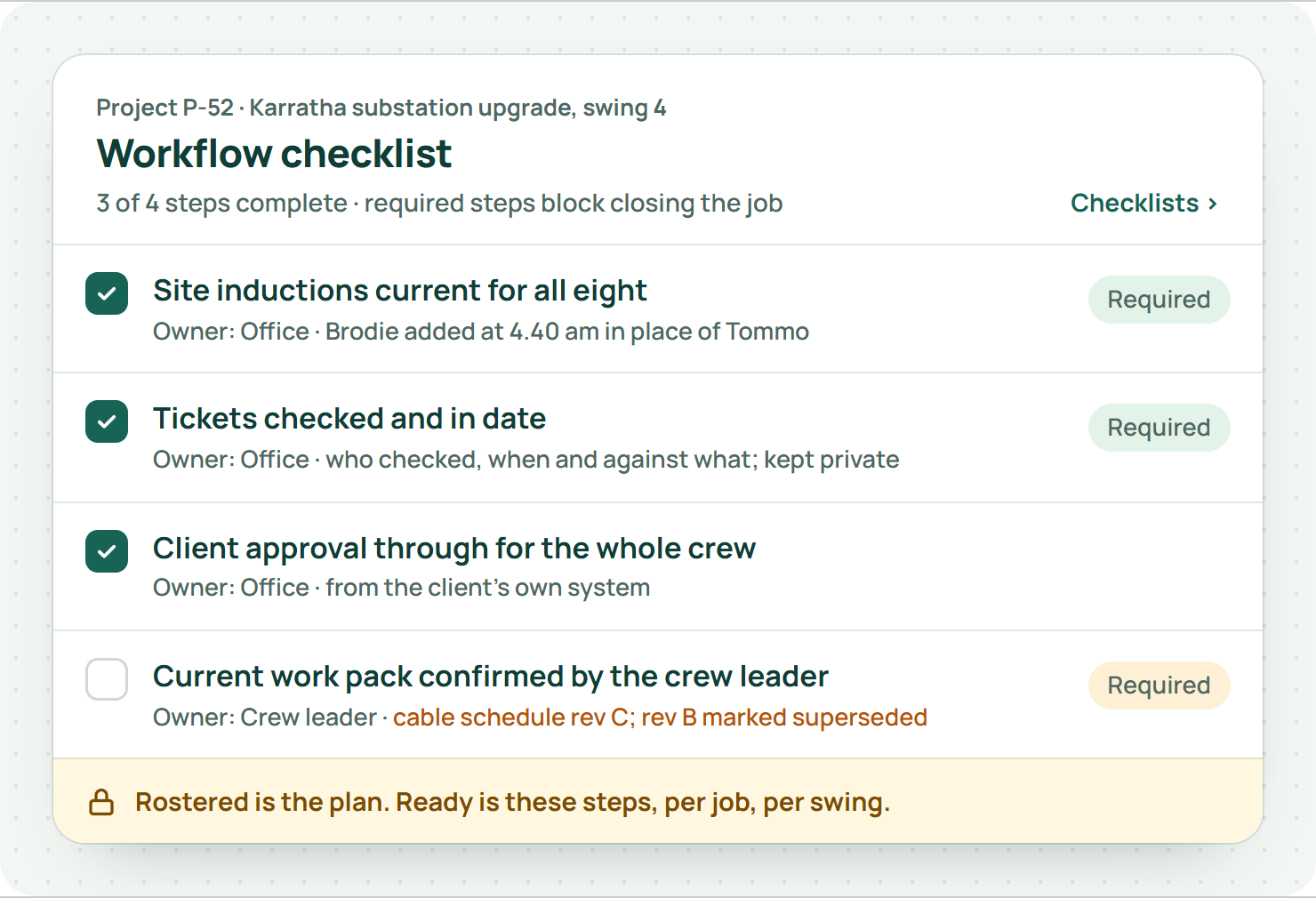
The work pack bites more often than people expect. If the office holds the revised cable schedule and the crew leader downloaded the old one on Sunday, the mistake turns up on day three, halfway up a cable ladder. Mark the current version, mark the old one superseded, and have the crew leader confirm it before work starts.
Day 0, before dawn: a sick call at the terminal
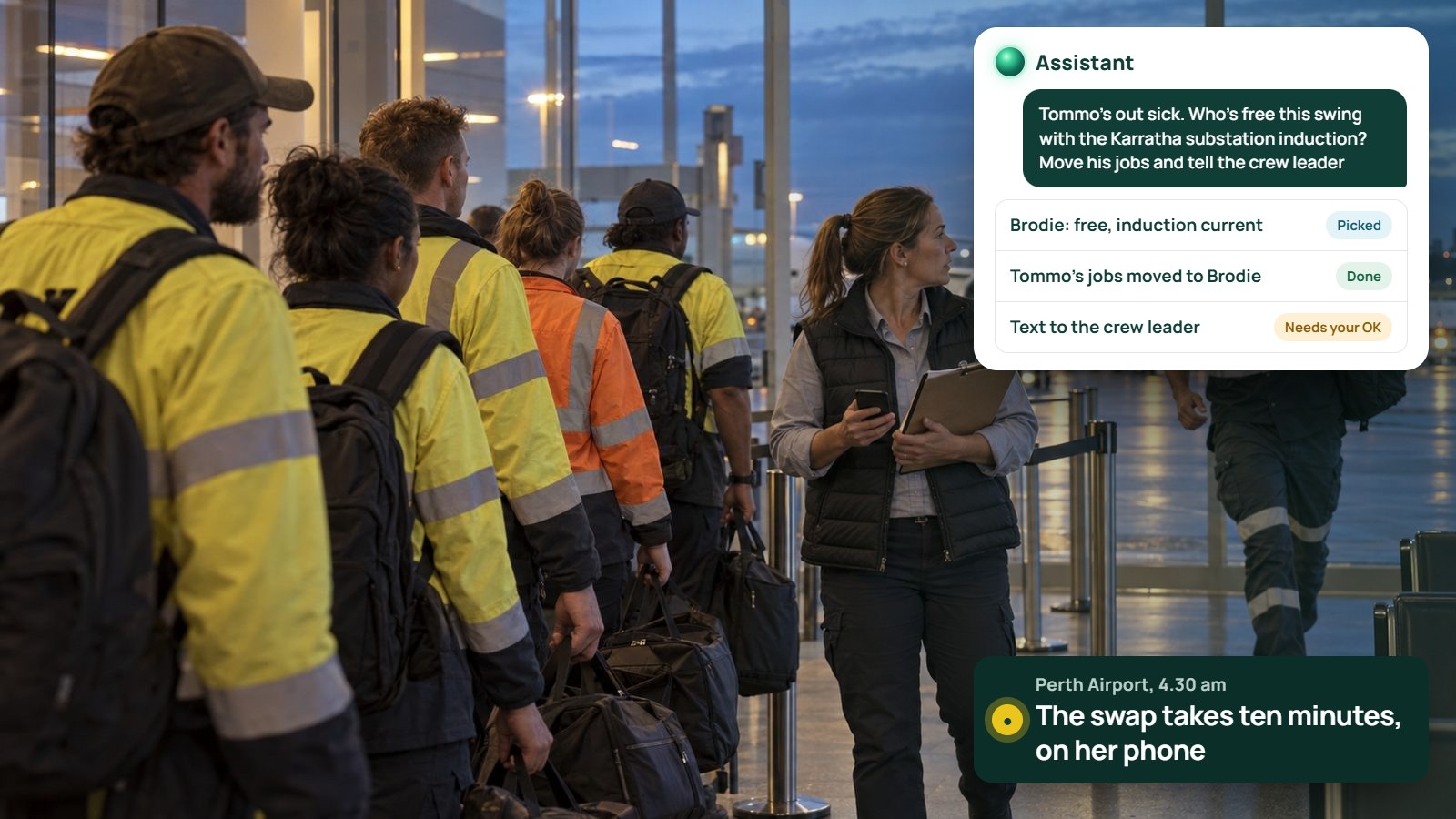
Someone texts at 4.30 am from home: gastro, can't fly.
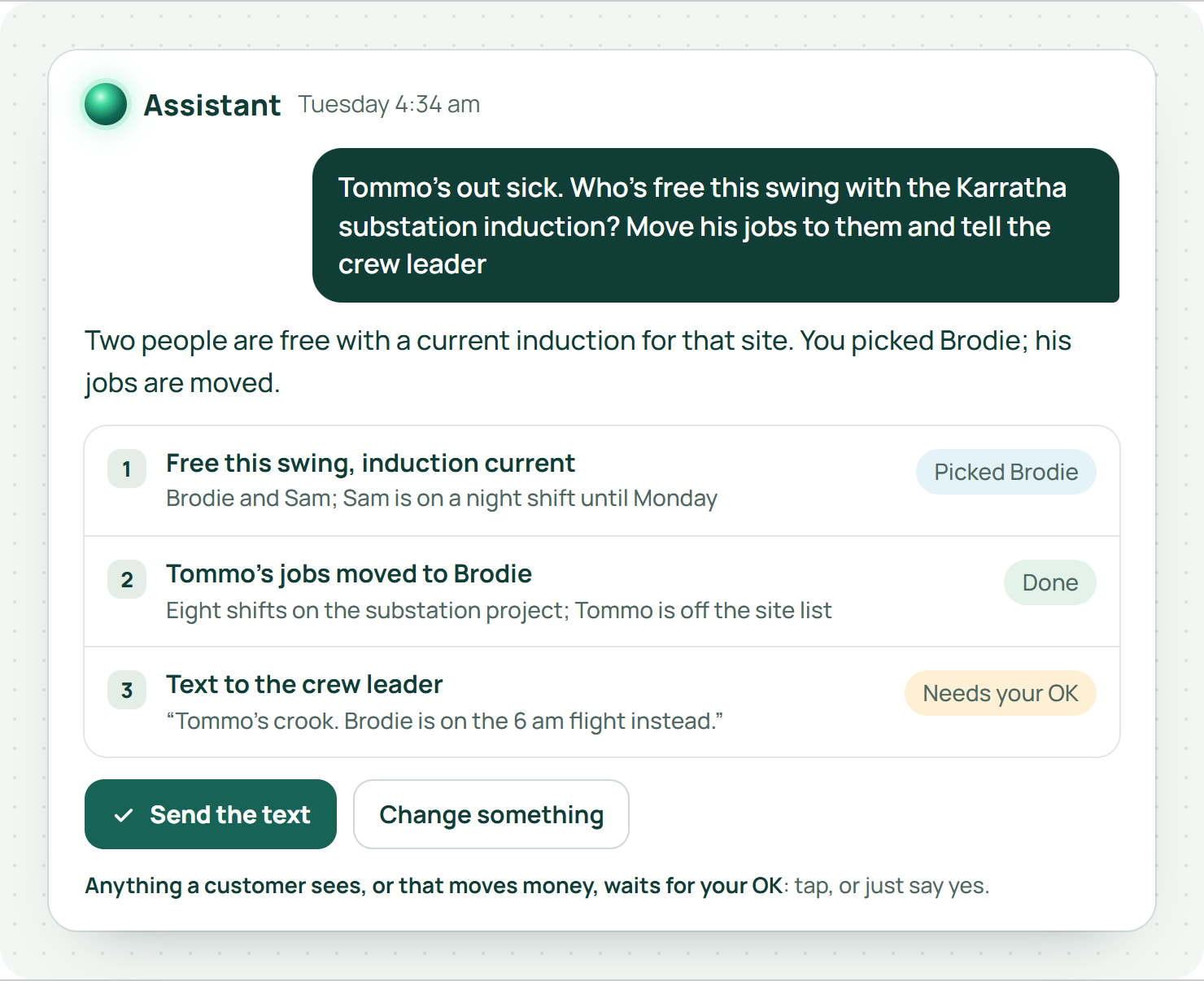
This is the moment that sorts good systems from bad ones. The coordinator needs a replacement who is available, ready for this site and not about to run past a fatigue limit; then needs to move the sick worker's jobs across and take their name off everything current. In half an hour, on a phone, from the domestic terminal.
If readiness lives in a spreadsheet on the office PC, the swap doesn't happen in time. If the sick worker's name stays on the site list, the client's supervisor spends the morning looking for someone who is at home in bed.
Days 1 to 8: hours against the job, every shift
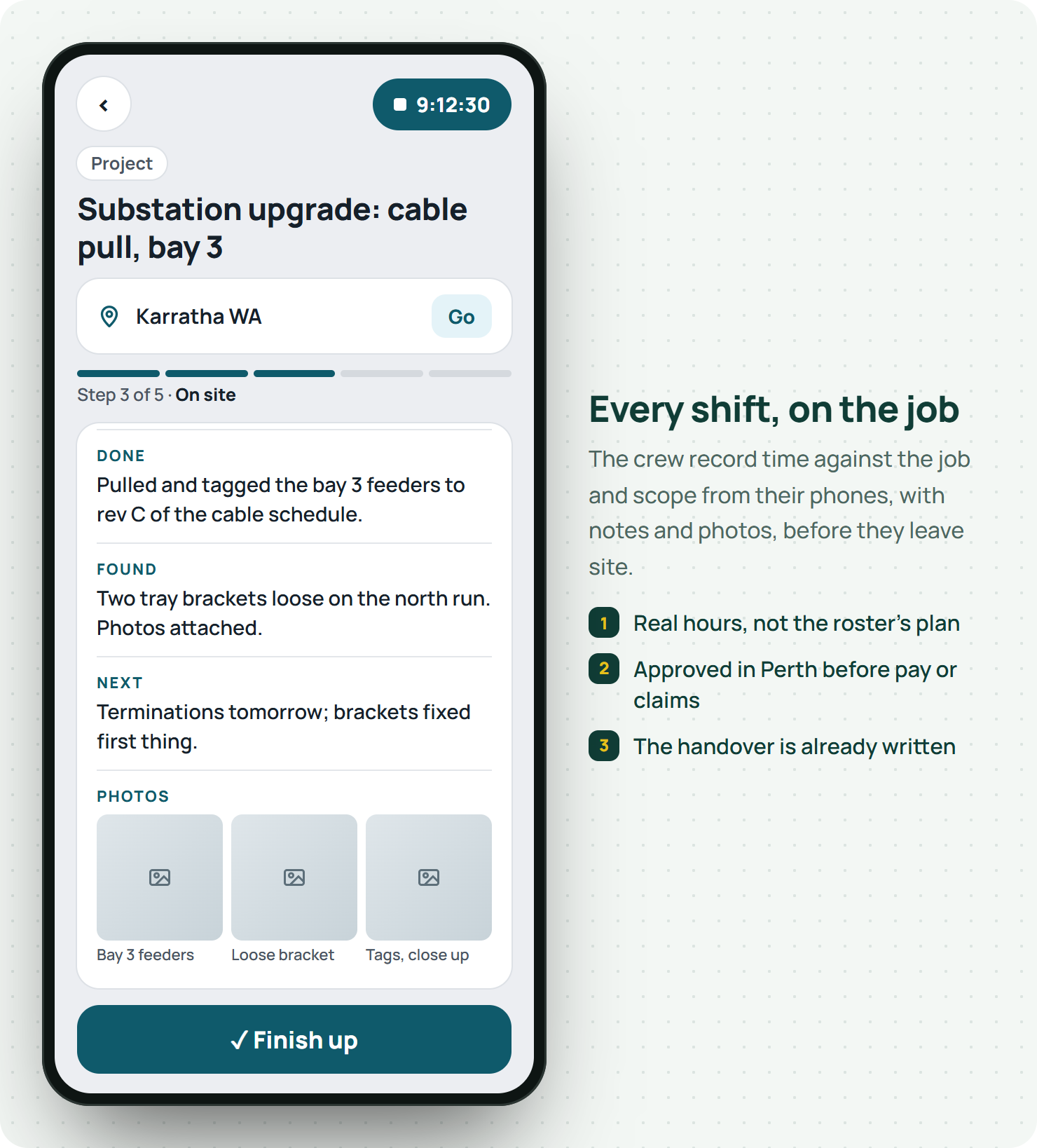
On site, the record that matters is the real one: who worked, how long, on which job and which scope, every shift.
WorkSafe WA describes fatigue as tiredness that reduces a person's ability to work safely and effectively.3 Long shifts, early starts and a delayed flight home stack up fast, and a green tick in an app is not a fatigue assessment. The coordinator and the site supervisor make that call. The software's job is to show them the real hours plainly, so they decide from facts.
Recording time against the job each day also saves the end of swing scramble. Nobody should be rebuilding eight days of hours from memory in the airport lounge.
Day 8: handover to the next crew
The outgoing crew leader hands over what is done, what is open and what is waiting on the client. If that lives only in one head, it flies home with that head.
A good handover note is short, in three parts: found, done, next. The incoming leader should be able to read it on the bus to site and know where to start.
Day plus 1: timesheets, pay and the claim
Back in Perth, timesheets are approved and payroll runs. First, know which rules apply. WA has both a state and a national employment system, and which one covers you depends on the business.4 For national system employers, the Fair Work Ombudsman's record keeping guidance sets out the time and wages records that must be kept.5
The point for software is simple. The roster is the plan and the approved timesheet is the record. Pay off the record and claim off the record, never off the plan.
Where EasyDone fits on the swing
We make EasyDone, so read this part knowing that. Here is where it does the work on a FIFO job.
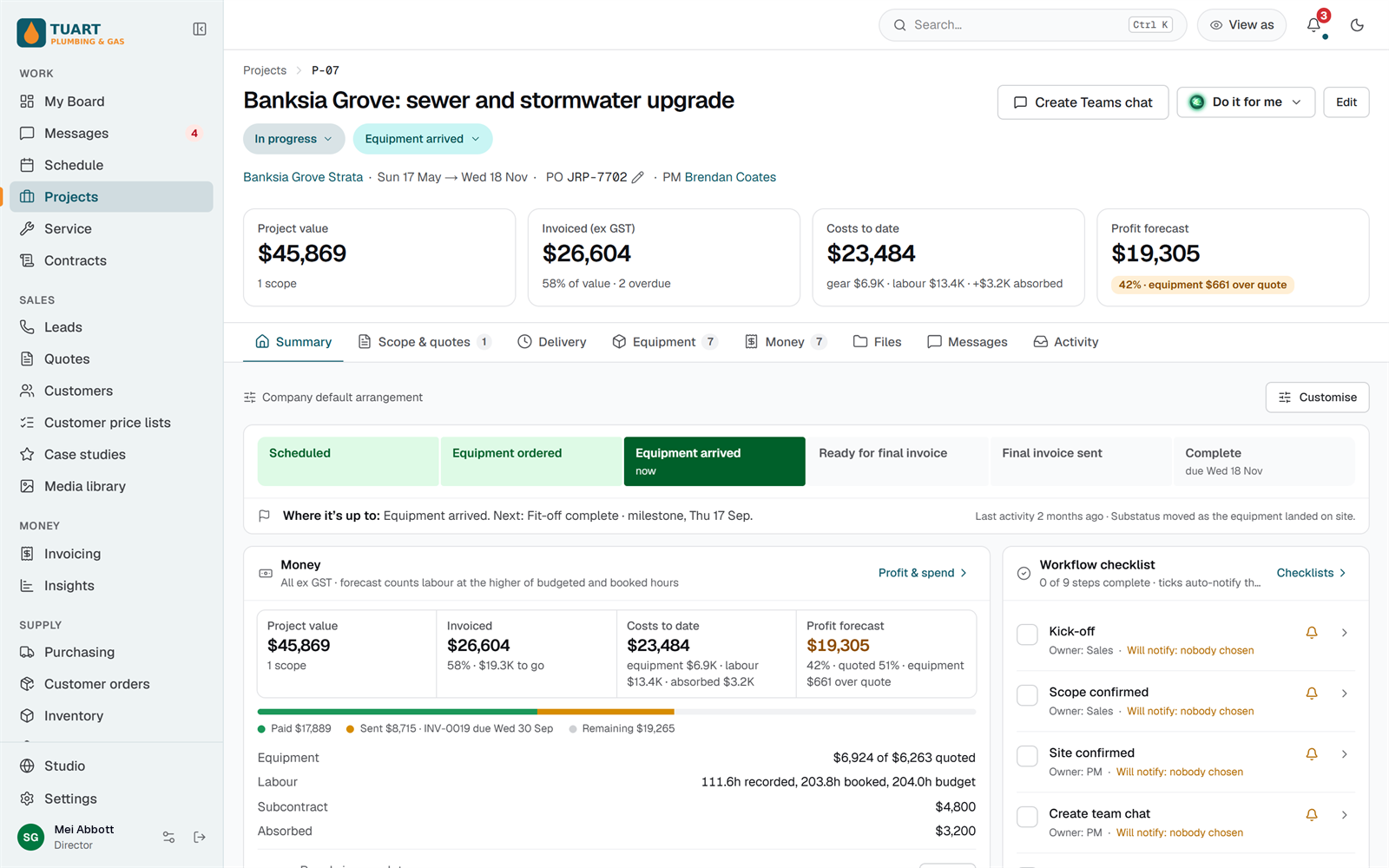
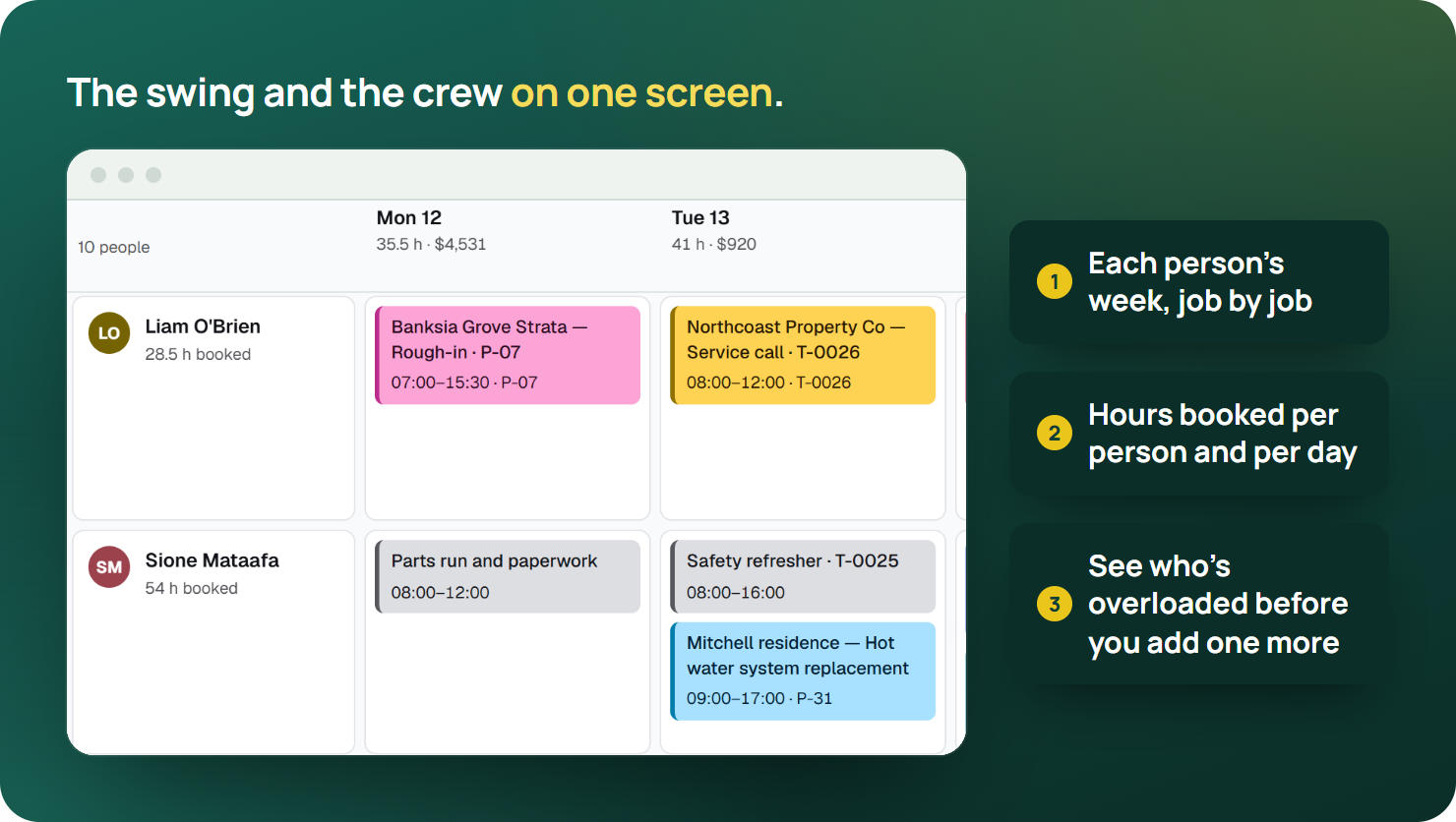
The job and the crew in one place. The site job is a project, with the original quote and each variation as its own scope, a Gantt, and hours burned against the labour budget.6 People are booked against real availability, so the coordinator can see who is overloaded before adding another job.6
Ready is a required step. Each mine site job can carry required checklist steps: induction current, tickets checked, current work pack confirmed by the crew leader. The job can't be closed off without them.6
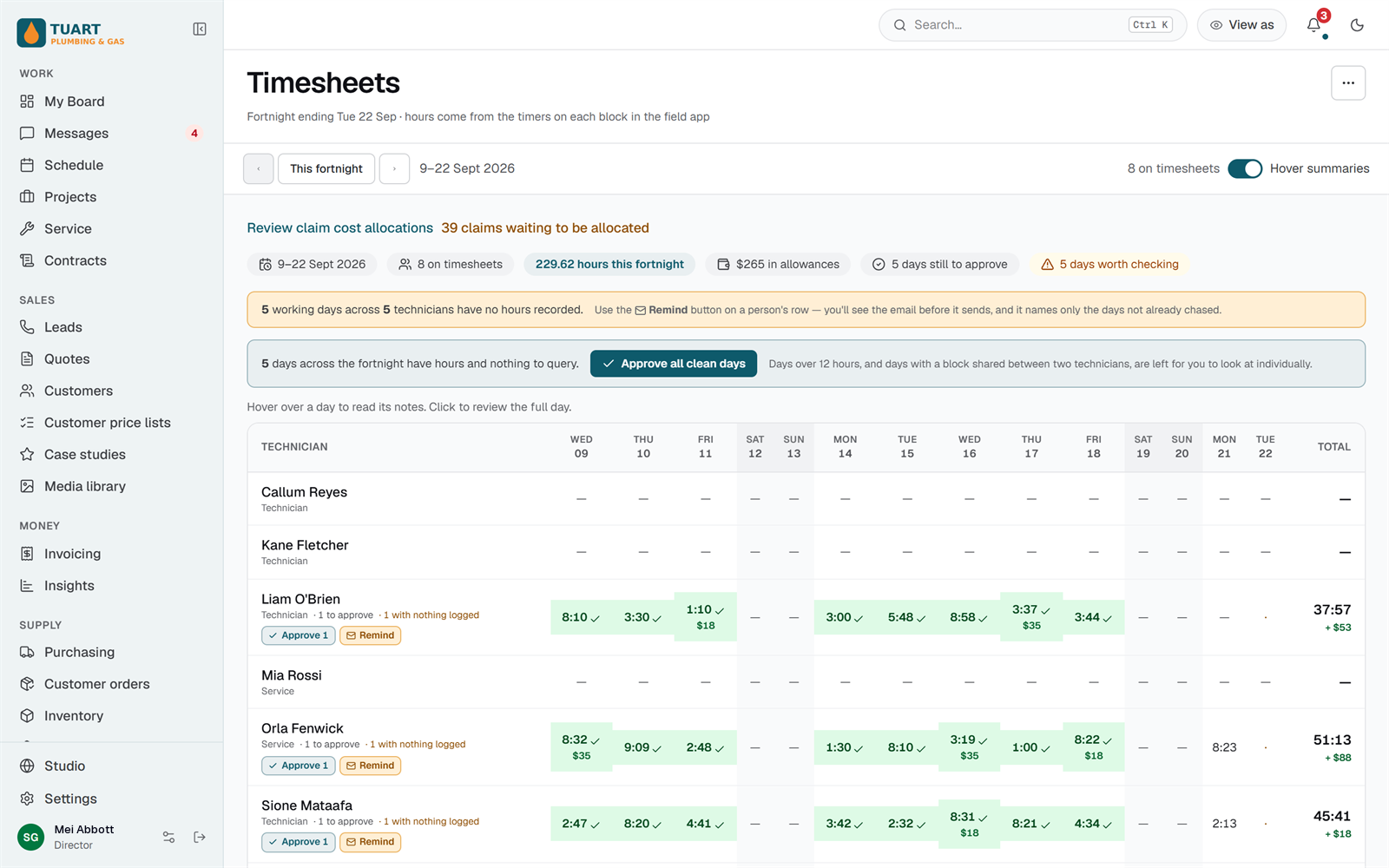
Hours go on the job, on site. The crew open the job on their phones and record time against it, with notes and photos, every shift.6 Back in Perth, timesheets are reviewed and approved before anything is paid or claimed.6
The dawn swap, by asking. At the terminal, the coordinator asks the Assistant on a phone: "One of the crew is out sick. Who's free this swing with the substation induction? Move their jobs across and tell the crew leader." It finds who is available, shows the options, moves the jobs once a person is picked, and the message to the crew leader waits for an OK before it goes.7
The odd bits. Every FIFO contractor runs swings a little differently. Ask for the change and Workshop plans it, builds it and tests it for your business.8
One limit worth knowing: EasyDone doesn't book flights or camp rooms, and it isn't the client's mobilisation system. Those stay where they live. EasyDone runs the work, the people and the hours around them.
Three questions coordinators ask about FIFO rosters
Can a repeating swing template do the job?
A template is a good starting point, as long as the real world can override it: leave, readiness, travel changes and swaps. A template that quietly beats the facts for one person's swing is how someone ends up at the airport for a swing they're not on.
Should rostered hours flow straight into payroll?
No. Rostered hours are the plan. Pay from approved actual hours, with the difference visible to whoever approves them. A delayed flight home or an extra shift belongs in the record, not lost in the gap.
Who owns readiness, the office or the crew leader?
The office owns checking it; the crew leader owns confirming it on the day. One checks the paperwork, the other checks that the person standing there is the one on the paperwork.
The five columns your roster screen needs
Whatever software you choose, the coordinator's main view should answer five questions per person, per swing, without opening anything:
| Question | Why it matters |
|---|---|
| Rostered? | The plan |
| Available? | Leave, sick days, swaps |
| Ready for this site? | Induction, tickets, client approval |
| Travel sorted? | Flights booked, changes known |
| What did they actually work? | The record you pay and claim from |
If any one of those lives in a separate spreadsheet, that spreadsheet is where the dawn mistakes come from. Run your last swing through the timeline above, find the day it went sideways, and start there. The claims and evidence side of the same work is in our mine site paperwork guide.