
Easydone CRM

Win the work.
Keep the day moving.

Customers, quotes, projects, service and invoices—all working together, with AI helping along the way.

Turn an enquiry into a polished proposal. Get a follow-up email drafted. Find the job details, check what’s holding things up and give your team the next step.

Tell us what you do. We do the setting up.

Looking for something specific?Browse all features

01 Win work

Make a great first impression.
Then make it easy to say yes.

Keep the enquiry, the conversation and the proposal together. Give customers a clear picture of what you're offering, and give your team a clear next step.

Leads & website enquiries

Give every enquiry a next step.

An enquiry shouldn't disappear into somebody's inbox. Bring leads from your connected website and other supported channels into one place, with someone responsible for following up.

  • See what the customer asked for and how to reach them.
  • Assign the right person and keep track of the next conversation.
  • Turn the opportunity into a quote when you're ready.
Inside the softwareNorthline Events
Preparing your walkthrough…
From the first hello to a brief worth quoting.

Follow Ella’s enquiry through Northline Events.

Quotes & proposals

Show them what they're buying.

Build the detail, choose the right products and turn your quote into a proposal that feels like your business. Your customer sees the scope, the options and the price in one place.

  • Product images and specifications, with web-sourced details ready for your review.
  • Clear options, quantities and totals, without rebuilding the document.
  • Your branding, project photos and relevant case studies.
Inside the softwareNorthline Events
Preparing your walkthrough…
From the first line item to the finished proposal.

Choose the items, shape the words and see what your customer receives.

Customers & contacts

Pick up where the last conversation left off.

Keep the people, places and work connected. Anyone with the right access can see the customer history without asking three colleagues for an update.

  • Keep contacts and site details with the customer.
  • Find their quotes, jobs and service history.
  • Know who to speak to and what was agreed.
Inside the softwareNorthline Events
Customers & contacts workspace
A closer look at customers & contacts
Email, Teams & connected calls

Less switching. More getting things done.

Send quotes, follow-ups and customer replies through your connected Microsoft 365 account, without switching back to Outlook. Your logo, rich email signature and staff details go with them, so customers receive the professional emails they already recognise. The conversation stays beside the customer and the job.

  • Use one branded HTML signature, with each team member’s own details.
  • Create or open Microsoft Teams project chats from the job.
  • Prepare replies with AI, then review them before sending.
  • Supported calling connections can bring recordings and transcripts into context.
Inside the softwareNorthline Events
Email, Teams & connected calls workspace
A closer look at email, teams & connected calls
Case studies & media

Let your best work help win the next job.

Keep useful project stories and photos ready to use. Add a relevant example to a proposal so the customer can picture the result, not just the price.

  • Organise project photos in your media library.
  • Explain the problem, the work and the result.
  • Reuse the right story in your customer proposal.
Inside the softwareNorthline Events
Case studies & media workspace
Let your best work help win the next job.

Follow the work from the first step to the finished result.

Customer campaigns

Stay in touch for a good reason.

Reach the right customers with a useful update or reminder. Keep the audience and message relevant, with supported campaign connections set up for your business.

  • Choose the customers the message is relevant to.
  • Review the email and its mobile preview.
  • Check the recipients before it goes out.
Inside the softwareNorthline Events
Customer campaigns workspace
Customer update prepared for a connected campaign service
Campaign service connection required.

02 Deliver work

Everyone knows what's next.
Even when the day changes.

Bring the plan, the people and the work together. From the office to the job site, a useful update should only need to be entered once.

Projects

Keep the whole job in view.

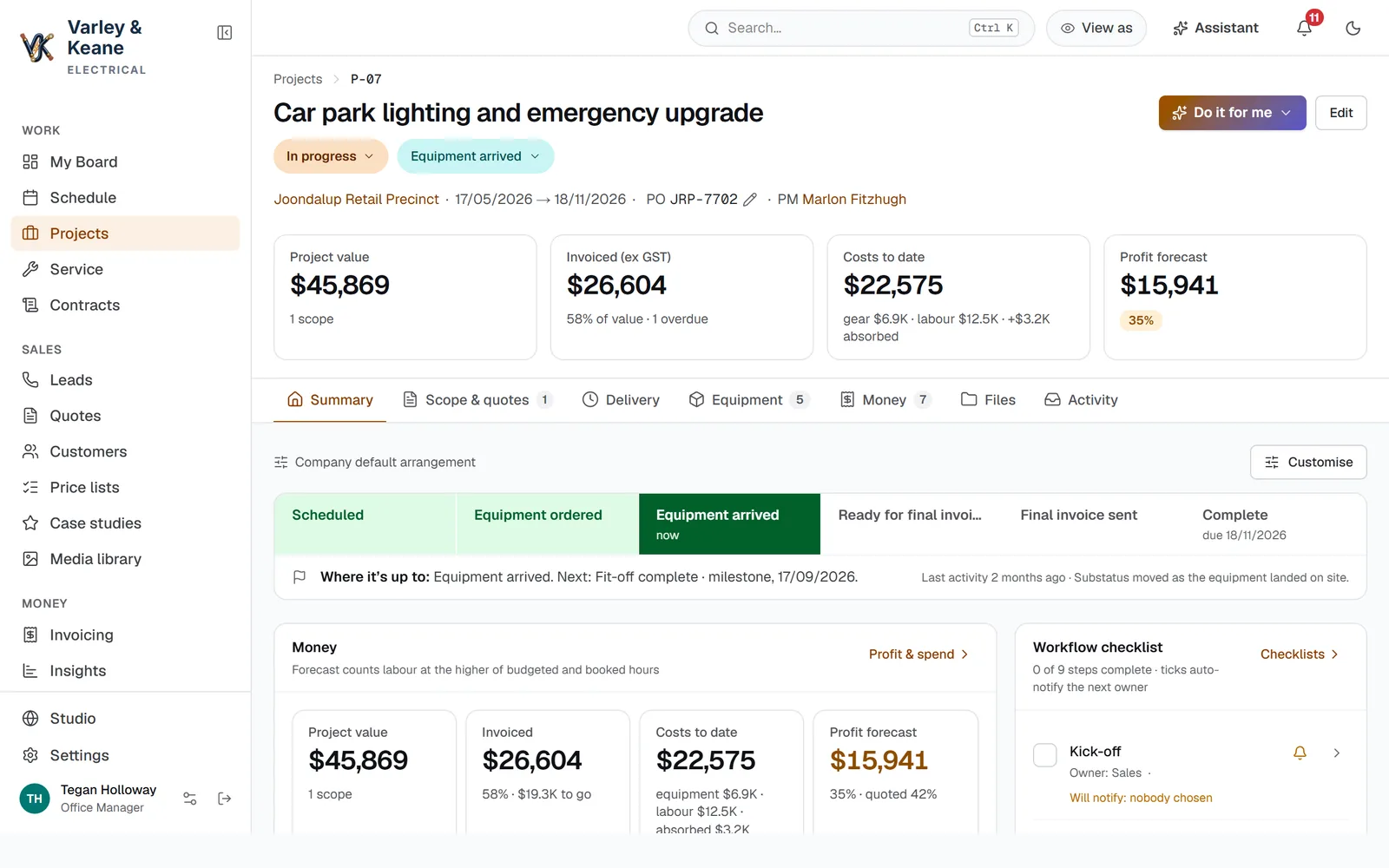
Take accepted work through to completion with the details close at hand. Your people, milestones, purchases and costs belong with the job, not in separate spreadsheets.

  • See the agreed work and the next milestone.
  • Sync project documents with SharePoint and open the team’s Teams chat.
  • Keep notes, responsibilities and purchases together.
  • Check how the job is tracking against its costs.
Inside the softwareClearbrook Plumbing
Projects workspace
Keep the whole job in view.

Follow the work from the first step to the finished result.

Workload board

See who's doing what.

Give yourself and your team a clear view of the work ahead. Move tasks forward, set the next action and spot what needs attention without a round of update emails.

  • Keep work organised by stage and person.
  • See what needs attention today.
  • Open the customer or job behind the task.
Inside the softwareClearbrook Plumbing
Workload board workspace
A closer look at workload board
Workflows & checklists

Your way of working, built into the job.

Set out the steps that matter to your business, including who's responsible and what needs checking. Your team can follow the process without keeping it all in their heads.

  • Tailor the steps, questions and responsibilities.
  • Keep notes and photos with the work.
  • Connect the next actions with the visual automation builder.
See the visual workflow builder →
Inside the softwareClearbrook Plumbing
Workflows & checklists workspace
A closer look at workflows & checklists
Scheduling

A plan your team can actually follow.

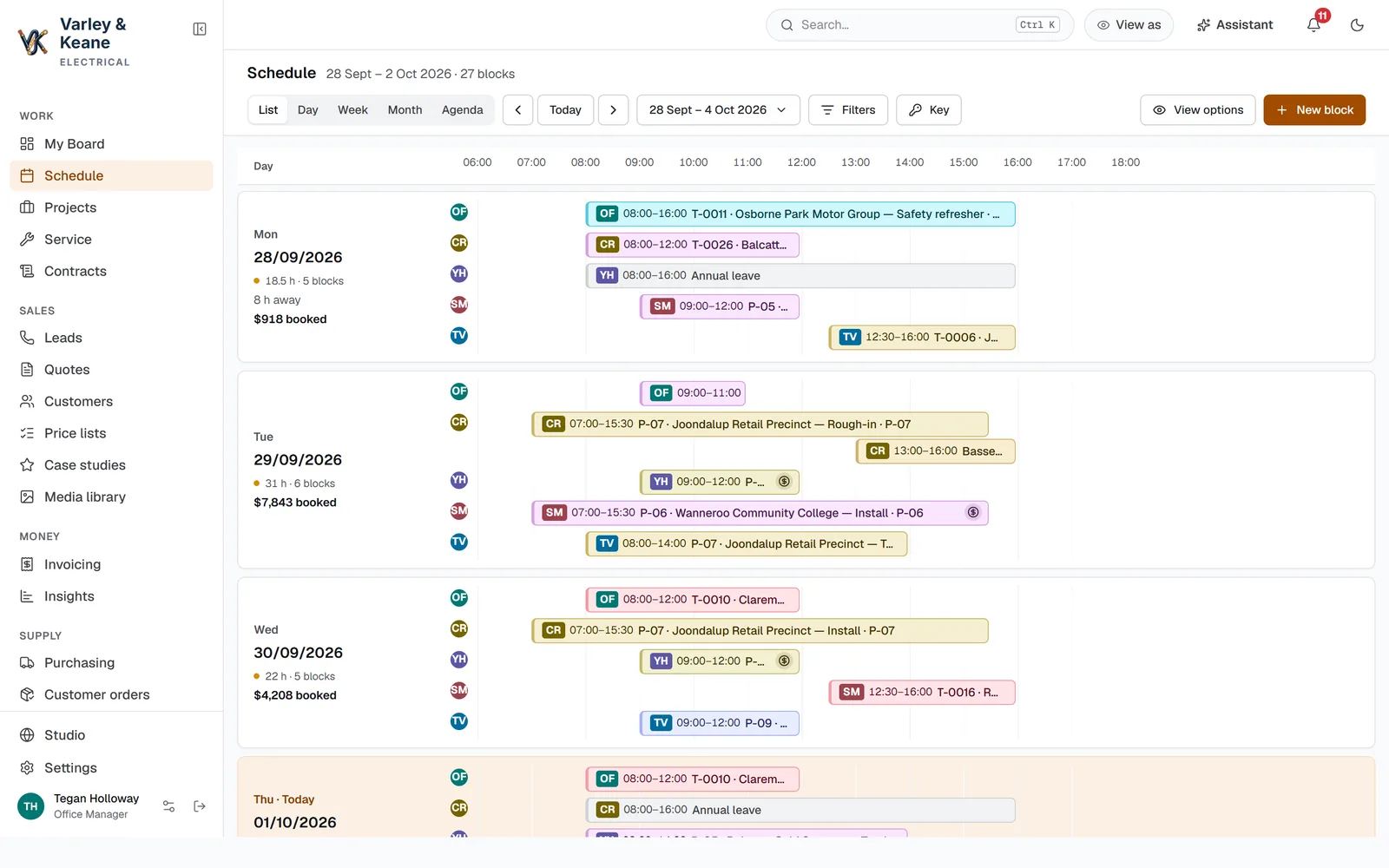
See the bookings, find a suitable person and keep everyone informed when plans change. The office and the field team work from the same job details.

  • See the week and the people available.
  • Move bookings when the day changes.
  • Keep the appointment connected to the job.
Inside the softwareClearbrook Plumbing
Scheduling workspace
A plan your team can actually follow.

Follow the work from the first step to the finished result.

Field work

Less paperwork at the end of the day.

Give the team the job details on their phone. They can record time, add photos and leave a useful note while the work is still fresh.

  • Open the day's visits and job information.
  • Complete the right checklist and attach photos.
  • Keep the office up to date with the saved work.
Inside the softwareClearbrook Plumbing
Field work workspace
Less paperwork at the end of the day.

Follow the work from the first step to the finished result.

Timesheets

Hours recorded. Fewer loose ends.

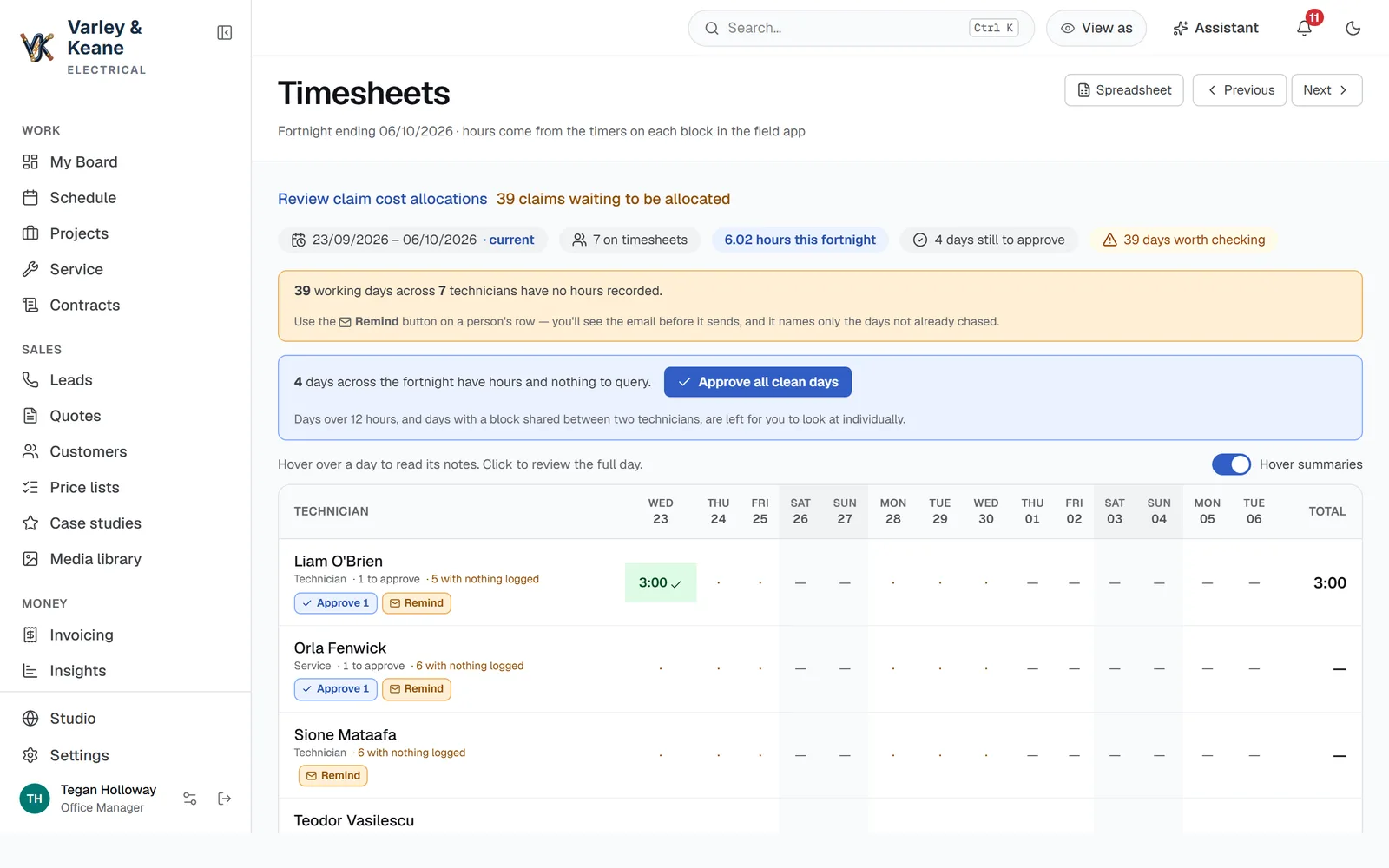
Bring time worked into a clear team view. Check the job notes, spot missing entries and review the hours without chasing everyone at the end of the fortnight.

  • Keep recorded time connected to the job.
  • See missing or changed entries that need a look.
  • Review and approve the valid hours.
Inside the softwareClearbrook Plumbing
Timesheets workspace
A closer look at timesheets

03 Manage resources

The right gear.
In the right hands.

Keep track of what you sell, what you need to order and what your team uses. Less guessing, fewer separate lists and a clearer picture of what's available.

Price lists & suppliers

Keep prices useful, without the busywork.

Upload a supplier price list, match the columns and review the changes. Some compatible suppliers can connect directly, keeping supported catalogue information easier to maintain.

  • Import and review supplier prices.
  • Keep product and supplier details together.
  • Use compatible supplier connections where available.
Inside the softwareRidgeline Outdoor
Price lists & suppliers workspace
Keep prices useful, without the busywork.

Follow the work from the first step to the finished result.

Inventory

Know what's on the shelf before you promise it.

See stock, what has already been reserved and what the next job needs. Keep the product details close so the team can find the right item.

  • Check available and reserved quantities.
  • Find the product image and details.
  • See when more needs to be purchased.
Inside the softwareRidgeline Outdoor
Inventory workspace
A closer look at inventory
Purchasing

Order what the job needs.

Keep purchase requirements, supplier orders and received goods connected. It's easier to answer what's been ordered and what's still missing.

  • See the purchase requirement behind the job.
  • Prepare and review the supplier order.
  • Record received items against the order.
Inside the softwareRidgeline Outdoor
Purchasing workspace
Order what the job needs.

Follow the work from the first step to the finished result.

Orders & shipping

Give a straight answer to “Where's my order?”

Keep the customer order and its fulfilment details in view. Record shipment and tracking information, with supported connections configured around how your business ships.

  • See what's ready and what's outstanding.
  • Keep shipment details with the order.
  • Find the information needed for a customer update.
Inside the softwareRidgeline Outdoor
Orders & shipping workspace
A closer look at orders & shipping
Asset management

Who has it? Now you know.

Keep a register of the tools, laptops and other equipment your business owns. See who has each item, whether it's available and what's happened to it.

  • Assign equipment to the right person.
  • Track availability and repairs.
  • Keep a useful history for each item.
Inside the softwareRidgeline Outdoor
Asset management workspace
A closer look at asset management
Vehicle management

Keep the fleet organised.

Keep driver details, maintenance history and service issues together. Know which vehicle needs attention without trying to remember the last workshop visit.

  • See the vehicle and its assigned driver.
  • Keep odometer readings and maintenance history.
  • Log a service issue and find the next due service.
Inside the softwareRidgeline Outdoor
Vehicle management workspace
A closer look at vehicle management

04 Look after customers

Keep looking after them.
Long after the first job.

Give the next person the full story: the issue, the equipment, the agreement and what's already been tried. Good service starts with knowing the customer.

Service & ticketing

Get to the fix with the full picture.

Keep the customer's issue, relevant equipment and previous visits together. Assign the right person and record the resolution so the next visit starts informed.

  • Keep requests organised and assigned.
  • Find the equipment and service history.
  • Save the outcome and the useful job notes.
Inside the softwareAster IT
Service & ticketing workspace
Get to the fix with the full picture.

Follow the work from the first step to the finished result.

Contracts

Know what's covered. And what's coming up.

Keep service agreements easy to find and understand. See the customer's coverage, relevant service activity and renewal details in one place.

  • See agreement terms and service tiers.
  • Keep related service work in view.
  • Find upcoming renewal dates.
Inside the softwareAster IT
Contracts workspace
A closer look at contracts
Knowledge base

Don't solve the same problem twice.

Keep the answers your team needs close to the work. Turn useful service notes into clear guidance that the next person can find and reuse.

  • Search practical company guidance.
  • Keep useful articles connected to service work.
  • Review new guidance before adding it to the knowledge base.
Inside the softwareAster IT
Knowledge base workspace
A closer look at knowledge base

05 Know the business

Know how the business
is really going.

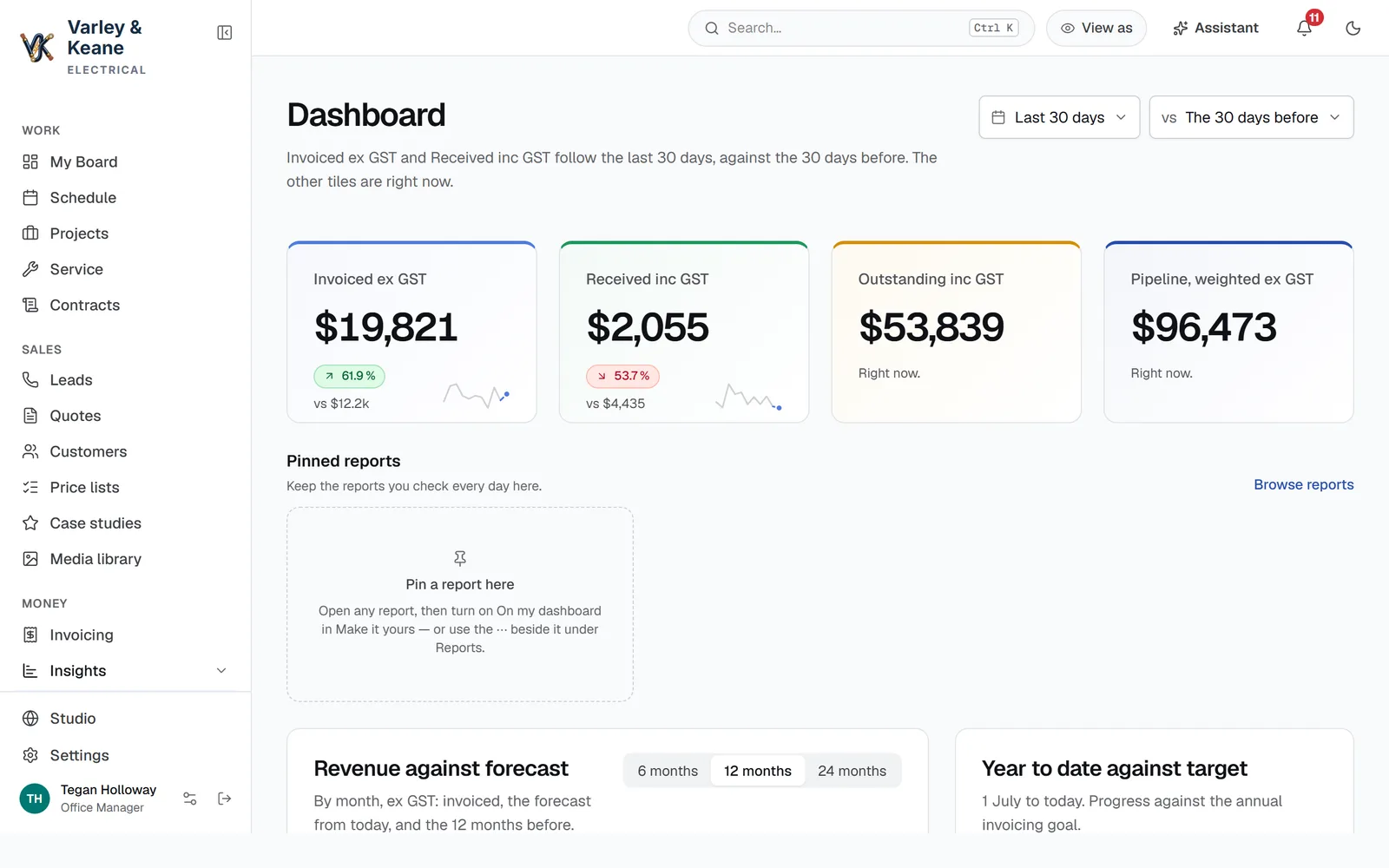
See what's coming in, what needs attention and which work is paying its way. Follow a number back to the work behind it, so you can make a useful decision.

Insights & forecasting

Less guesswork. Better decisions.

Get a clear picture of your pipeline, work and money. Choose the period you need and look at the detail behind the headline figures.

  • Keep an eye on opportunities and expected work.
  • Review business and job performance.
  • Find the records behind the numbers.
Inside the softwareGrain & Co Joinery
Insights & forecasting workspace
Less guesswork. Better decisions.

Follow the work from the first step to the finished result.

Reports & report builder

Get the answer you actually need.

Use a useful starting report or shape one around the question you're trying to answer. Keep the right information in view without rebuilding another spreadsheet.

  • Choose the information and period that matter.
  • Review a readable report with your team.
  • Export supported reports when you need a copy.
Inside the softwareGrain & Co Joinery
Reports & report builder workspace
A closer look at reports & report builder
Invoicing & profit

Finish the job. Keep the money moving.

Prepare the right invoice from the work, review the detail and see how the job stacks up. Configured follow-ups help keep unpaid invoices from being forgotten.

  • Keep invoices connected to the customer and job.
  • Review line items, tax and amounts due.
  • Keep an eye on costs and profit.
Inside the softwareGrain & Co Joinery
Invoicing & profit workspace
Finish the job. Keep the money moving.

Follow the work from the first step to the finished result.

Accounting connections

Keep your accountant in the picture.

Connect the operational work with your accounting. Xero is supported; we'll confirm the right connection and setup for your business before you commit.

  • Keep the job and invoice details together.
  • Review the supported accounting connection.
  • Agree what will be connected during setup.
Inside the softwareGrain & Co Joinery
Accounting connections workspace
Configured Xero connection

06 Automate and improve

AI handles the boring stuff.
You keep the business moving.

Set up the follow-ups, get help while you work and ask us to improve what doesn't fit. The aim is simple: less time working around your software.

Automations & visual workflows

Set it up. Let it follow through.

Choose what should happen when work moves forward. Describe the follow-up, review the draft and arrange the connected steps in a visual builder.

  • Keep invoice follow-ups from being forgotten.
  • Set the conditions for the right next action.
  • Arrange connected steps and review the email before enabling.
Inside the softwareGoodfield Advisory
Automations & visual workflows workspace
Set it up. Let it follow through.

Follow the work from the first step to the finished result.

AI agent

A helping hand, right where you're working.

Ask how to do something, get help understanding a report or have a draft prepared for you. The agent can guide your team as they go, and we're here when they need a real person.

  • Get practical help without leaving the work.
  • Ask questions about the information you can access.
  • Review important actions before they happen.
Inside the softwareGoodfield Advisory
AI agent workspace
A helping hand, right where you're working.

Follow the work from the first step to the finished result.

Feature requests

When your business changes, your software can too.

You or your staff can tell us what would make the job easier. We review the request with you, agree the priority and timing, and improve the way your system works.

  • Log the change while the problem is fresh.
  • Speak to a real person about what you need.
  • Keep improving your software with Premium.
See how improvements work →
Inside the softwareGoodfield Advisory
Feature requests workspace
When your business changes, your software can too.

Follow the work from the first step to the finished result.

Let's make it fit

Tell us what you do.
We'll show you what's possible.

Bring the spreadsheet, the workaround or the job that takes too many steps. We'll talk through how your business could work in one place.

Tell us about your business: colin@easydone.studio

Thanks. We can talk through the right next step for your business.