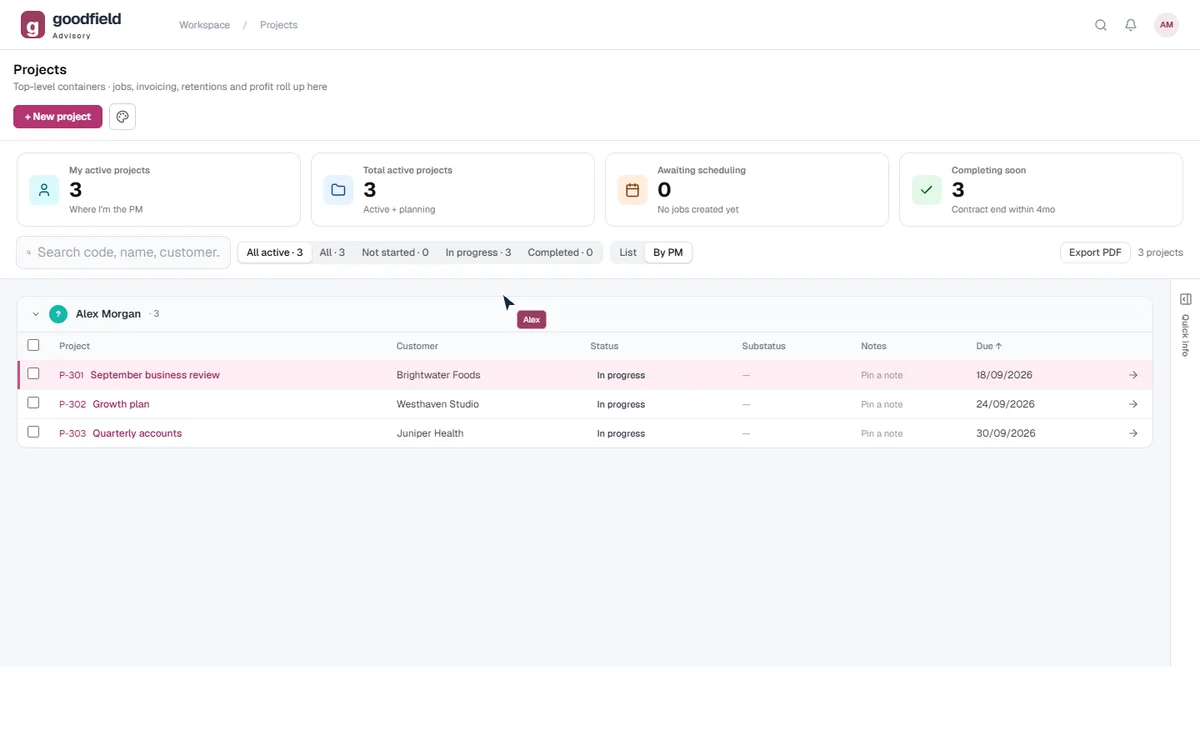
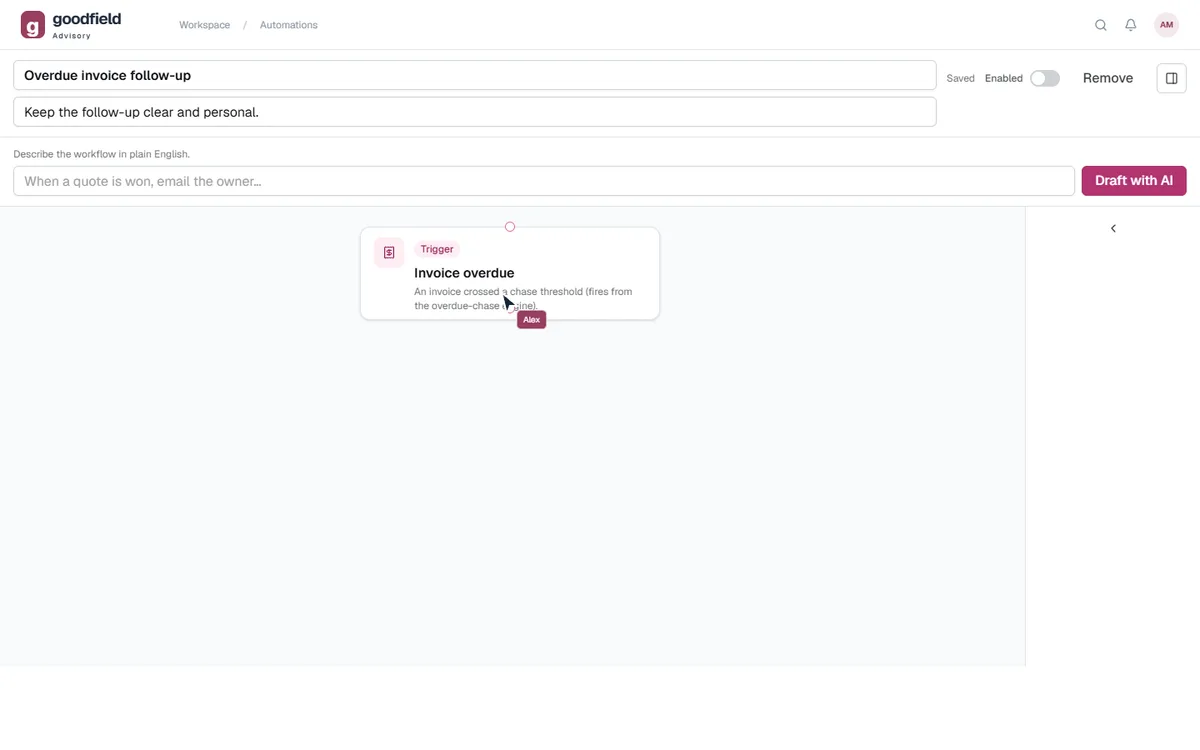
The people doing the work get a say in the software.
The best improvement might come from the person booking jobs or chasing a supplier. They can tell us what is getting in the way, right inside the system.
“There has to be a better way to do this.”That is a useful place to start.
02
AI with the details close at hand.
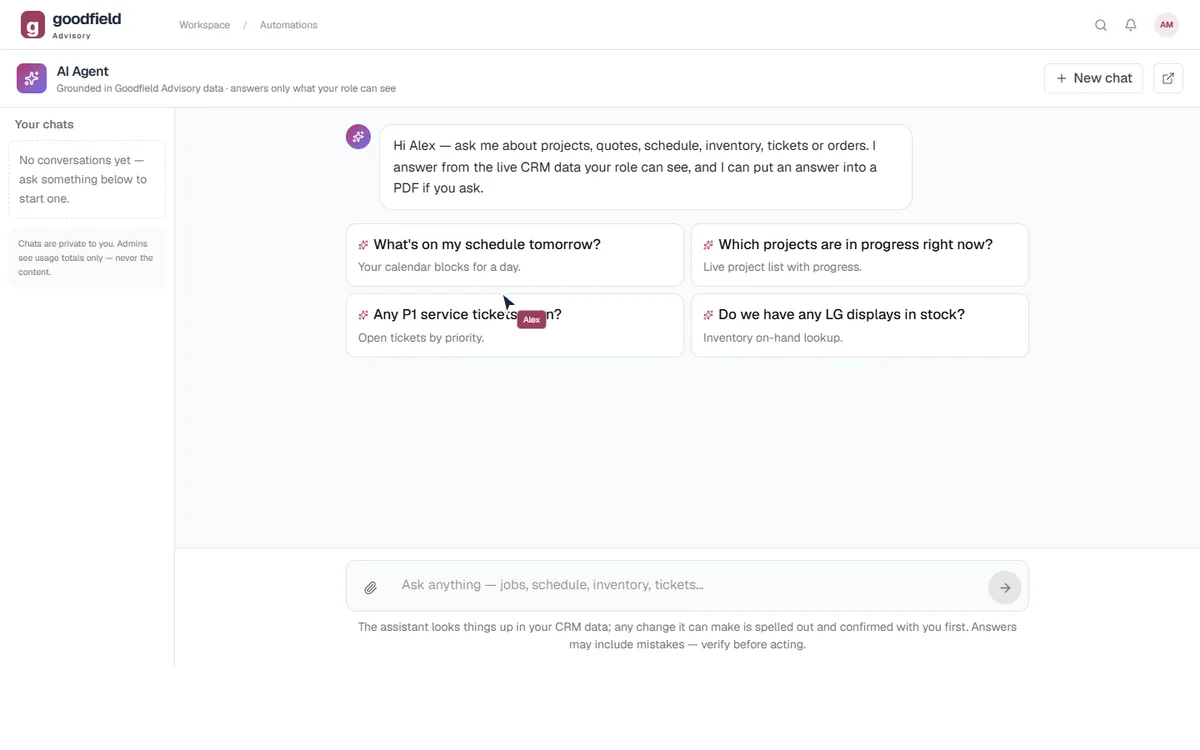
Help is more useful when it can work with the customer, the quote and the job. The built-in agent can use the records it is allowed to see, guide your team and help with the next task.
✦Ask EasyDoneGrout of the Blue Tiling · example walkthrough
YouDraft Oona an update about Tuesday’s installation.
✓CustomerOona Fitzgerald · Oona's on Rokeby
✓QuoteQ-2381 · Accepted
✓JobInstallation Tuesday · 7:00
✦
Checking the customer detailsThe details are already in your software.
To: Oona · Oona's on RokebyDraft
Your installation on Tuesday
Hi Oona, Our team will be at Oona's on Rokeby on Tuesday at 7:00 to complete the installation in your accepted quote. Could you let us know who to meet for access? Thanks, Dean
✓ Ready for you to review
You decide what gets sent.
03
A small group of businesses. A proper working relationship.
We want to understand how your business works and where it needs to go. Support and improvements stay personal. When you need us, you’ll speak to a real person.
Built-in help for the everyday questions.Ask EasyDone, right where you work.
Real people for the conversation.Support from the team behind your software.
A closer look at your options
Stop filling the gaps.
Better proposals. Less chasing. Software we can change around the way you work. See where EasyDone goes further and where the alternatives come with limits.
More of your business. Built in.
See what is included, what is limited and what takes another tool.
Built around your business
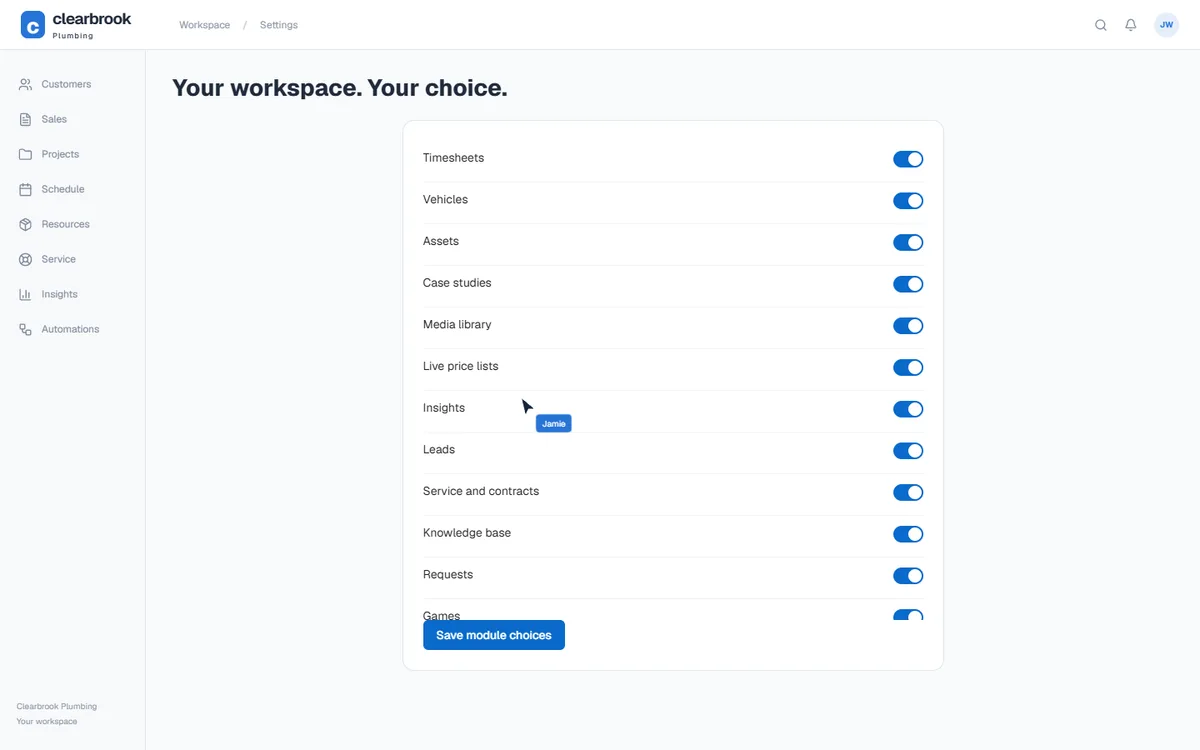
Your customers, jobs and everyday admin, together.Choose the tools your team needs, with us here to help you set up and keep improving.
FergusNot included×Can Fergus change the app's code to suit your business as part of your plan?
No custom app changes included
Changing settings or connecting another app does not include having Fergus rewrite its software for your business. Custom integration work is a separate exercise.
monday CRMNot included×Can monday CRM change the app's code to suit your business as part of your plan?
No custom app changes included
Your CRM subscription does not include monday rewriting the app for your business. You can build extensions yourself or pay a partner; that is a separate development arrangement.
FergusSeparate tool or plan↗Can Fergus build workflows by dragging and connecting steps inside the app?
Build it separately in Zapier
Built-in reminders cover set follow-ups. For a custom visual sequence, the supported route is Zapier: another account and workflow to maintain. Fergus does not build those Zaps for individual customers.
SimproNot confirmed×Can Simpro build workflows by dragging and connecting steps inside the app?
Not listed*
This exact feature is not listed in the sources checked. Data Feed requires separate setup. The reviewed pages do not show an in-app canvas where you arrange the whole sequence yourself.
TradifyNot confirmed×Can Tradify build workflows by dragging and connecting steps inside the app?
Not listed*
This exact feature is not listed in the sources checked. The documented controls are specific quote and invoice reminder routines. A native drag-and-drop sequence is not confirmed.
monday CRMThe limitation◐Can monday CRM build workflows by dragging and connecting steps inside the app?
Pro: five active workflows
The visual builder is real. In monday CRM it requires Pro or Enterprise; Pro includes five active workflows. More active workflows require a higher allowance or add-on.
FergusSeparate tool or plan↗Can you ask Fergus's assistant to make changes and carry out work from the conversation?
External AI; Master Admin only
Connect Claude or ChatGPT separately to take actions on Fergus records. This setup requires a Full User with Master Admin permissions; it is not an assistant every staff member can use under their ordinary role.
SimproThe limitation◐Can you ask Simpro's assistant to make changes and carry out work from the conversation?
Task-specific AI agents
Lightning splits work across specialised agents. Check the particular job, email or record action you need; reporting alone does not tell you which actions it can carry out.
TradifyNot confirmed×Can you ask Tradify's assistant to make changes and carry out work from the conversation?
Not listed*
This exact feature is not listed in the sources checked. SmartRead prepares supplier bill drafts on Plus. It is not documented as an assistant that changes jobs or carries out tasks across the app.
monday CRMIncluded✓Can you ask monday CRM's assistant to make changes and carry out work from the conversation?
AI actions are supported
Sidekick and CRM agents can carry out actions. Available work depends on the agent, permissions and AI allowance; this is not a reporting-only assistant.
Talk to your software, hands-freeAnswers out loud, eyes on the road
EasyDone✓Great Aussie voices, included in every plan
EasyDoneInside EasyDone✓Talk to your software, hands-free
Ask it out loud. Hear the answer. Say yes.
Ask out loud and it answers out loud in a great Aussie voice, so you can keep your eyes on the road. Ask it to draft an email and it reads it back. Say yes, then tap to send once you are stopped. Choose Jimbo, Steve or Charlie. All the voices are included in every plan.
Connections and permissions are set up for your business.
Reviewed 1 October 2026.
AroFlo◐Voice notes; no spoken replies*
AroFloThe limitation◐Can AroFlo's assistant answer you out loud, so you can work hands-free?
Voice notes; no spoken replies*
JobScribe listens while a technician works and writes up the job record, and JustAsk answers in a chat screen. Spoken answers from an assistant are not listed in the pages reviewed. That is not a claim that AroFlo lacks them.
FergusThe limitation◐Can Fergus's assistant answer you out loud, so you can work hands-free?
Speak to it; replies not listed*
Fergus Go’s Assistant lets you type or speak on site to check job details, log time and capture notes. Spoken replies are not listed in the pages reviewed. That is not a claim that Fergus lacks them.
SimproThe limitation◐Can Simpro's assistant answer you out loud, so you can work hands-free?
Voice notes; no spoken replies*
JobScribe captures and transcribes job documentation while the technician works, and JustAsk answers in plain language. Spoken answers from an assistant are not listed in the pages reviewed. That is not a claim that Simpro lacks them.
ServiceM8Included✓Can ServiceM8's assistant answer you out loud, so you can work hands-free?
Voice chat in the app
Open a Job, tap Chat and talk to Office Agent. You can interrupt it, and say Approve or Decline to a prepared action. Office Agent must be active on your account. The pages reviewed do not describe the voice or accent.
TradifyNot confirmed×Can Tradify's assistant answer you out loud, so you can work hands-free?
Not listed*
A voice assistant or spoken replies are not listed in the SmartTools pages reviewed, which cover SmartRead and SmartWrite. That is not a claim that Tradify lacks them. Ask for a demonstration.
monday CRMIncluded✓Can monday CRM's assistant answer you out loud, so you can work hands-free?
Sidekick Voice
Sidekick Voice lets you talk to it on mobile and hear a spoken answer, with readbacks and confirmations before impactful changes. It is a general workplace assistant, not built around trade jobs, and the pages reviewed name no Australian voice. AI must be switched on by an admin.
Connections and permissions are set up for your business.
Reviewed 10 September 2026.
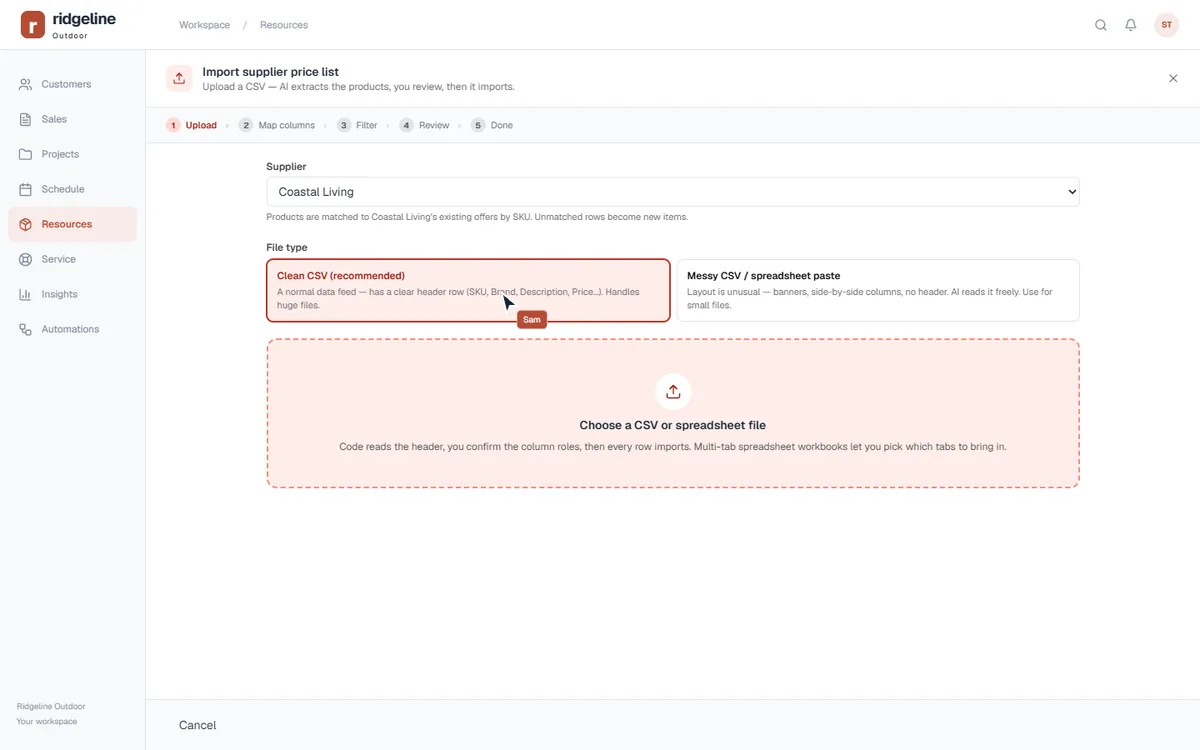
AroFlo◐Map the import yourself
AroFloThe limitation◐Can AroFlo use AI to work out the columns in a supplier price list?
Map the import yourself
The standard file-import process needs the data prepared and the columns mapped. Supplier feeds can reduce repeat imports, but they are a different route from AI interpreting your file.
FergusThe limitation◐Can Fergus use AI to work out the columns in a supplier price list?
Prepare a CSV and map it
You need the required product columns and must match them to Fergus fields yourself. Automatic updates from supported suppliers are a different route from AI interpreting an arbitrary price list.
monday CRMThe limitation◐Can monday CRM use AI to work out the columns in a supplier price list?
Map files into boards yourself
The standard spreadsheet importer asks you to map columns and choose how matching items are handled. That is a general board import, rather than a supplier-price reader doing that preparation for you.
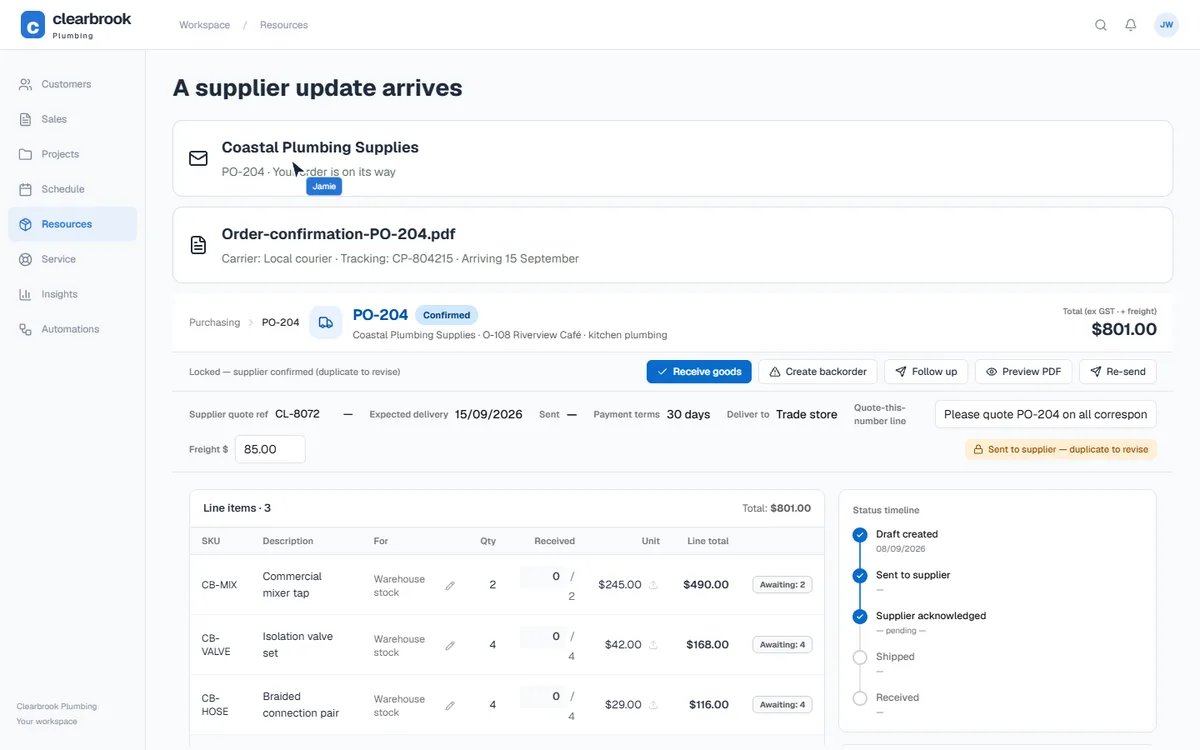
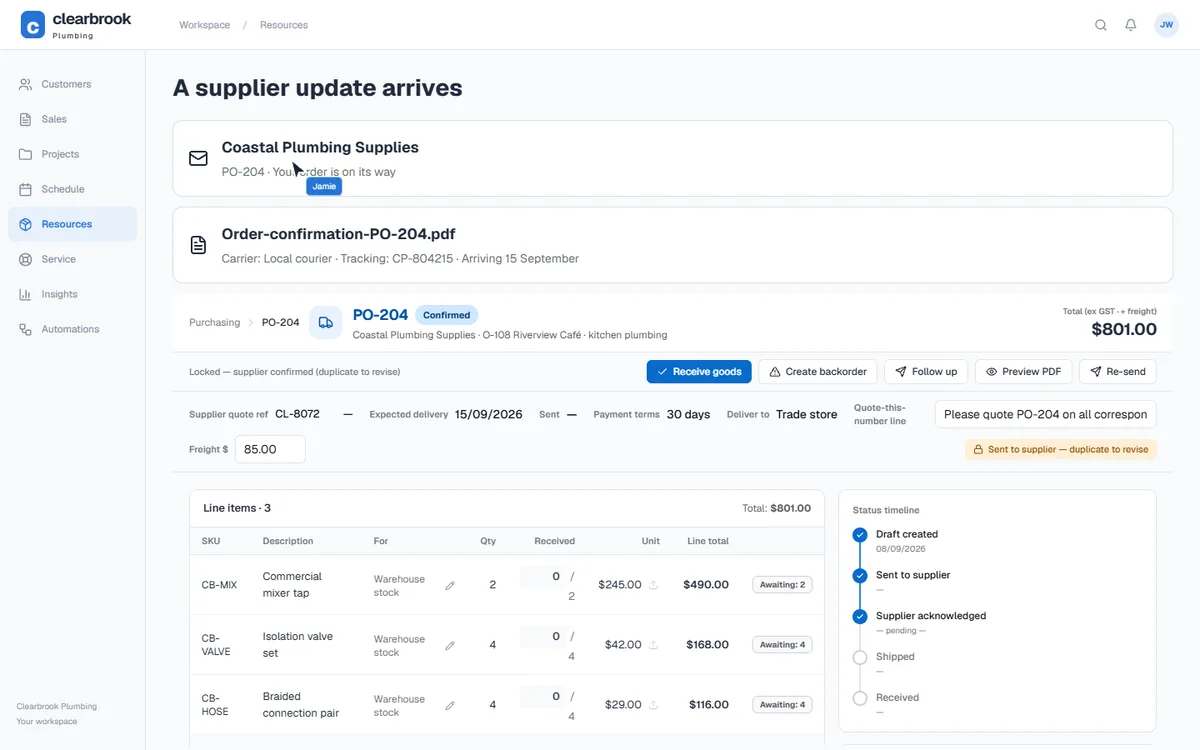
Update tracking from supplier emailsStop copying delivery details by hand
EasyDone✓Tracking updates itself
EasyDoneInside EasyDone✓Update tracking from supplier emails
Opening the app preview…
The supplier email updates the purchase order.
The supplier email updates the purchase order.
Match the supplier's email to the purchase order and fill in the carrier, tracking number and expected delivery date. Unmatched updates stay ready for review.
Connections and permissions are set up for your business.
Reviewed 10 September 2026.
AroFlo×Not listed*
AroFloNot confirmed×Can AroFlo read a supplier email and update the order's tracking number and delivery date for you?
Not listed*
This exact feature is not listed in the sources checked. Automatic carrier, tracking and delivery-date updates against a purchase order are not listed in the reviewed sources.
Details and sources
No equivalent was found in the sources reviewed. Not listed is not proof of absence.
Reviewed 10 September 2026.
Fergus◐Invoice import does not track delivery
FergusThe limitation◐Can Fergus read a supplier email and update the order's tracking number and delivery date for you?
Invoice import does not track delivery
The supplier inbox processes bills for jobs. Its invoice-import workflow does not provide the carrier, tracking-number and revised-delivery-date update compared here.
SimproThe limitation◐Can Simpro read a supplier email and update the order's tracking number and delivery date for you?
Tracking setup needs checking
A configured Data Feed is a possible route. The exact carrier, tracking and delivery-date fields need checking before treating it as the same workflow.
TradifyNot confirmed×Can Tradify read a supplier email and update the order's tracking number and delivery date for you?
Not listed*
This exact feature is not listed in the sources checked. Automatic delivery-tracking updates from supplier emails are not listed.
Details and sources
No equivalent was found in the sources reviewed. Not listed is not proof of absence.
Reviewed 10 September 2026.
monday CRM◐Build a custom email workflow
monday CRMThe limitation◐Can monday CRM read a supplier email and update the order's tracking number and delivery date for you?
Build a custom email workflow
Email triggers and AI steps can form a workflow. You still need to define the order records, extract the tracking details, match the order and test the updates; it is not a ready-made supplier-tracking process.
Connections and permissions are set up for your business.
Reviewed 10 September 2026.
AroFlo◐AI bill import; filing varies
AroFloThe limitation◐Can AroFlo take supplier paperwork from your inbox and file it against the right purchase order?
AI bill import; filing varies
AroFlo now offers AI bulk and email bill imports, including purchase-order matching. Confirm whether your order confirmations and original PDFs are filed too; email-to-job is not its only option.
FergusThe limitation◐Can Fergus take supplier paperwork from your inbox and file it against the right purchase order?
PDF invoices; assignment needed
The generic PDF inbox brings invoices into Supplier Documents for checking and job assignment. Integrated suppliers can improve automatic order matching. Confirmations and other order paperwork need a separate process.
monday CRMThe limitation◐Can monday CRM take supplier paperwork from your inbox and file it against the right purchase order?
Build the matching and filing
Email and file actions are available, but the order structure, matching rules and filing workflow need building around your boards. Review failures and duplicates as part of that setup.
Connections and permissions are set up for your business.
Reviewed 10 September 2026.
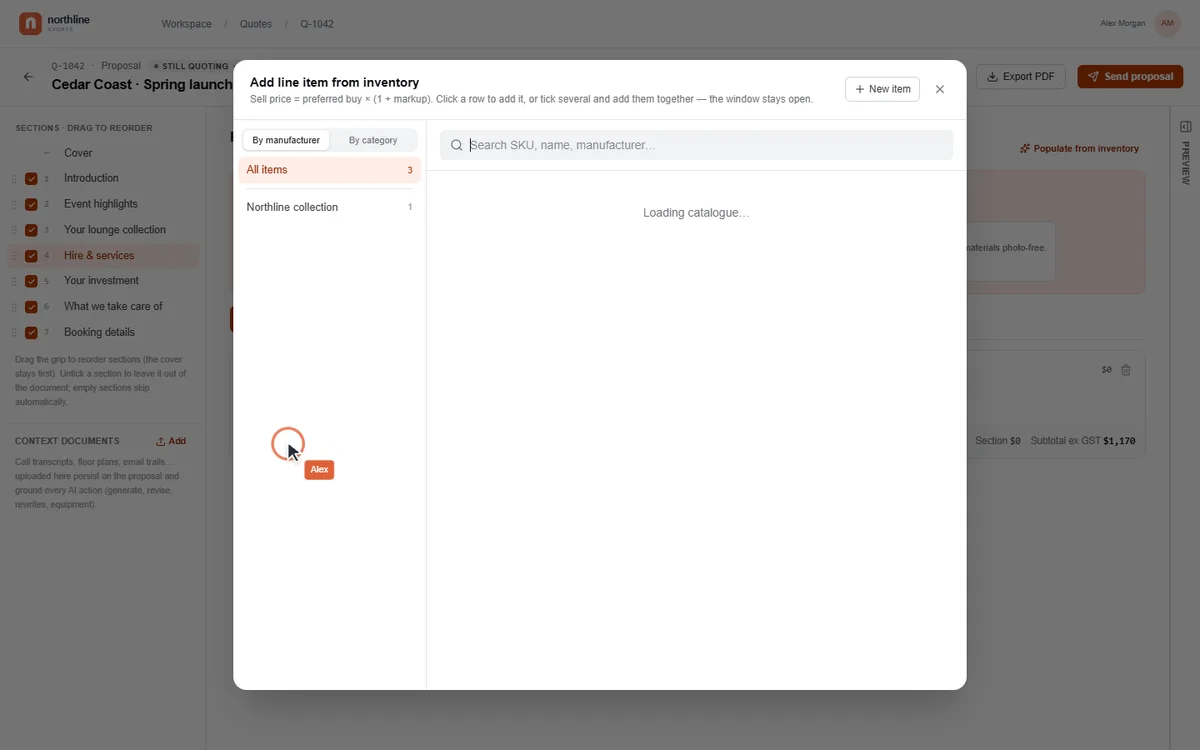
AroFlo◐Manual layouts / RTF templates
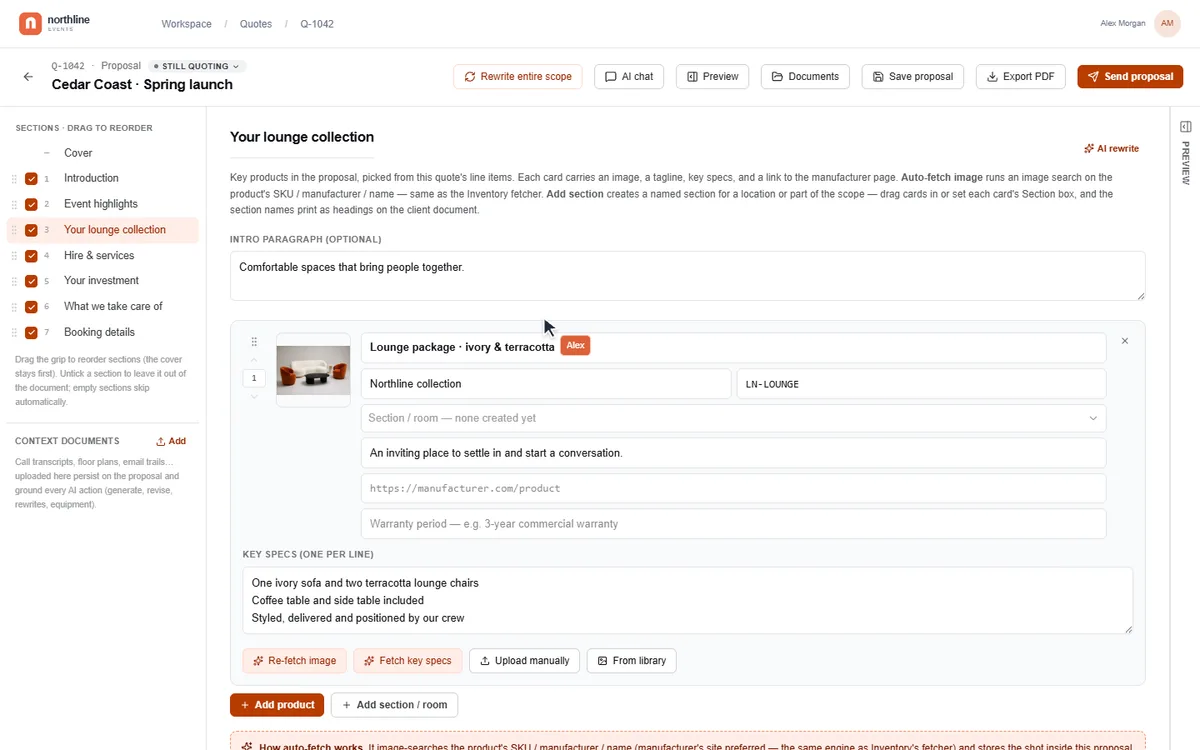
AroFloThe limitation◐Can AroFlo help you build a rich customer proposal inside the app?
Manual layouts / RTF templates
You design the document through layouts or RTF templates. Photos need placing and preparing yourself; that is different from building the proposal with AI alongside you.
Details and sources
The owner reports a 5 MB RTF-template upload cap from direct use. The current numerical cap has not been independently confirmed, so it is not used as the table verdict.
FergusThe limitation◐Can Fergus help you build a rich customer proposal inside the app?
Design the quote template yourself
You style a quote template and add the text and images. It is a manual template process, rather than an in-app AI-assisted proposal workflow. Images are supported.
monday CRMThe limitation◐Can monday CRM help you build a rich customer proposal inside the app?
Custom templates need Pro+
Custom quote and invoice templates are available on Pro and Ultimate. You arrange the document and connect its product data; the plan and template setup matter.
Connections and permissions are set up for your business.
Reviewed 10 September 2026.
AroFlo×No automatic web image lookup
AroFloNot included×Can AroFlo automatically find product images and specifications online and save them to the item?
No automatic web image lookup
It can store product images and specification files, but you have to find and upload them yourself. That becomes a substantial manual job across thousands of products.
FergusNot confirmed×Can Fergus automatically find product images and specifications online and save them to the item?
Not listed*
Automatic web research that saves product pictures and specifications to the catalogue is not listed. Importing a supplier price book does not establish that feature.
SimproNot confirmed×Can Simpro automatically find product images and specifications online and save them to the item?
Not listed*
This exact feature is not listed in the sources checked. Supplier catalogue imports do not establish the same web lookup and specification extraction.
Details and sources
No equivalent was found in the sources reviewed. Not listed is not proof of absence.
Reviewed 10 September 2026.
ServiceM8×Not listed*
ServiceM8Not confirmed×Can ServiceM8 automatically find product images and specifications online and save them to the item?
Not listed*
This exact feature is not listed in the sources checked. Automatic web lookup and specification extraction are not listed.
Details and sources
No equivalent was found in the sources reviewed. Not listed is not proof of absence.
Reviewed 10 September 2026.
Tradify×Not listed*
TradifyNot confirmed×Can Tradify automatically find product images and specifications online and save them to the item?
Not listed*
This exact feature is not listed in the sources checked. Automatic web lookup and specification extraction are not listed.
Details and sources
No equivalent was found in the sources reviewed. Not listed is not proof of absence.
Reviewed 10 September 2026.
monday CRM◐Build the product-research workflow
monday CRMThe limitation◐Can monday CRM automatically find product images and specifications online and save them to the item?
Build the product-research workflow
AI workflows can search the web. Saving the right product images and specifications into your catalogue still needs a workflow and a check that the files match the product. It is not a ready-made product-enrichment button.
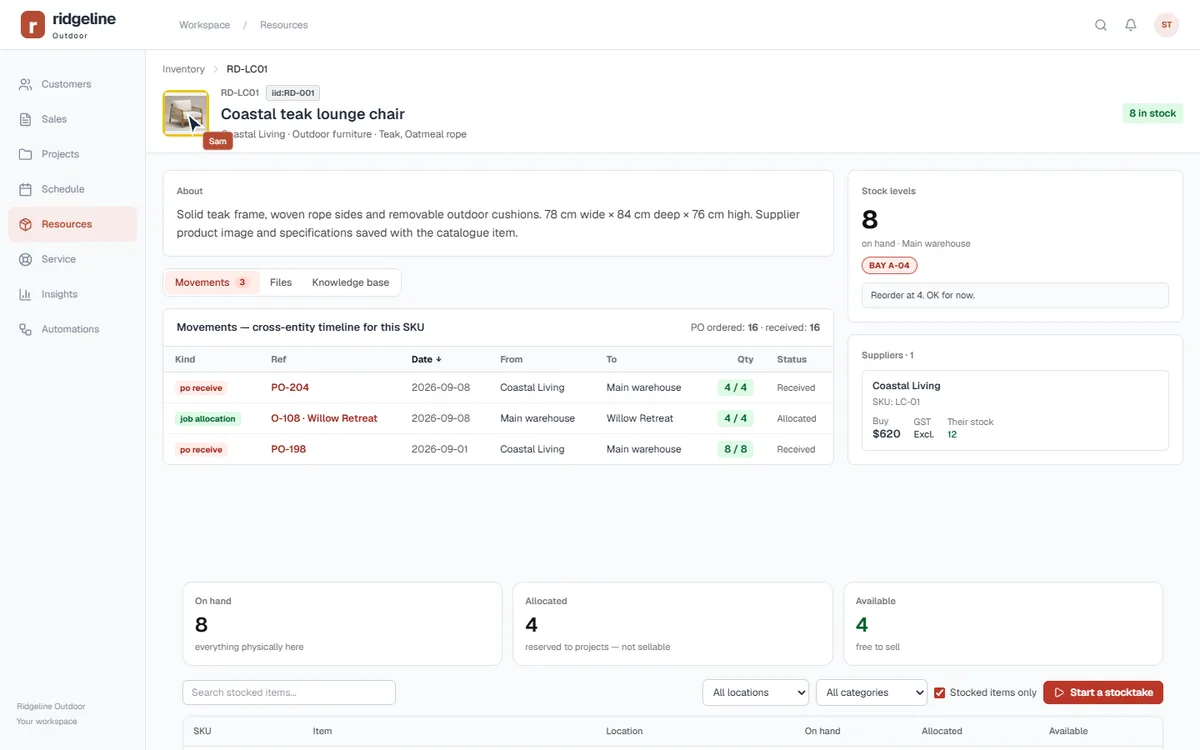
TradifyNot confirmed×Can Tradify keep a picture with the product and use it in customer documents?
Not listed*
This exact feature is not listed in the sources checked. A picture-bearing product catalogue and matching quote-item images are not listed.
Details and sources
No equivalent was found in the sources reviewed. Not listed is not proof of absence.
Reviewed 10 September 2026.
monday CRM◐Files need connecting to the quote
monday CRMThe limitation◐Can monday CRM keep a picture with the product and use it in customer documents?
Files need connecting to the quote
Images can be stored on product records through file columns. Check the quote template’s picture mapping; file storage alone does not make every line item show its photo.
Connections and permissions are set up for your business.
Reviewed 26 September 2026.
AroFlo◐Quote and sign in the app
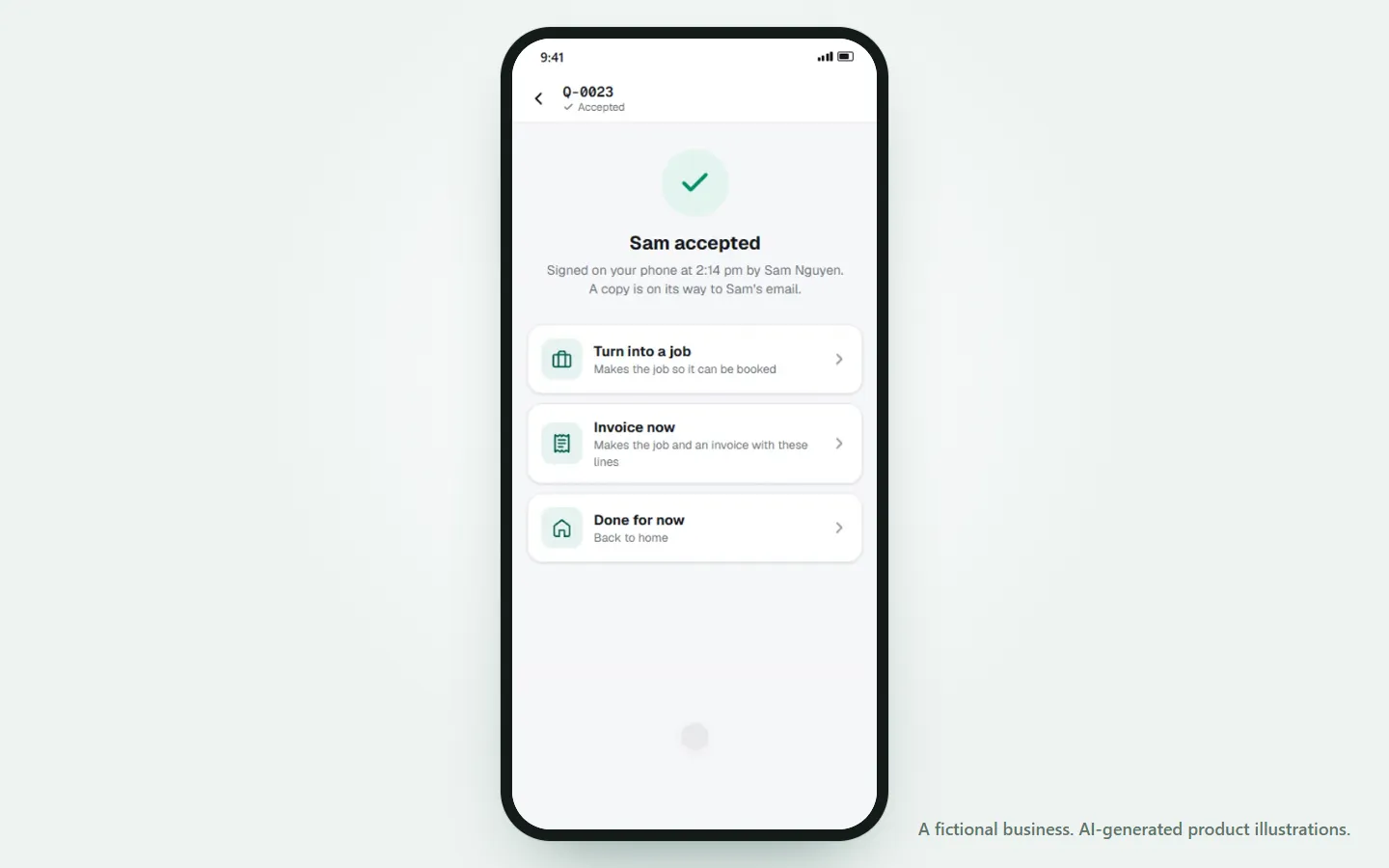
AroFloThe limitation◐Can AroFlo quote on a phone with product pictures and get it signed on site?
Quote and sign in the app
You can build a quote and have the customer sign on your phone. Product photos can be opened while picking items, but the help pages don’t show them on the quote lines.
FergusThe limitation◐Can Fergus quote on a phone with product pictures and get it signed on site?
Signature on job sign-off only
You can quote from Fergus Go, but customers accept through an emailed link. On-screen signatures are for signing off finished work, not accepting a quote.
SimproIncluded✓Can Simpro quote on a phone with product pictures and get it signed on site?
Quote, show pictures, sign on site
You can build a quote on the phone, show catalogue item pictures, and have the customer accept and sign on the spot. The pictures show on the phone; whether they appear on the quote that is sent is not confirmed.
Connections and permissions are set up for your business.
Reviewed 10 September 2026.
AroFlo×Not listed*
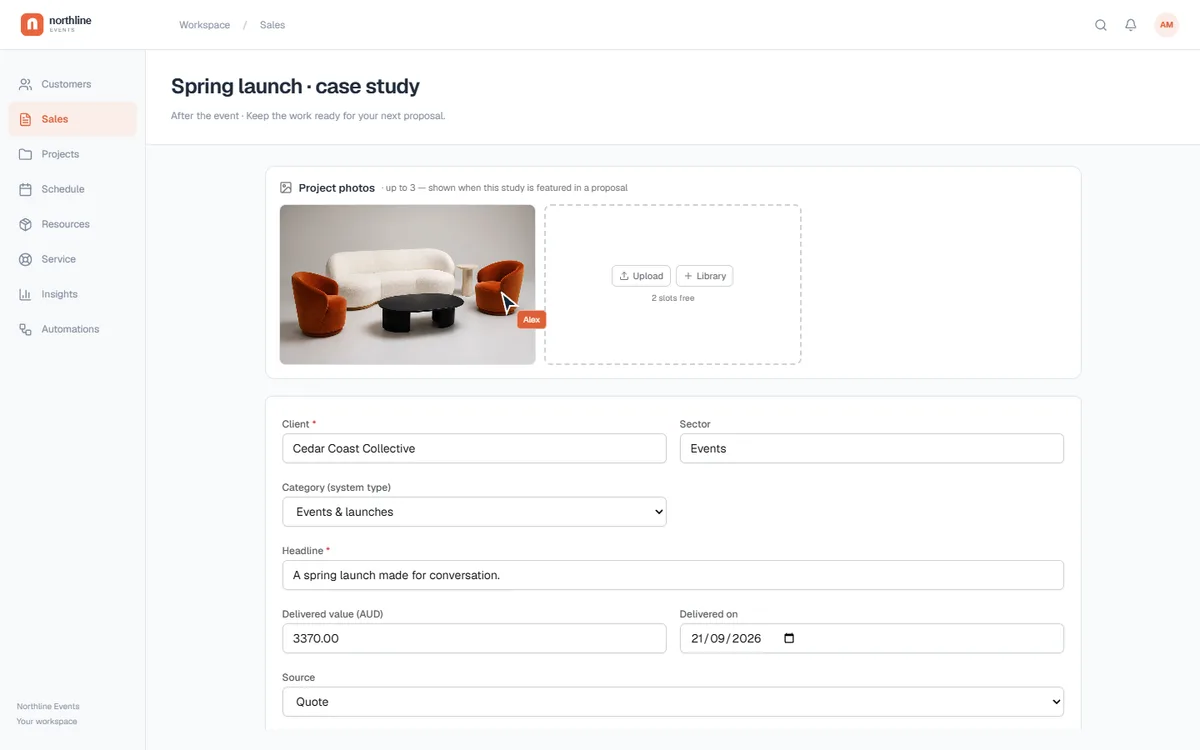
AroFloNot confirmed×Can AroFlo keep finished case studies ready to reuse in your proposals?
Not listed*
This exact feature is not listed in the sources checked. A dedicated, reusable case-study library connected to proposals is not confirmed.
Details and sources
No equivalent was found in the sources reviewed. Not listed is not proof of absence.
Reviewed 10 September 2026.
Fergus×Not listed*
FergusNot confirmed×Can Fergus keep finished case studies ready to reuse in your proposals?
Not listed*
A dedicated case-study library for inserting finished project stories into proposals is not listed. Quote images and job attachments are separate from that workflow.
Connections and permissions are set up for your business.
Reviewed 10 September 2026.
AroFlo◐Internal pricing levels
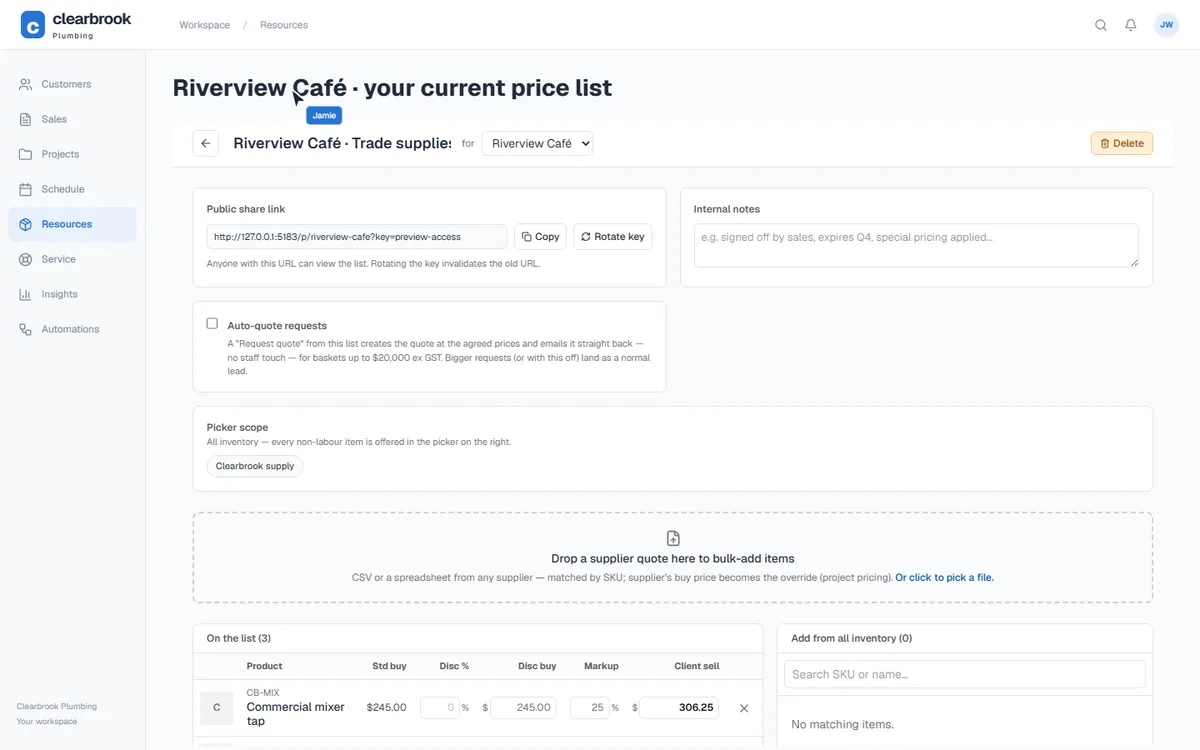
AroFloThe limitation◐Can AroFlo give each customer a live product price list they can open themselves?
Internal pricing levels
Setting a customer’s price level is not a live catalogue they can open themselves. The standard pricing process supplies the prices you use when preparing the quote.
SimproThe limitation◐Can Simpro give each customer a live product price list they can open themselves?
Portal packages; scope varies
Customers can select pre-built packages through the portal. Check whether your customers can browse a complete product catalogue with their agreed prices.
Connections and permissions are set up for your business.
Reviewed 10 September 2026.
AroFlo×Not listed*
AroFloNot confirmed×Can AroFlo build and manage a service agreement connected to the customer's ongoing work?
Not listed*
This exact feature is not listed in the sources checked. Document templates are the verified route. A dedicated service-agreement builder and lifecycle are not established.
FergusNot confirmed×Can Fergus build and manage a service agreement connected to the customer's ongoing work?
Not listed*
A dedicated builder for customer service agreements, connected to equipment and ongoing service history, is not listed. Terms on a quote are a different function.
ServiceM8Not confirmed×Can ServiceM8 build and manage a service agreement connected to the customer's ongoing work?
Not listed*
This exact feature is not listed in the sources checked. A dedicated service-agreement builder is not confirmed.
Details and sources
No equivalent was found in the sources reviewed. Not listed is not proof of absence.
Reviewed 10 September 2026.
Tradify×Not listed*
TradifyNot confirmed×Can Tradify build and manage a service agreement connected to the customer's ongoing work?
Not listed*
This exact feature is not listed in the sources checked. A dedicated service-agreement builder is not confirmed.
Details and sources
No equivalent was found in the sources reviewed. Not listed is not proof of absence.
Reviewed 10 September 2026.
monday CRM◐Build the agreement workflow
monday CRMThe limitation◐Can monday CRM build and manage a service agreement connected to the customer's ongoing work?
Build the agreement workflow
Boards and documents can organise contracts. Linking an agreement to equipment, recurring service and its history needs your own structure and automation.
Connections and permissions are set up for your business.
Reviewed 10 September 2026.
AroFlo×Not listed*
AroFloNot confirmed×Can AroFlo give your team a searchable knowledge base?
Not listed*
This exact feature is not listed in the sources checked. A business knowledge library authored by your team is not confirmed.
Details and sources
No equivalent was found in the sources reviewed. Not listed is not proof of absence.
Reviewed 10 September 2026.
Fergus×Not listed*
FergusNot confirmed×Can Fergus give your team a searchable knowledge base?
Not listed*
A built-in library for your own searchable procedures and answers is not listed. The Fergus help centre explains Fergus; it is not your business’s knowledge base.
ServiceM8Not confirmed×Can ServiceM8 keep vehicle records and servicing history together?
Not listed*
This exact feature is not listed in the sources checked. Staff location and routing do not establish vehicle maintenance history. That dedicated workflow is not confirmed.
Details and sources
No equivalent was found in the sources reviewed. Not listed is not proof of absence.
Reviewed 10 September 2026.
Tradify×Not listed*
TradifyNot confirmed×Can Tradify keep vehicle records and servicing history together?
Not listed*
This exact feature is not listed in the sources checked. A dedicated vehicle-maintenance and history workspace is not confirmed.
Details and sources
No equivalent was found in the sources reviewed. Not listed is not proof of absence.
Reviewed 10 September 2026.
monday CRM◐Build a vehicle register yourself
monday CRMThe limitation◐Can monday CRM keep vehicle records and servicing history together?
Build a vehicle register yourself
You can arrange records and reminders using boards. The vehicle fields, servicing log and handover process need configuring for your business.
Connections and permissions are set up for your business.
Reviewed 10 September 2026.
AroFlo×Not listed*
AroFloNot confirmed×Can AroFlo remove unused modules from your team's main menu?
Not listed*
This exact feature is not listed in the sources checked. Custom task-list views are a narrower setting. Control over hiding whole main-menu modules is not confirmed.
SimproNot confirmed×Can Simpro remove unused modules from your team's main menu?
Not listed*
This exact feature is not listed in the sources checked. Security settings and paid configuration do not establish the same menu controls.
Details and sources
No equivalent was found in the sources reviewed. Not listed is not proof of absence.
Reviewed 10 September 2026.
ServiceM8×Not listed*
ServiceM8Not confirmed×Can ServiceM8 remove unused modules from your team's main menu?
Not listed*
This exact feature is not listed in the sources checked. The same hide-module-and-page controls are not listed. Staff permissions alone do not establish them.
Details and sources
No equivalent was found in the sources reviewed. Not listed is not proof of absence.
Reviewed 10 September 2026.
Tradify×Not listed*
TradifyNot confirmed×Can Tradify remove unused modules from your team's main menu?
Not listed*
This exact feature is not listed in the sources checked. Custom job statuses do not establish control over the main menu.
Details and sources
No equivalent was found in the sources reviewed. Not listed is not proof of absence.
Reviewed 10 September 2026.
monday CRM◐Arrange the workspace yourself
monday CRMThe limitation◐Can monday CRM remove unused modules from your team's main menu?
Arrange the workspace yourself
Folders, favourites and board access organise the workspace. That is different from a single control that switches off the CRM modules your business does not need.
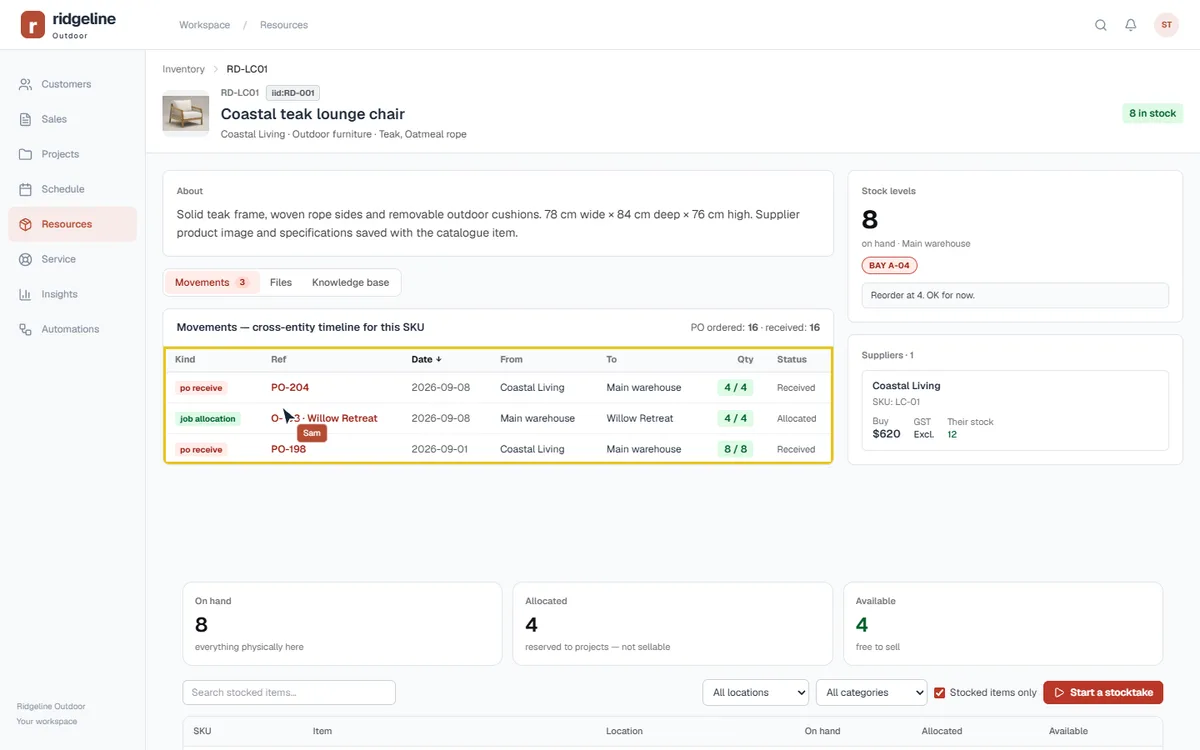
FergusNot included×Can Fergus track stock inside the software without a separate stock-management system?
No built-in stock control
Fergus records materials used for job costing and invoicing. Its guide explicitly says it does not provide inventory or stock control. Warehouse and van-stock tracking can be added through the separate Field Stock Pro service.
monday CRMThe limitation◐Can monday CRM track stock inside the software without a separate stock-management system?
Build a stock system from boards
The inventory template tracks quantities through columns and formulas. Reservations, goods received and purchasing rules need connecting into the system you build.
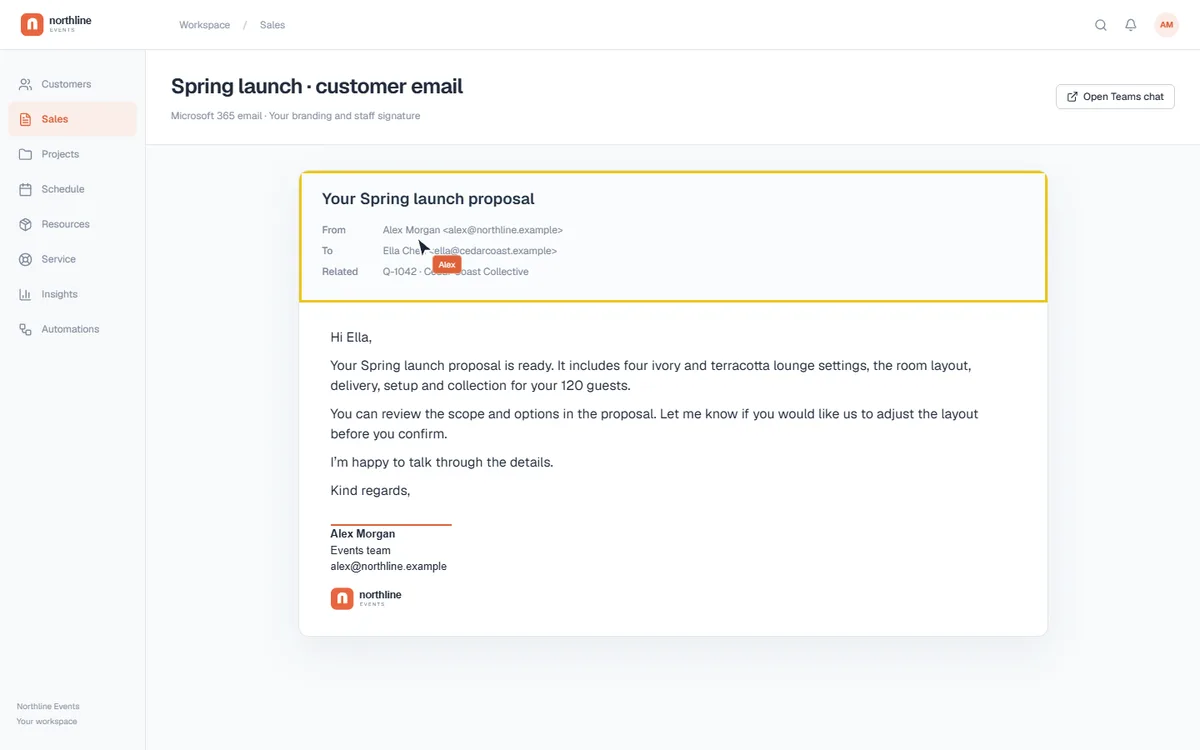
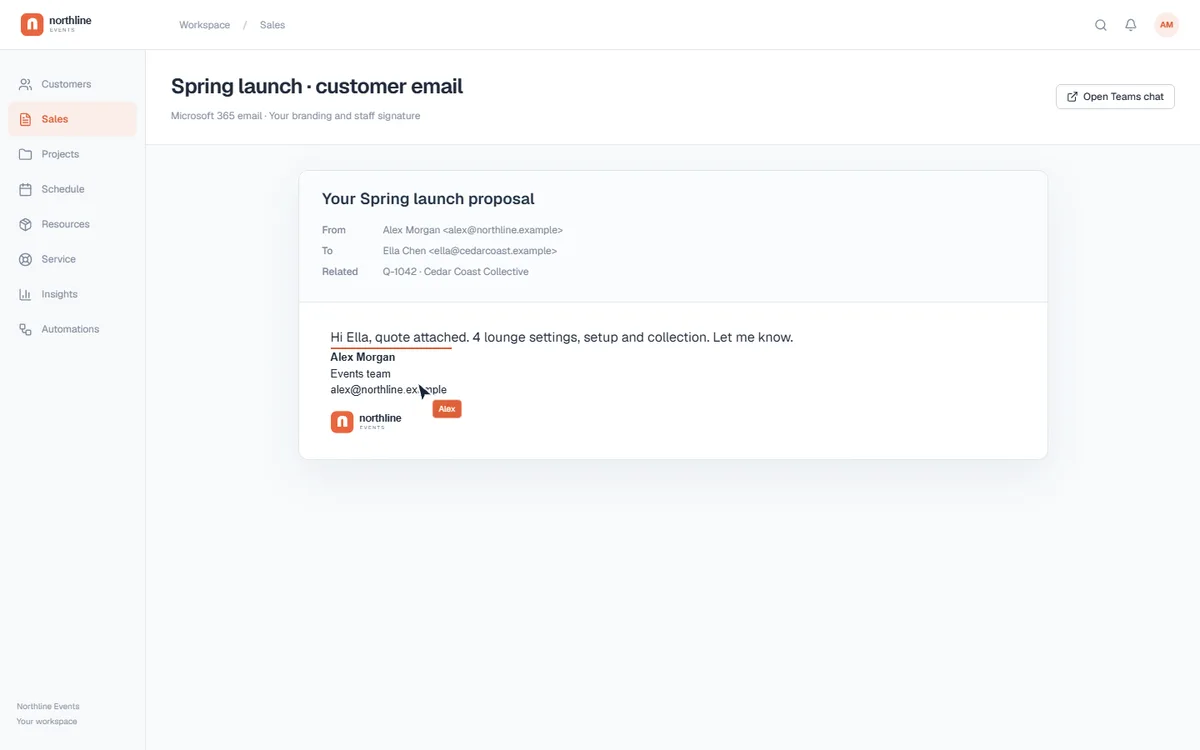
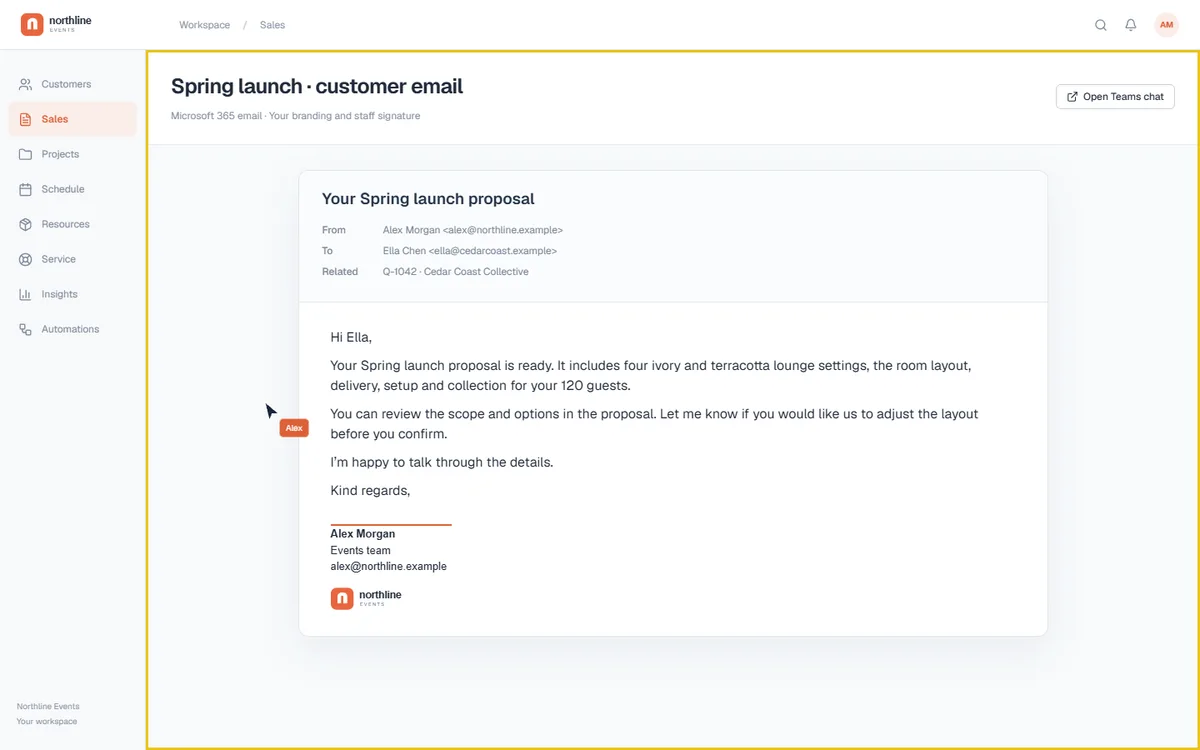
FergusThe limitation◐Can each person send customer emails from their own Microsoft mailbox, with their own rich signature?
Outlook sending; signatures unclear
Fergus can send through a connected Outlook account. The exact per-staff mailbox and rich-signature combination has not been confirmed, so it is not marked as absent.
TradifyNot confirmed×Can each person send customer emails from their own Microsoft mailbox, with their own rich signature?
Not listed*
This exact feature is not listed in the sources checked. Reusable email templates do not establish this rich-signature and direct Microsoft-mailbox combination.
monday CRMThe limitation◐Can each person send customer emails from their own Microsoft mailbox, with their own rich signature?
Branding removal needs Pro+
Individual email connections and HTML signatures are supported. Removing the “Powered by monday.com” email footer requires Pro or Enterprise; the standard email body does not accept custom HTML.
FergusSeparate tool or plan↗Can Fergus help rewrite the words while you work on emails, proposals and records?
External assistant for this route
The connected Claude or ChatGPT route can work with notes and quotes, but takes you to another AI tool and requires Master Admin access. An equivalent inline rewriter has not been confirmed.
TradifyNot confirmed×Can Tradify put Microsoft Teams conversations and actions inside the job workspace?
Not listed*
This exact feature is not listed in the sources checked. A native Teams connection is not confirmed.
Details and sources
No equivalent was found in the sources reviewed. Not listed is not proof of absence.
Reviewed 10 September 2026.
monday CRM◐Teams actions need configuring
monday CRMThe limitation◐Can monday CRM put Microsoft Teams conversations and actions inside the job workspace?
Teams actions need configuring
The built-in integration connects board activity and Teams messages; workflow blocks add chat actions. You configure those connections rather than opening a project chat in the same way as EasyDone.
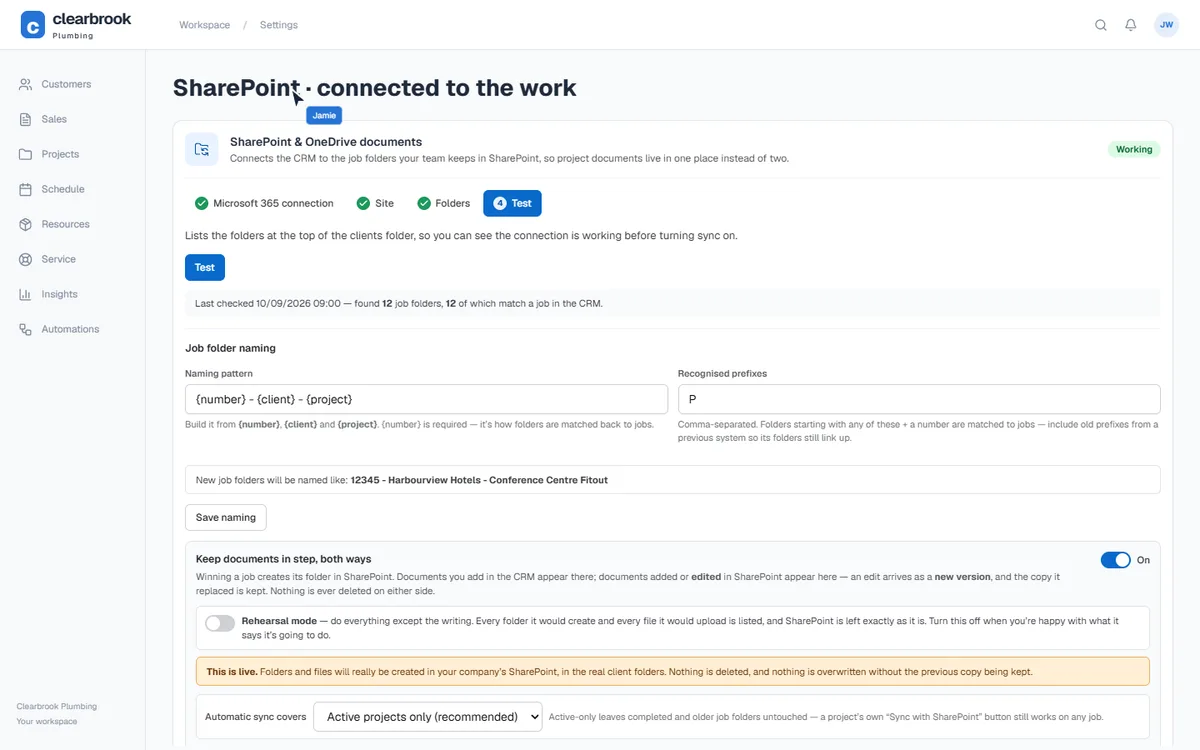
FergusSeparate tool or plan↗Can Fergus connect project files to SharePoint without another connector service?
Separate connector setup
The external automation route needs accounts and file actions configured in another tool. Native project-folder synchronisation has not been confirmed.
TradifyNot confirmed×Can Tradify connect project files to SharePoint without another connector service?
Not listed*
This exact feature is not listed in the sources checked. A native SharePoint connection is not confirmed.
Details and sources
No equivalent was found in the sources reviewed. Not listed is not proof of absence.
Reviewed 10 September 2026.
monday CRM◐File import is not folder sync
monday CRMThe limitation◐Can monday CRM connect project files to SharePoint without another connector service?
File import is not folder sync
You can add files from SharePoint. Importing a file does not keep the whole project folder synchronised; that needs an additional workflow or connector.
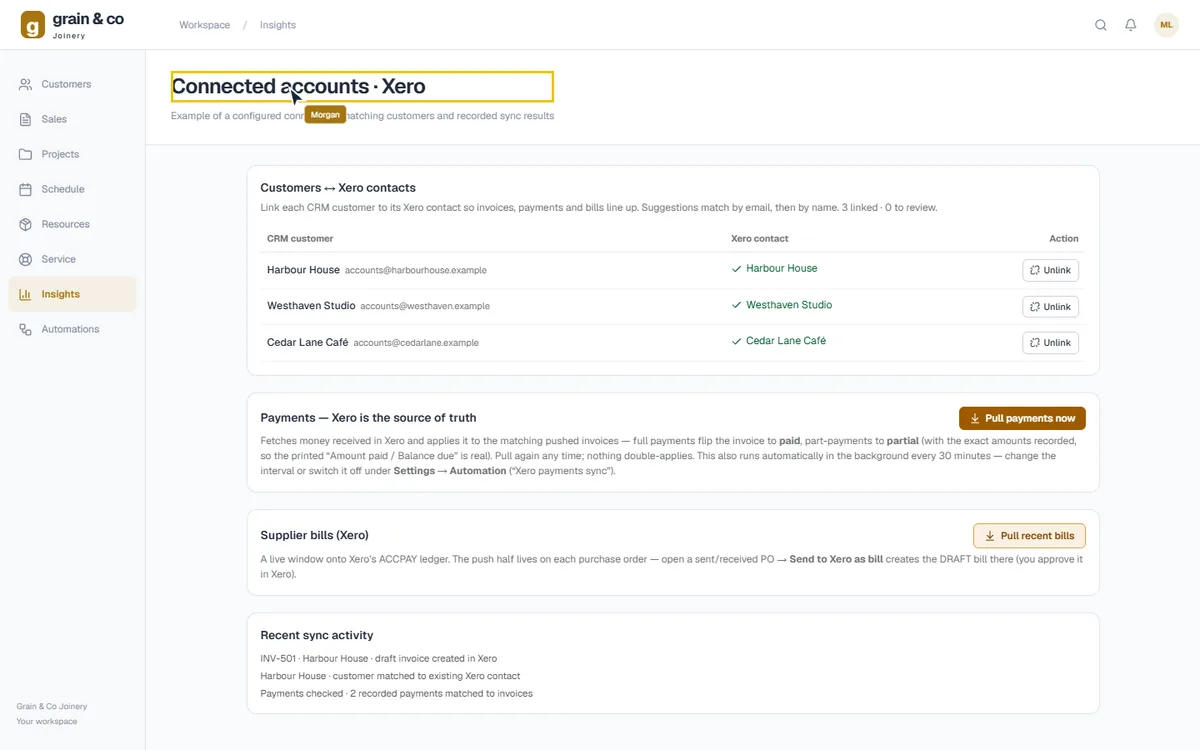
monday CRMSeparate tool or plan↗Can monday CRM connect invoices and payment records with Xero?
Separate marketplace connector
The Luxie Tech for Xero route adds a marketplace app with its own setup and terms. Agree the records and transfer rules before relying on the connection.
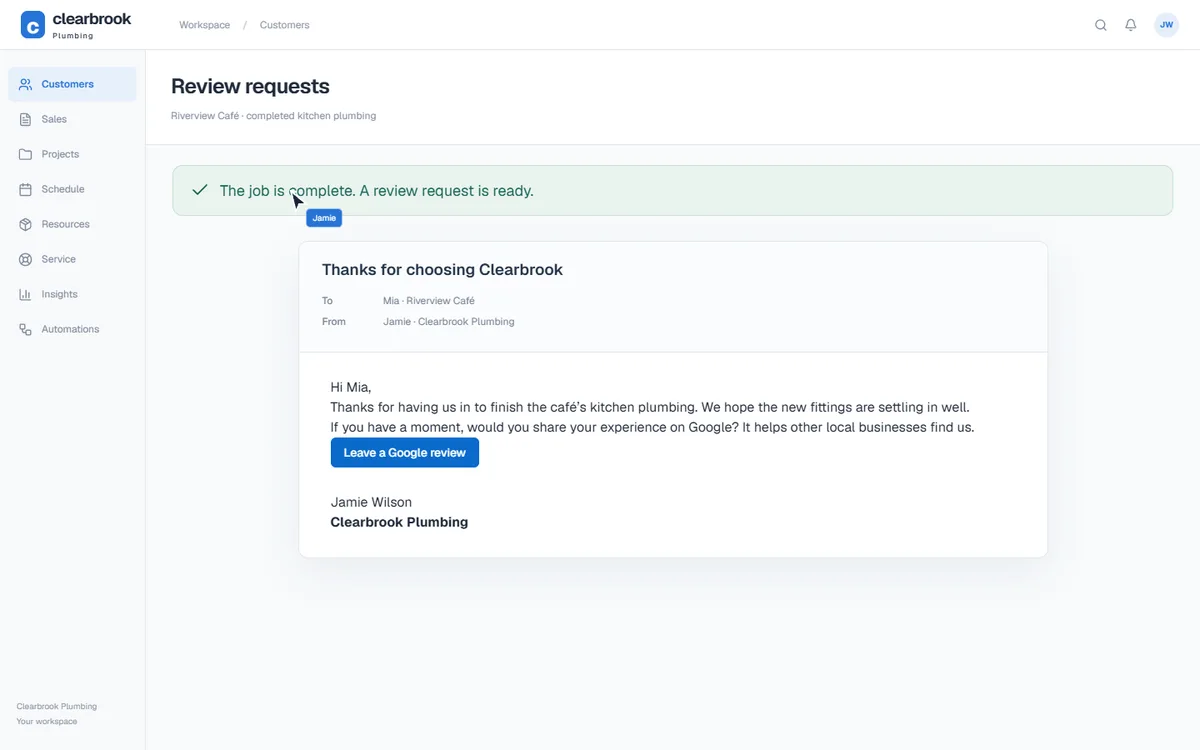
FergusNot confirmed×Can Fergus automatically ask the customer for a Google review after the work?
Not listed*
An automatic Google review request triggered by completed work is not listed in the product guides checked. Quote and invoice reminders do not establish that review workflow.
TradifyNot confirmed×Can Tradify automatically ask the customer for a Google review after the work?
Not listed*
This exact feature is not listed in the sources checked. Automatic Google review requests are not listed in the reviewed sources.
Details and sources
No equivalent was found in the sources reviewed. Not listed is not proof of absence.
Reviewed 10 September 2026.
monday CRM◐Build the request workflow
monday CRMThe limitation◐Can monday CRM automatically ask the customer for a Google review after the work?
Build the request workflow
Email automation can send your review link. You need to build the completion trigger, customer matching and follow-up rules; it is not a dedicated Google-review workflow supplied with the CRM.
Compare the exact job, not just the feature name. No means the specified feature is not included; a limitation or separate tool is explained in the preview. × Not listed* marks a feature we could not confirm, rather than a proven absence. Plans and features can change. Open any answer for details and sources.
Sources and how we compared Checked 10 September 2026
Prepared by EasyDone from official product documentation and connector-provider pages. We compare specific workflows, not just matching feature names. This is not an independent hands-on ranking. A documented different approach or a gap in public evidence is not a negative capability verdict.
EasyDone features are set up for your business. Premium changes require agreed scope and timing, and Studio is a separate product. Each competitor is assessed against the specific work in the row; we do not assume they share the same limitations.
Build your website, create content and manage your marketing with EasyDone Studio.
Fewer bills. More control.
Replace the routine work you keep paying others to do. Make changes yourself, let agents handle the repetition, and see the work and responses in one place.
Explore EasyDone Studio.See the content tools, demonstrations and current plans on the separate Studio website.
The spreadsheet you keep beside the software. The email you rewrite every week. The handover that always misses something. That is where a useful demo should start.
Tell us what you do, what you use today and what you wish worked better.
Questions about EasyDone? Ask here, and a person from our team will reply.
Ask a question
A person from our team replies by email.
Ask us anything about EasyDone Work, or leave your details and we’ll set up a demo. A person from our team reads every message and replies from hello@easydone.work.
Thanks, . Your message is with our team.
A person from our team will reply to from hello@easydone.work.


 Grout of the Blue Tiling · example walkthrough