Written by the EasyDone team. Last checked 24 November 2026.
Buildxact is built around the estimate: measure off the plans, price the job, win it. This review is for residential builders and renovators who have seen the takeoff demo and want to know how the rest of the job compares, from the won quote to the final claim.
We make EasyDone, the other half of this comparison, so we have a side. We have kept the Buildxact facts to its own help pages and site, read on 24 November 2026, and given it full credit where it leads.
Estimating and takeoff
Buildxact's takeoff toolbar measures straight off digital plans, with tools for lengths, areas and counts and controls to edit them, (Buildxact Help, What is the takeoff toolbar?, read 10 October 2026) once the plan is scaled from a known dimension. (Buildxact Help, How do I scale plans in Buildxact?, read 10 October 2026) It connects to Mitre 10 price lists, so supplier prices can flow into an estimate. (Buildxact Mitre 10 connection, read 10 October 2026) Its AI, Blu, is aimed squarely at estimating: a takeoff assistant that scales and labels uploaded plans, an estimate generator, an estimate reviewer that flags missing items, and a helper for recipes and assemblies. (Buildxact, Enhanced AI-powered platform delivers smart takeoffs, instant estimates and personalised estimate reviews, read 10 October 2026) Its takeoff assistant, estimate generator and estimate reviewer are sold as add-ons to its plans. (Buildxact Australian pricing, read 10 October 2026)
| Buildxact | EasyDone | |
|---|---|---|
| Measure off plans | On screen takeoff from scaled plans (Buildxact Help, What is the takeoff toolbar?; Buildxact Help, How do I scale plans in Buildxact?) | Not on screen: quantities go into the quote |
| Supplier prices | Mitre 10 price lists (Buildxact Mitre 10 connection) | Supplier buy prices on your items, so quote lines price themselves9 |
| AI on the estimate | Blu: takeoff, estimate generation and review (Buildxact, Enhanced AI-powered platform delivers smart takeoffs, instant estimates and personalised estimate reviews) | The Assistant drafts the quote from your saved rates and defaults8 |
Verdict: Buildxact leads here. EasyDone doesn't have on screen plan takeoff, and if measuring straight off the PDF is the thing you can't live without, that is the one limit of ours that bites.
The AI after the estimate
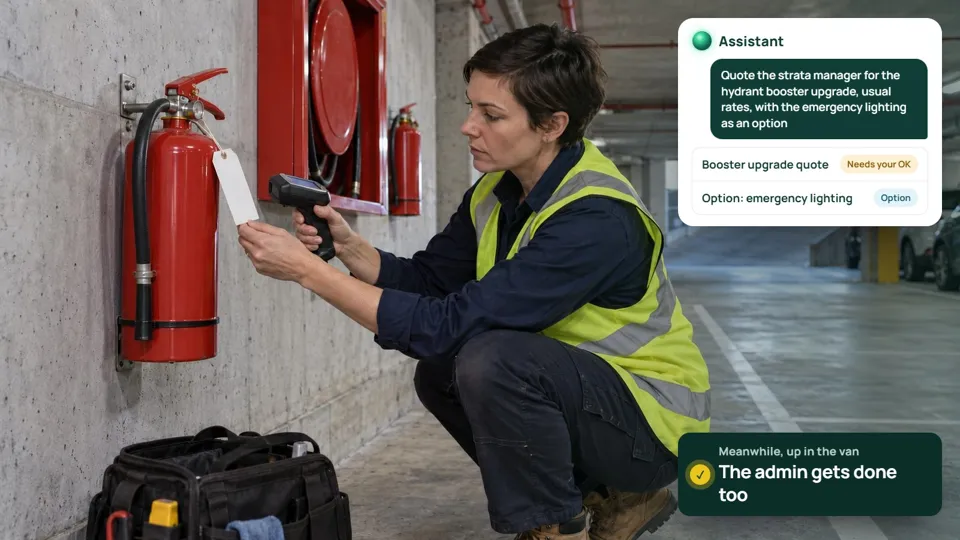
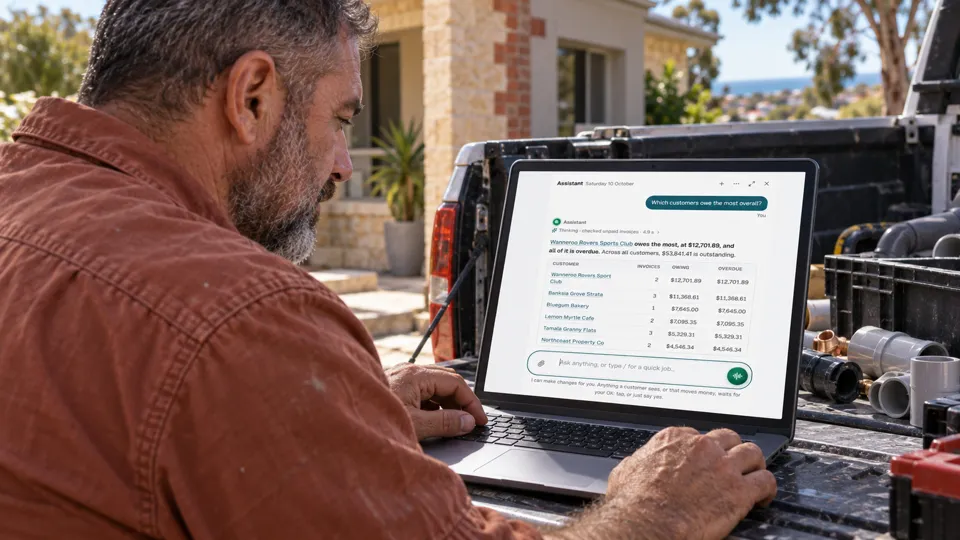
The two assistants point at different parts of the job. Blu helps you estimate. (Buildxact, Enhanced AI-powered platform delivers smart takeoffs, instant estimates and personalised estimate reviews) The EasyDone Assistant can do anything a screen in EasyDone can: quotes, variations, bookings, purchase orders, invoices, chasing and even your settings, typed or spoken.8
| What its AI does | Does it do the admin? | |
|---|---|---|
| Buildxact | Scales and labels plans, generates and reviews estimates, helps with recipes and assemblies (Buildxact, Enhanced AI-powered platform delivers smart takeoffs, instant estimates and personalised estimate reviews) | No. Bookings, orders, claims and chasing stay with you |
| EasyDone | Drafts variations, books trades, raises orders and invoices when you ask8 | Yes. You ask, it does the work, you OK the money and the sends |
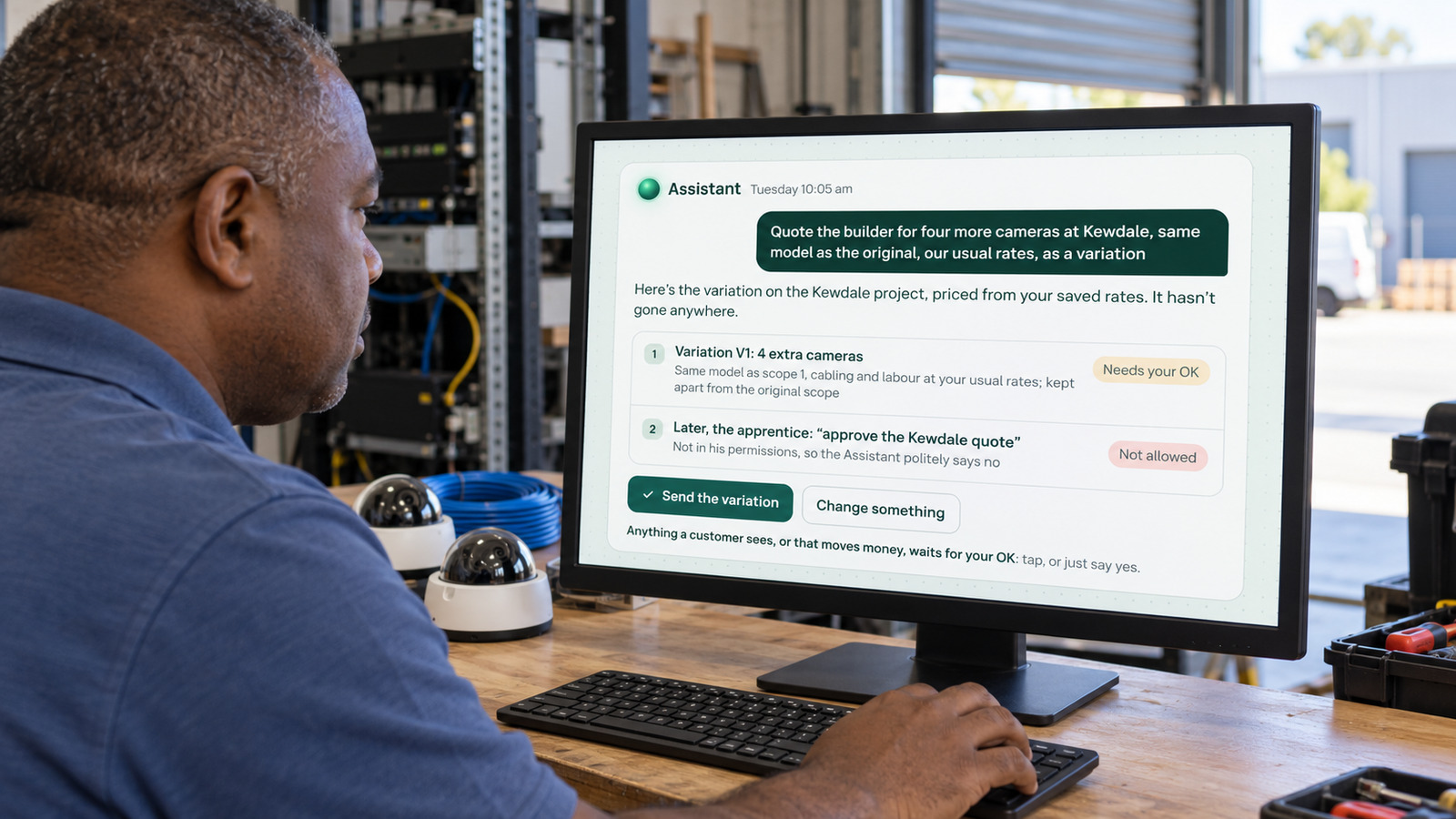
A typical request from a site: "Variation on the extension job: alfresco 1.5 metres deeper, extra slab, framing and roofing, our usual rates, and book the concreter once it's approved." The Assistant finds the project and the client, uses saved rates, asks for anything it can't find, and shows the variation before anything goes out. Money and customer sends wait for an OK.8 It works inside each person's permissions, so a supervisor can book trades and log site notes without sending a price to the client.8
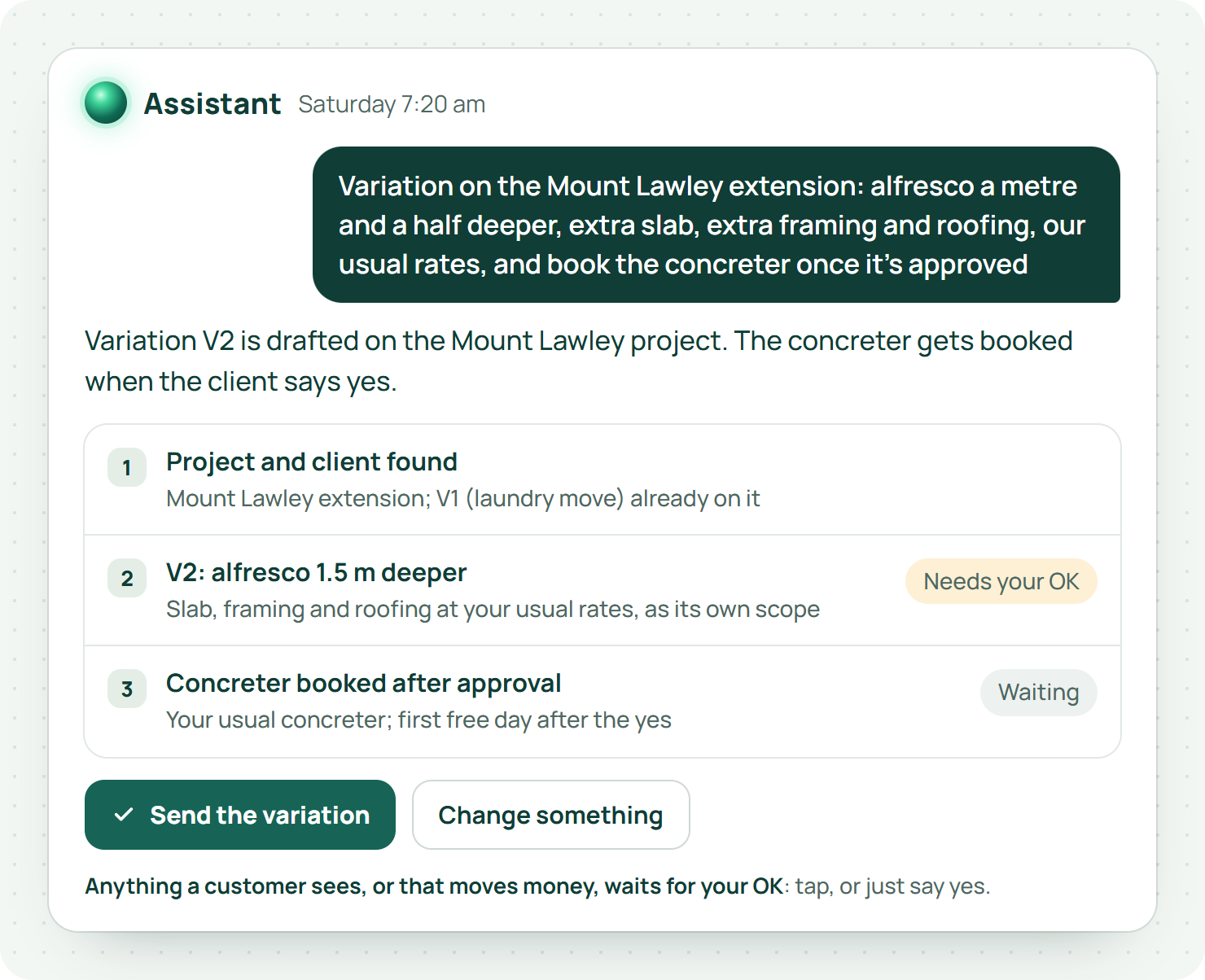
Verdict: Blu helps you price the job. Ours runs the job once it is won.
Variations
A renovation is a variation machine: the deeper alfresco, the moved laundry, the stone benchtops nobody mentioned until week six.
Buildxact records variations, and its cost plus guide is worth reading closely: it notes that a variation's markup doesn't carry through to the cost plus invoice. (Buildxact Help, Cost-plus invoicing, read 10 October 2026) That is a rule to know before you rely on it, not a fault.
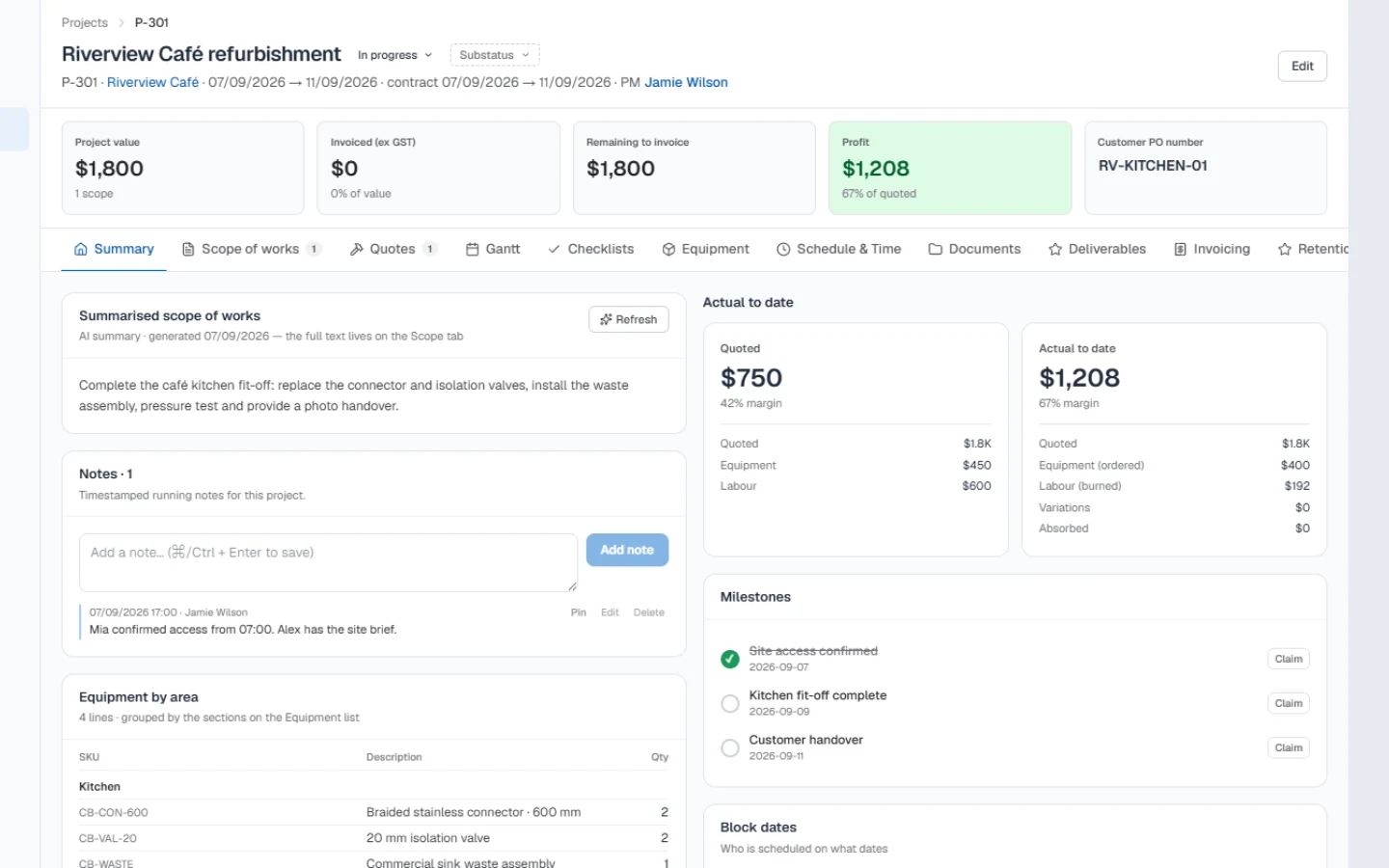
A builder's won quote becomes the first scope on the EasyDone project. Each variation is a tagged scope with its own lines, its own labour budget and its own bar on the Gantt. Labour budget against hours actually burned shows scope by scope while the job runs, so one variation can't quietly eat the margin from another.9
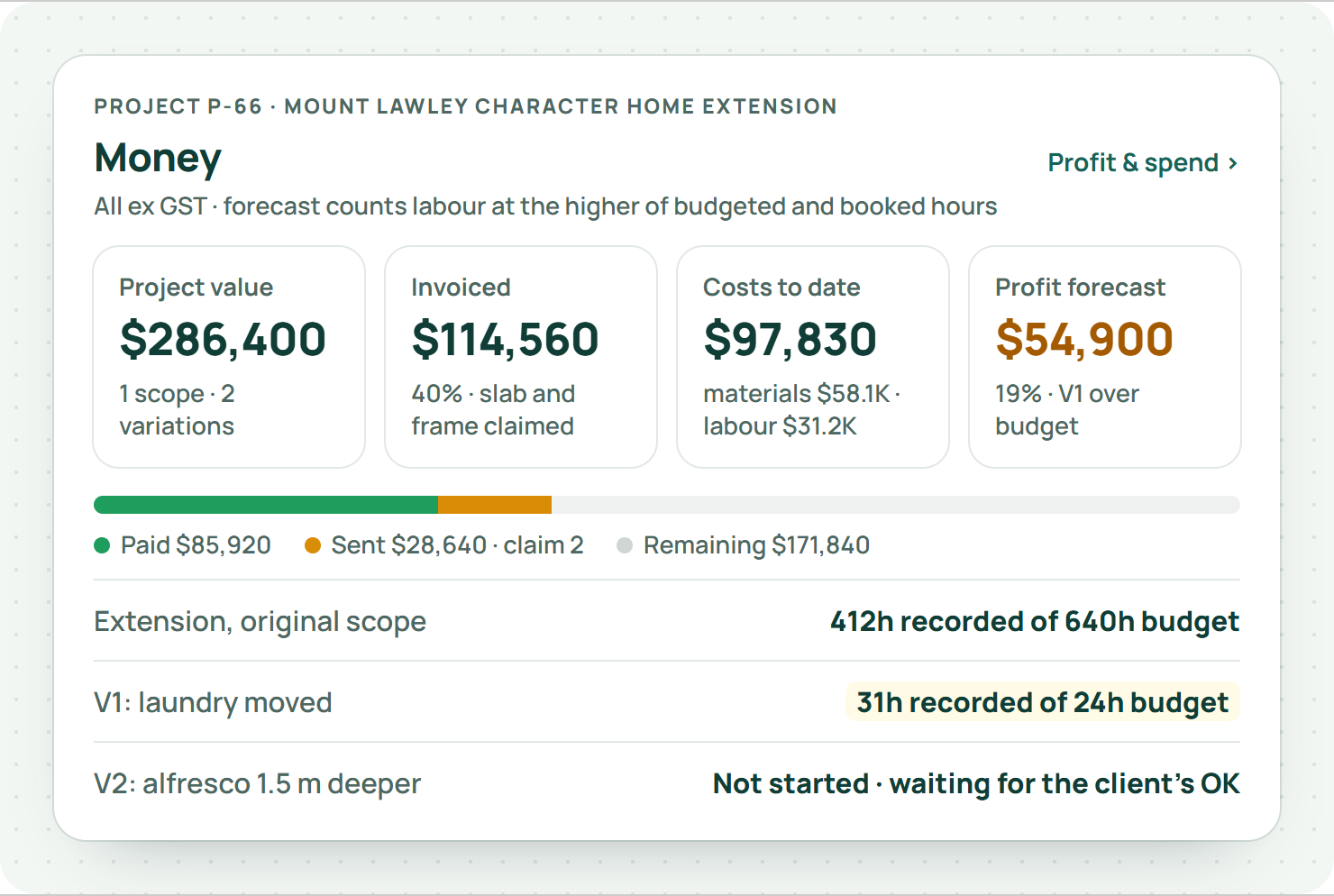
Verdict: both record variations. EasyDone shows whether each one is making money while you can still do something about it.
Progress claims
| Buildxact | EasyDone | |
|---|---|---|
| Schedule | Job schedule with dependencies and non working days (Buildxact Help, Job Management, read 10 October 2026) | Gantt per project, with labour against hours burned9 |
| Claims | Invoicing, including cost plus work (Buildxact Help, Cost-plus invoicing) | Numbered progress claims against milestones, retentions held and released as their own invoice9 |
| Chasing | Not covered in the pages we read | Overdue claims get a reminder without you chasing9 |
In EasyDone, milestones tick off on the project and claims go out numbered against it: slab, frame, lock up and fixing, each in order. When a client's bank asks what has been claimed, it is on one screen.9
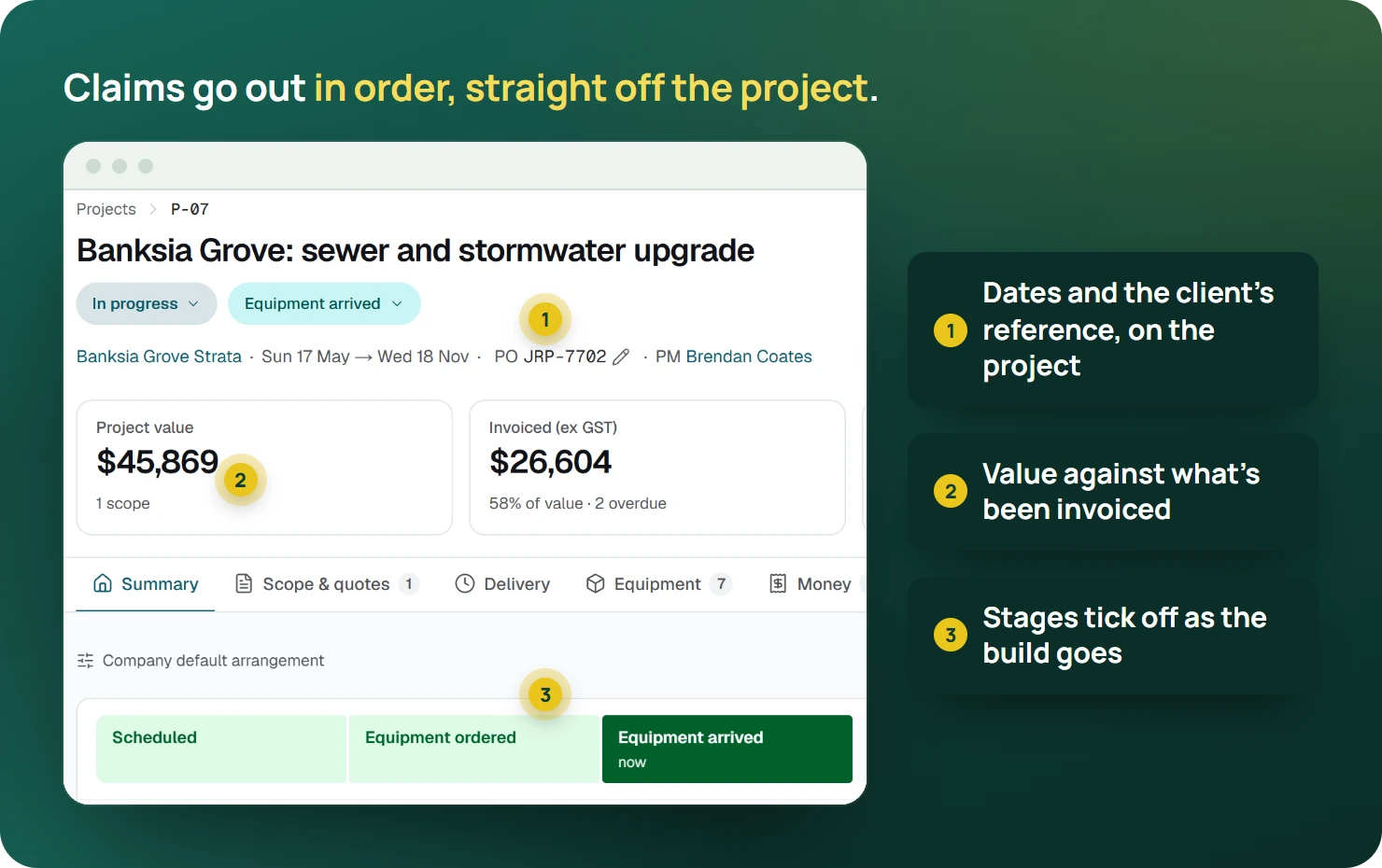
Verdict: claims straight from the project, with the chasing done for you.
Stock and orders
Most builders have a stack of windows in the yard that nobody can quite match to a job. In EasyDone, materials follow the job:9
- Items carry supplier buy prices and your margin, so quote lines price themselves.
- Win the job and the windows, framing and roofing flow onto it as gear to order.
- Raise the purchase order from the job and see what it does to the margin before you send it.
- Receive it and it is reserved for that project, so the next job doesn't pinch it.
- Transfers and stocktakes keep their full history.
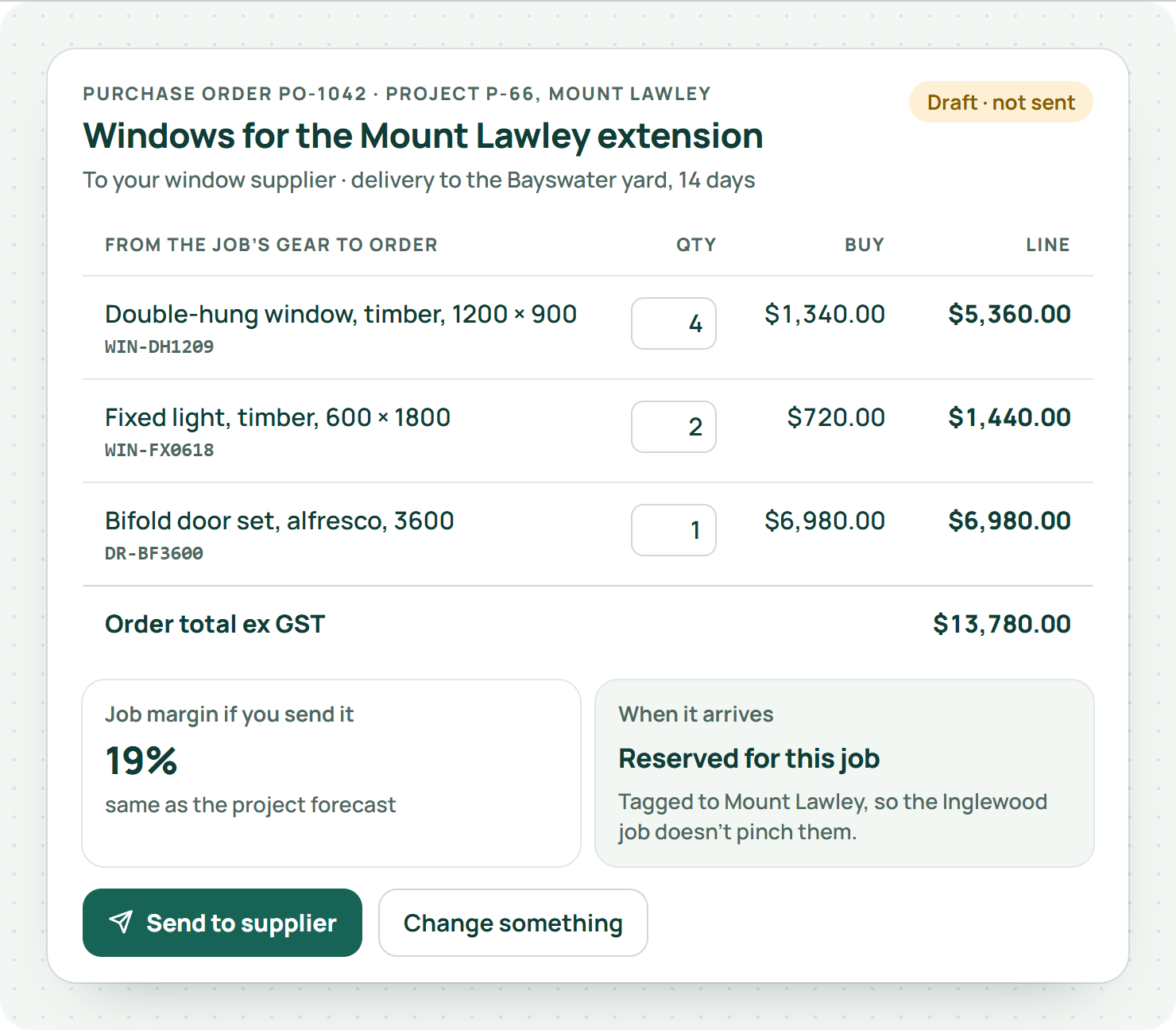
Verdict: in EasyDone everything in the yard carries a job number.
The site phone app
A supervisor running three sites needs the current instruction, not last week's revision. The supervisor's first screen in the EasyDone phone app is Today: the next site, the access notes and On my way with the client text previewed. Time runs against the job, and notes, photos and issues go straight onto it. A required checklist can hold a stage open until the photos the client's bank wants are there.9
When the subfloor turns out worse than expected, it goes on the job as its own note and follow up, separate from the approved scope, so the office can price it without a call at knock off.9
Verdict: the site record lives on the job, not in a group chat.
Changes for your business
Every builder has a way of doing things, such as a pre start checklist refined over twenty years. In most software that lives in a folder. With the optional Alterations add-on, EasyDone turns that checklist into a Workshop request: the builder describes it, we agree the scope and timing together, Workshop builds and tests it, and the builder signs it off before it goes live.10 Your data sits on your own server in Sydney, managed for you.11
Buildxact's plans are listed on its Australian pricing page with monthly or annual billing; (Buildxact Australian pricing) ours are on the pricing page.
Moving jobs already on the go
Don't move a build halfway through a stage. Finish the jobs close to handover where they are, and start new jobs in the new system from a set date. Bring the clients, the price list and the live projects with their claims to date across first, and leave closed jobs in a searchable archive. We plan the move with you, so nobody turns up on site on a Monday wondering where the job went.11
The fairest test of both is the same messy job run through each: quote it, change the plans, add a week six variation, order the windows and claim two stages in a row.