Written by the EasyDone team. Last checked 10 October 2026.
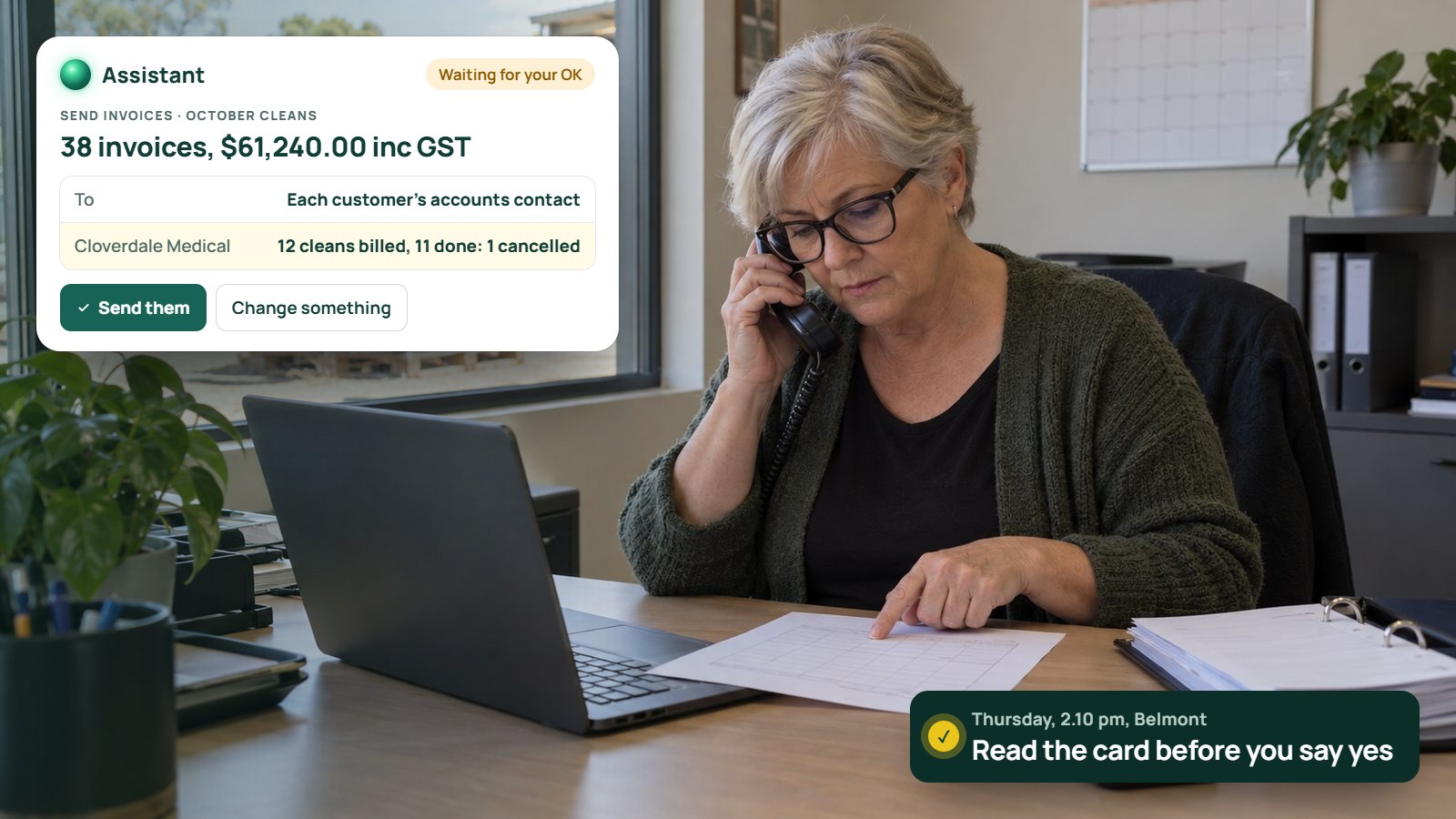
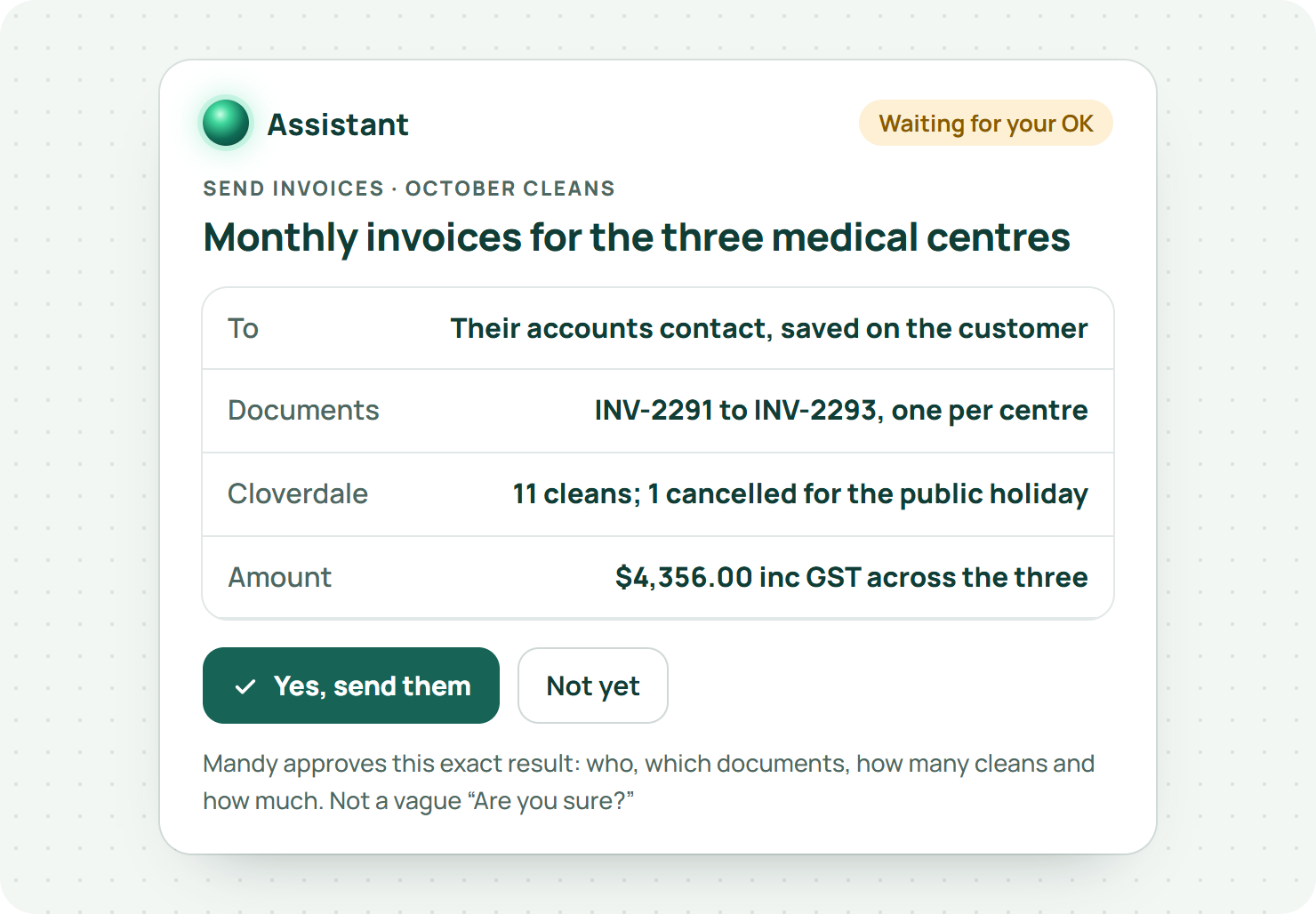
It's 2.10 on a Thursday in a Belmont office and Mandy has the phone wedged between her ear and her shoulder. On the line is the facilities manager for three medical centres, asking why their invoice says twelve cleans when they only had eleven. On the screen in front of her is a card from the Assistant, waiting for her to say yes to this month's invoice run.
Mandy runs the office at Rao Commercial Cleaning. Anita Rao owns it: forty-odd cleaners, a fleet of vans, offices and medical centres from the airport to the city. A year ago, Mandy spent three days a month on invoices. Now the Assistant prepares them in a few minutes, and Mandy's job is the bit that matters: reading the card before she says yes.
Today, that card just saved them an awkward phone call. The medical centre was right. One clean was cancelled for a public holiday, and nobody had taken it off.
What's really going on?
Here's the thing about AI that actually does work: it needs a moment where a person says yes.
Most trade software's AI doesn't really have that problem, because it mostly answers questions, summarises jobs or drafts something for you to finish yourself. EasyDone's Assistant is different. It does the admin: quotes, bookings, invoices, chasing, moving jobs.1 So the approval points aren't an afterthought. They're the steering wheel.
The question for any business owner is simple. Which actions should wait for a person, what should that person read, and what happens when they get it wrong?
What makes an approval worth anything?
It shows you the actual decision. Which customer, which job, which message, which amount. Not an empty "Are you sure?" that you click through because you've just come off a phone call and can't remember what you asked for.
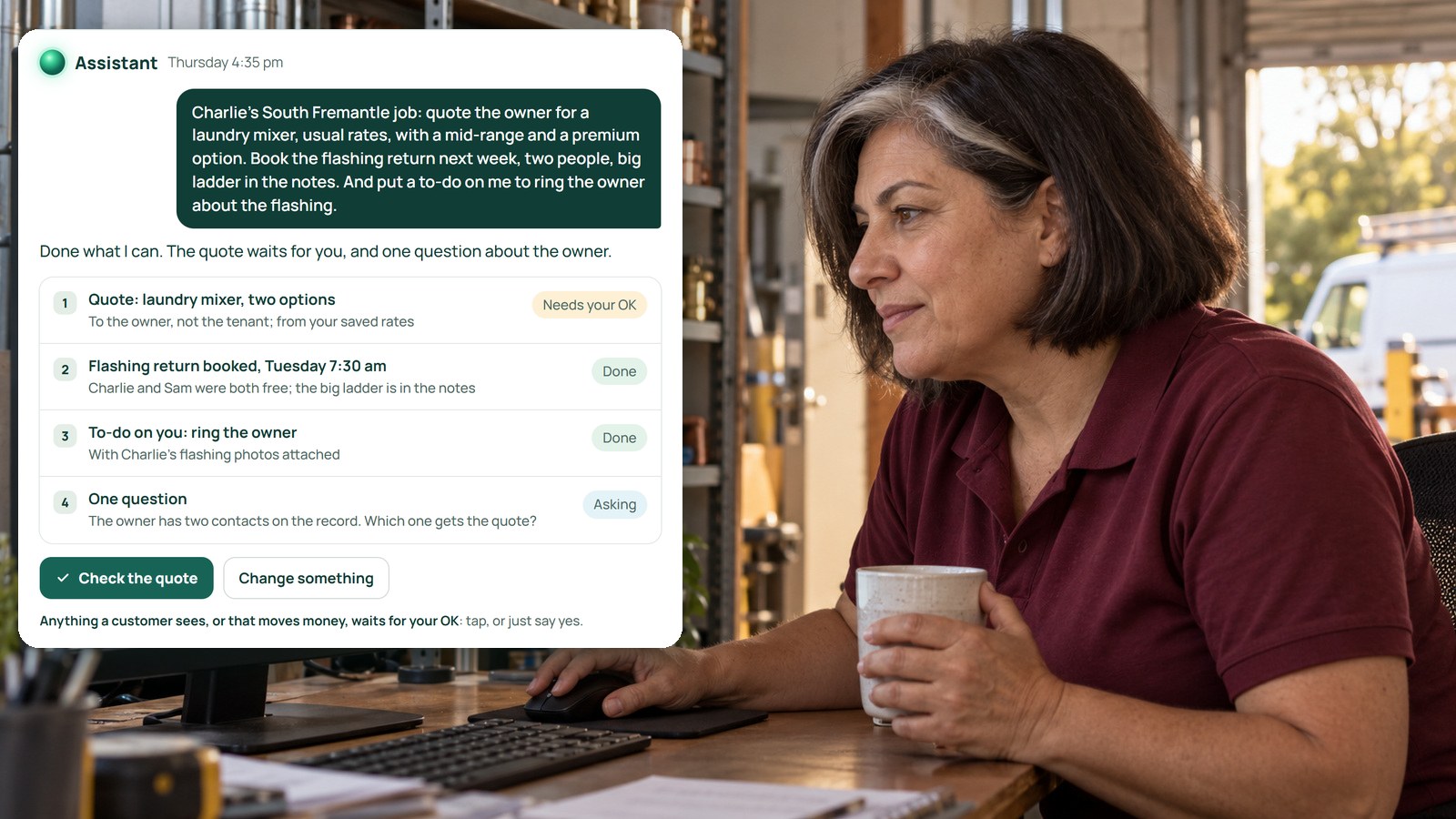
In EasyDone, anything that goes to a customer or touches money waits on a card. The card shows the proposed message or the money details, so you're approving a specific result, not a vague intention. Internal stuff, like adding a note or preparing a draft, can just happen without the final question.1
Then put a name against the job. Business.gov.au recommends giving someone clear responsibility for how your business uses AI.2 At Rao's, that's Mandy for invoices and Anita for anything over a set amount. "The office will check it" doesn't count. Everybody assumes somebody else did.
Which actions need which kind of check?
Not all AI work is the same. Sort it into four kinds, and check each one differently:
| Kind of work | What to check |
|---|---|
| Looking something up | Right customer, right site, up-to-date information |
| Preparing a draft | The facts, quantities, exclusions and anything still undecided |
| Sending something or changing money | The exact result, and that the person receiving it should be |
| Switching on a standing rule | What starts it, the conditions, the exceptions and who keeps an eye on it |
In EasyDone, filling in a quote prepares a draft. It doesn't email it just because it exists. Sending is its own step, with its own confirmation. Logging hours and moving a booking ask you to confirm, too.1
Start the team on the first two rows. Once everyone can spot a good draft, move them on to approving sends.
Why does texting need its own decision?
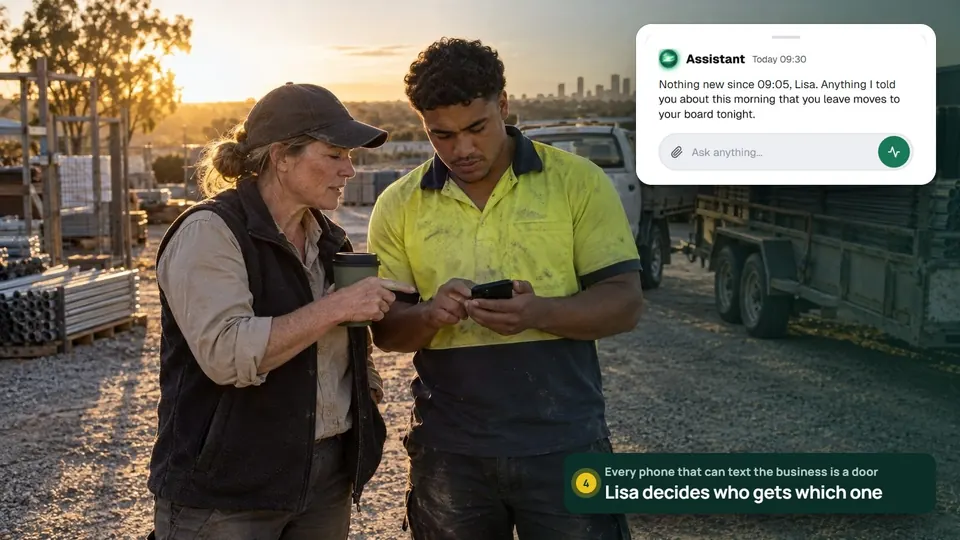
Because it has its own rules. When staff text the business, the default setting asks before sending anything to a new phone number or email address, with a numbered YES to reply. But a send to a contact already saved on the customer can go straight away.1
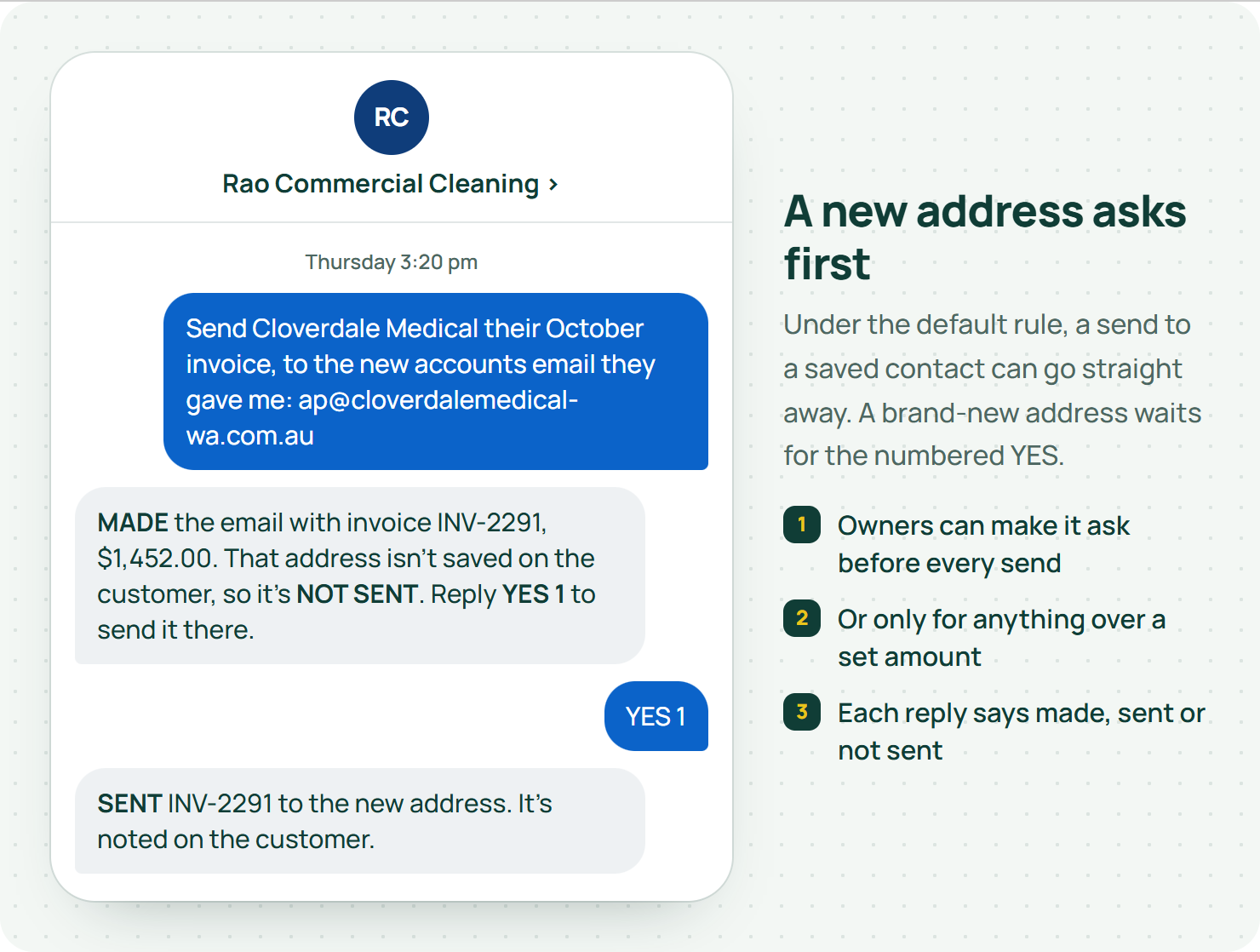
Owners can change that: ask before every send, or ask for anything over a set amount.1 Choose deliberately, before anyone joins, and explain it to the team with two examples: one to an existing contact, one to a brand-new address.
And never tell the crew "it always asks". Under the default rule, it doesn't. Tell them exactly which requests can go straight out.
At Rao's, Anita started with every send needing approval for the first month while she watched what people actually asked for. Then she loosened it.
Our guide to texting your business with clear permissions covers joining and access levels in detail.
What should you actually read on a money card?
Three things: the amount, the state of the document, and who it's going to. Then compare them with the agreed work. The right total on the wrong job is still wrong.
Business.gov.au says an invoice should clearly describe the work and the payment terms.3 Check those against the job, not against what you told the Assistant. If you gave it the wrong number, it'll faithfully repeat the wrong number back to you.
Then watch for the scam that hits trade businesses every week. Scamwatch warns about business email compromise, where criminals redirect payments by changing bank details in emails.4 If anyone asks you to change where money goes, ring them on a number you already had, not the one in the email. Approve after that check, never instead of it.
And know what "done" means. Issued, delivered and paid are three different things. If the record says "sent", ask whether that means emailed, opened or paid. Your bookkeeper needs the truth, not a nice-sounding word.
Can a standing rule skip the approval every time?
Yes, and that's the point of it. A rule like "remind customers when an invoice is fourteen days overdue" does its thing without asking each time. So the approval happens once, when you switch it on, and again whenever you change it.
In EasyDone, workflow templates start switched off. A Test run shows you exactly what the rule would do, without sending, changing or booking anything. And the Assistant will only switch a rule on after a passed test and a clear instruction from you.1
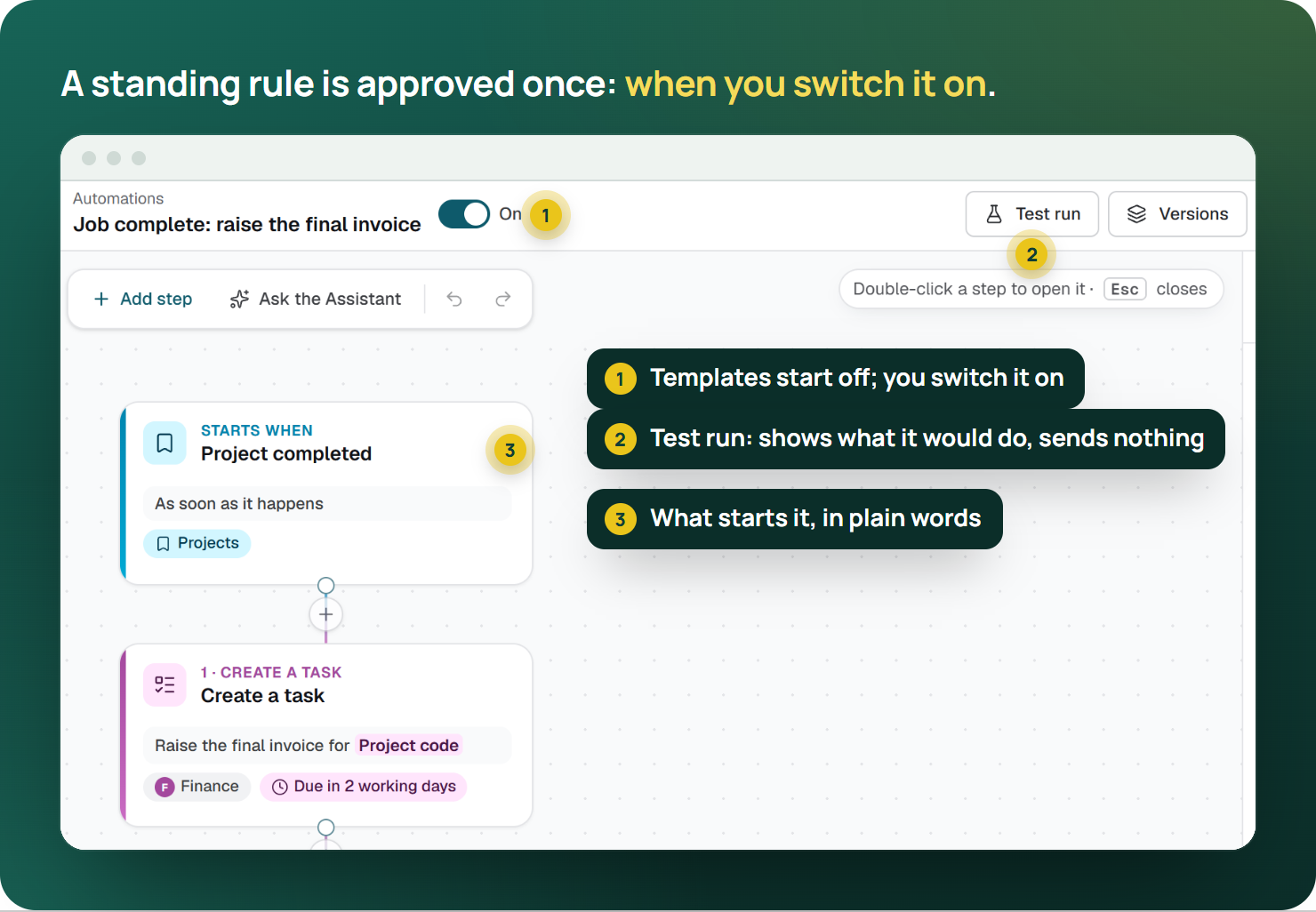
Test it on two records: one it should catch, and one it should leave alone. At Rao's, that second one is the client on an agreed payment plan. Nobody wants the reminder bot chasing a customer Anita's already sorted out over coffee.
Then decide who looks at runs that stopped, and put a review date in the diary. The OAIC talks about reviewing how you use AI on an ongoing basis.5 Contacts change, staff change, and rules quietly go stale.
What if someone approves the wrong thing?
First, work out exactly what happened. Then fix the record or the customer's understanding properly.
Here's our one honest limit. EasyDone's Undo works on supported changes for a short window, and it won't overwrite a later edit someone else has made. But a text that's already been delivered can't be unsent.1 That's why it pays to read who a message is going to, even when it's a short one.
For a wrong document, keep the history and use the proper correction, like a credit note, rather than deleting it to tidy the screen. For a wrong message, send a short, honest correction.
And if the mistake changed an agreement, get the fix in writing. Business.gov.au recommends recording contract changes in writing.6 A note only your team can see doesn't fix what the customer thinks they agreed to.
How do you get the team doing this well?
Run a practice round with three things on purpose: a draft, a send, and a record someone changed halfway. Watch who reads the card and who just taps yes. Then talk about it over a coffee, not in a disciplinary meeting.
The aim isn't to make people nervous of the Assistant. It's to make reading the card a habit, the way checking your mirrors is.
Back in Belmont
Mandy got off the phone with the medical centres, took the cancelled clean off the job, and said yes to the invoice run. Eleven cleans, the right amount, the right accounts address.
Anita wandered in at three. "All good?"
"One wrong one," said Mandy. "Caught it on the card."
"That's what the card's for," said Anita, and went back to her van.
So where do you start?
Write down the five things your business does most that touch money or go to a customer. For each, decide who approves it and what they should read. That's your approval policy, and it fits on a sticky note.
Our guide to AI admin for trade businesses is the place to start if you're new to this. Then see the EasyDone Assistant and ask us to show you a draft, a send and a changed record, so you can see every card for yourself.