Written by the EasyDone team. Last checked 10 October 2026.
Quarter to four, a limestone terrace in South Fremantle. Charlie has been under the house, on the roof and back under the house again. He's got a dripping relief valve sorted, a tenant asking about the laundry tap, and a bit of flashing on the second storey that needs a proper ladder and a second person. He thumbs this into his phone before the parking inspector gets to his van:
"HWS relief valve replaced, tested ok. Tenant wants quote laundry mixer. Flashing lifting rear 2nd storey, need 2 + big ladder. Owner said go ahead on valve over phone. Photos attached."
That's not a bad note. It's actually four jobs for the office, hiding in one paragraph.
The short answer
Split every note into found, done and next. Everything under "next" becomes its own real thing in your system: a quote, a booking, an order or a to-do, each with an owner. AI is brilliant at the splitting and the drafting. You check anything involving money or a customer before it goes.
Do that and the office stops ringing the tech at 5 pm to ask what he meant.
Before and after: one note, four actions
Here's Charlie's note, line by line, and what it should turn into.
| What Charlie wrote | What it really is | What it becomes |
|---|---|---|
| "HWS relief valve replaced, tested ok" | Done, and approved | The invoice line for today's job |
| "Owner said go ahead on valve over phone" | The approval behind that line | A note on the job: who approved it, when, how |
| "Tenant wants quote laundry mixer" | A request, not an approval | A quote to the owner (who pays), not the tenant |
| "Flashing lifting rear 2nd storey, need 2 + big ladder" | Found, not done | A return booking for two people, with the ladder on the job |
| "Photos attached" | The evidence | Photos filed on the right job, each one saying what it shows |
Five lines in, four separate pieces of work out. In most businesses, that split happens in someone's head at 8 pm, or it doesn't happen at all and the laundry tap quote quietly dies.
How do you write notes that turn into actions?
Found, done, next
Three short parts. Found: what you saw. Done: what you actually did. Next: the decision, task or return visit still open, and who it's waiting on. "Checked the accessible units, roof access not available, office to arrange access before booking the rest" tells the office exactly why the job isn't finished.
"All good" is the worst note in the trade. All of what? Was the roof checked or not?
Keep requests and approvals apart
The tenant asking for a quote is a request. The owner saying yes to the valve is an approval. They're different things, and the difference is money. Business.gov.au recommends putting contract changes in writing,1 so record who said yes, to what, and how, right on the job.
Write the done bit for the person invoicing
Business.gov.au says an invoice should clearly describe the goods or services provided.2 If the note says "replaced relief valve on the hot water system and tested", the invoice almost writes itself. If it says "fixed", someone's ringing Charlie.
Photos that answer a question
A wide shot for context, a close-up of the thing that matters, and a few words on what each shows. A photo of a new valve doesn't prove it was tested, so pair it with the test note. And frame the work, not the people: the OAIC's guidance on photos of identifiable people is a good reason to keep tenants and their kids out of shot.3
How do you keep AI from making things up?
AI is great at turning "flashing lifting rear 2nd storey" into a clean sentence. It must never turn it into "flashing repaired" or "roof inspected, no other issues".
Three rules:
- Give it a narrow job. "Split this into done, found and next" beats "make this sound professional".
- Uncertain stays uncertain. If Charlie wrote "might be the valve", the clean version says "might be the valve".
- Read it back before it goes anywhere. Has it gained an approval, a promise or a "completed" that wasn't in the original? Cut it.
The OAIC flags accuracy as a real issue when AI handles personal information,4 so check names, addresses and anything said to have been agreed. And business.gov.au suggests giving AI use in your business a named owner.5 In a small trade business that's usually the office manager, and that's fine.
How it runs in EasyDone
This is the bit we built EasyDone for, so we'll own the bias up front and show you.
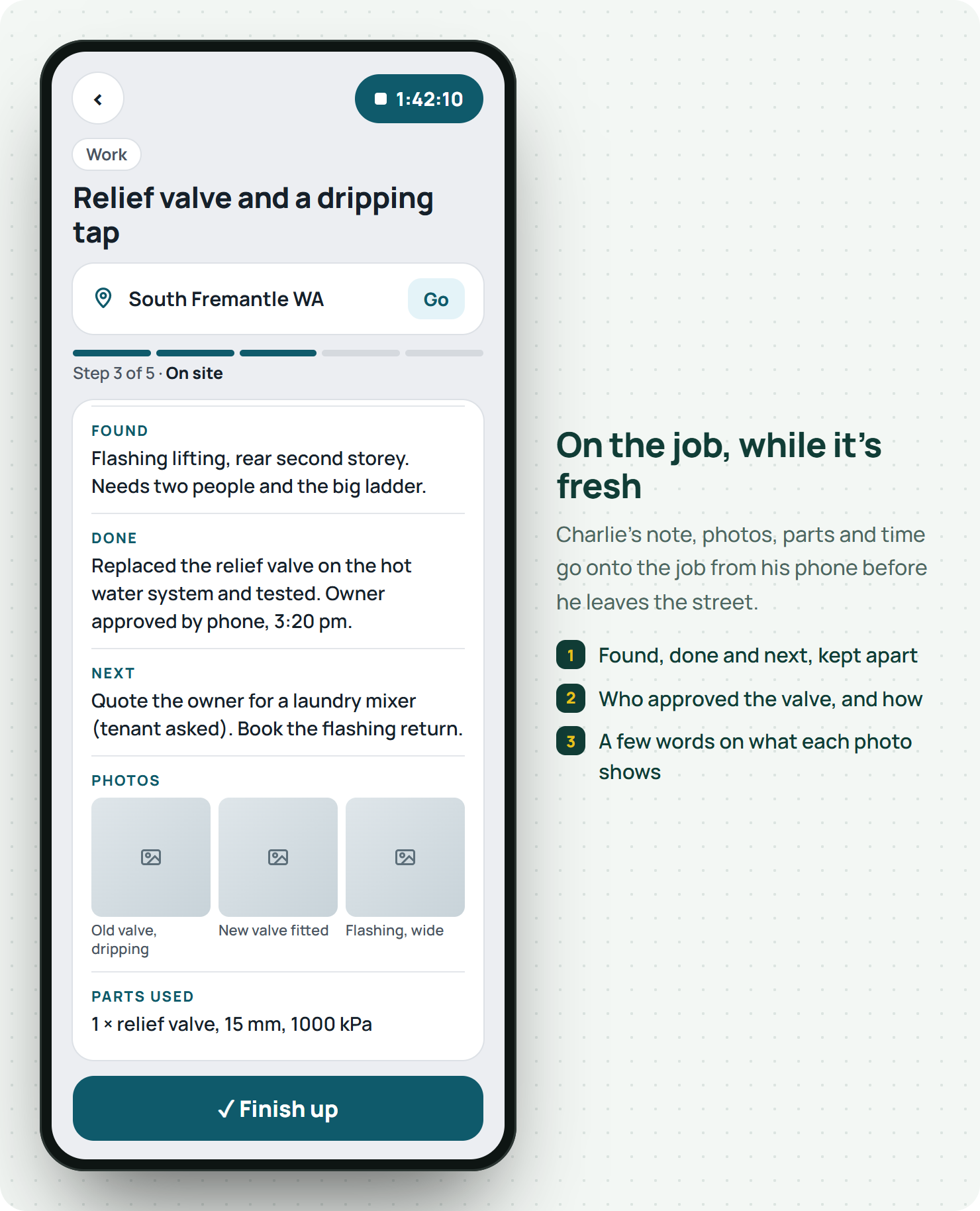
Take a made up Fremantle outfit, Turner Plumbing: owner Kristy Turner, five plumbers, one office manager. Charlie's notes, photos and the parts he used go straight onto the job from his phone, along with the time he spent there, while it's all still fresh.6
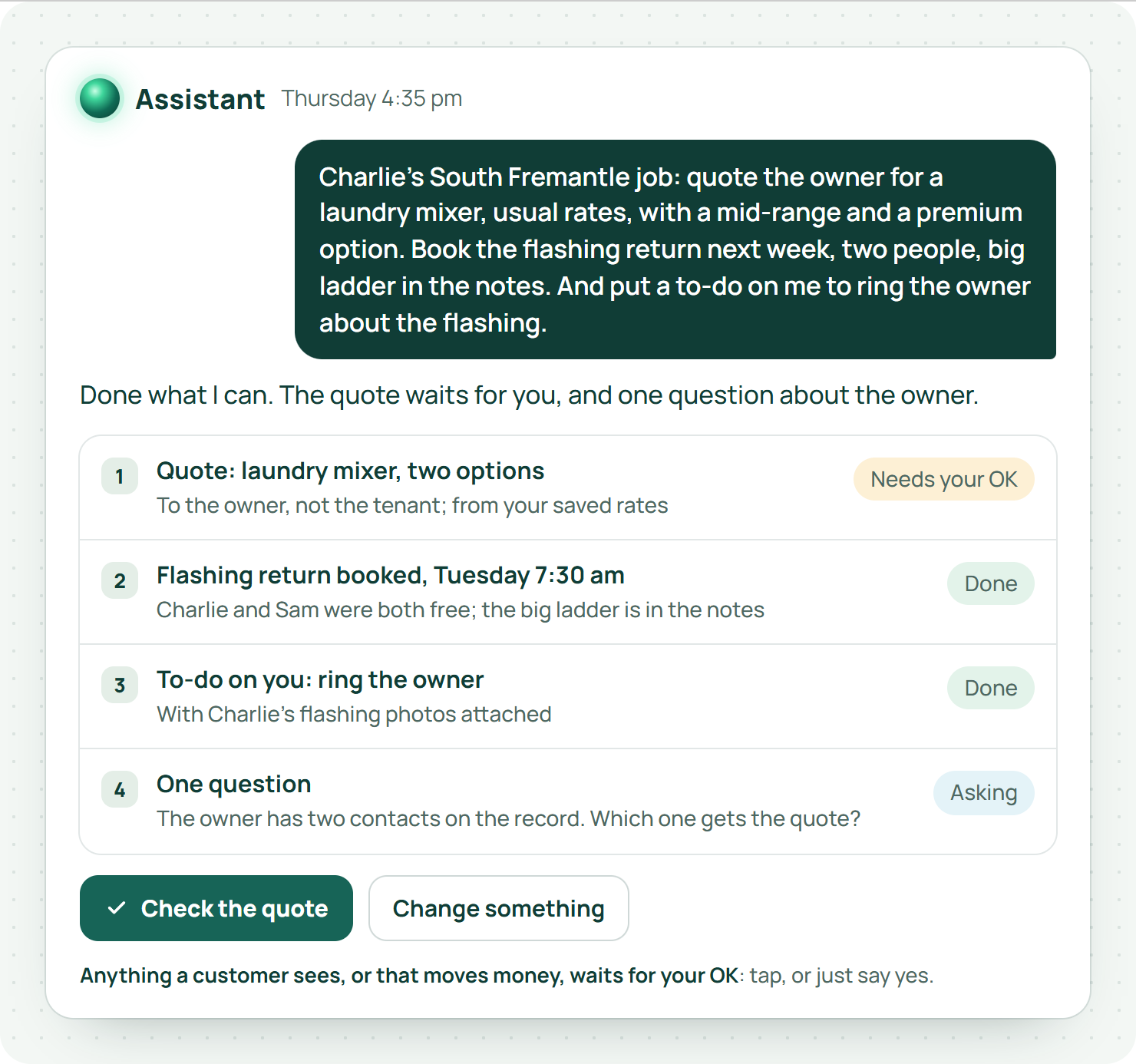
Back at the office in O'Connor, Kristy doesn't open five screens. She asks the Assistant, typed or spoken:
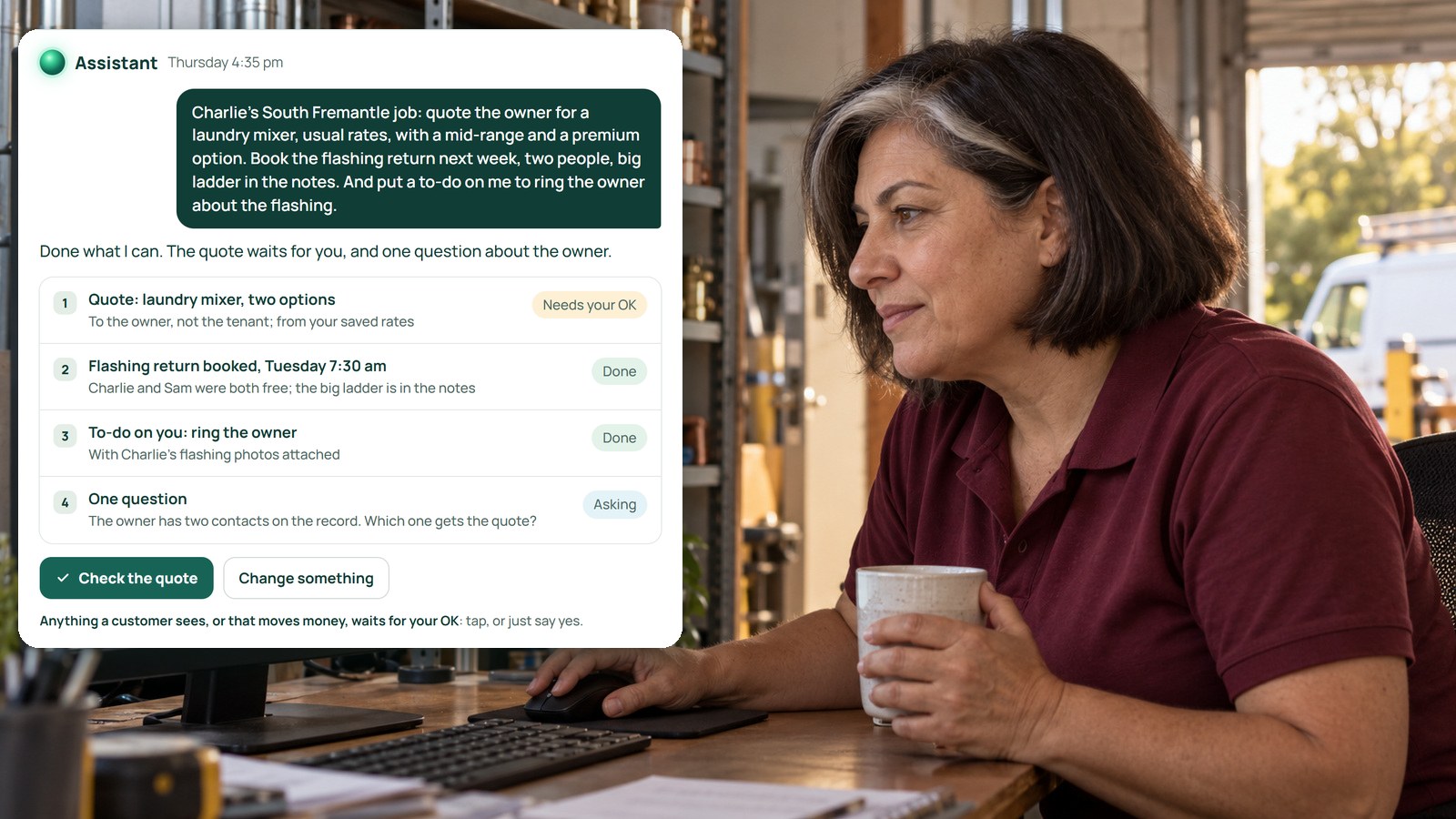
"Charlie's South Fremantle job: quote the owner for a laundry mixer, usual rates, with a mid-range and a premium option. Book the flashing return next week, two people, big ladder in the notes. And put a to-do on me to ring the owner about the flashing."
The Assistant finds the job, the site and the owner. It builds the quote from her saved rates and defaults and shows it to her before anything goes. It books the return against who's actually free, adds the to-do, and asks about anything it can't work out, like which of two owner contacts to use.7 Money and anything going to a customer waits for her OK. That's not a setting you remember to switch on; that's how it works.7
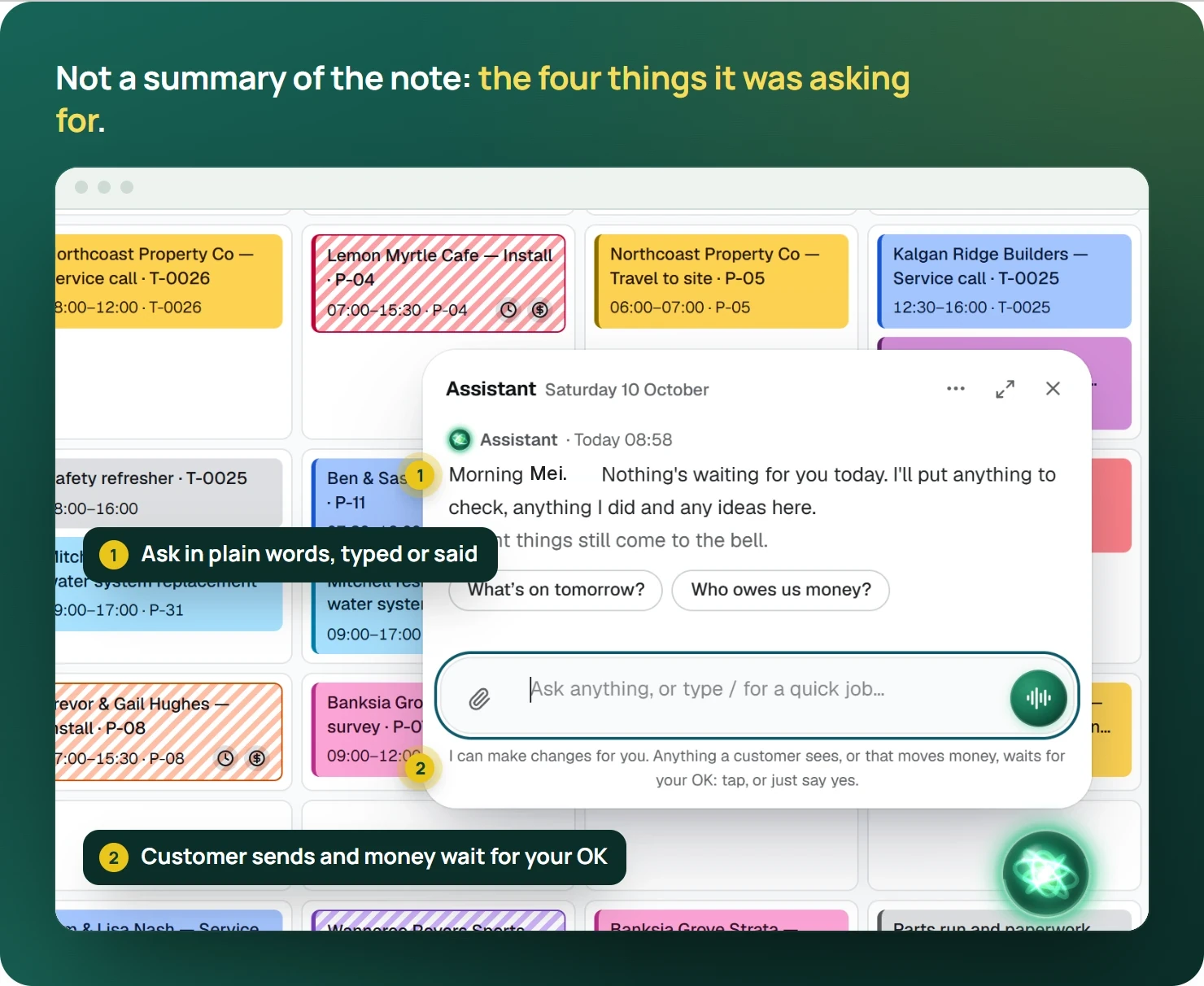
That's the difference with the AI in most job software. Plenty of it can summarise a note or tidy the spelling. EasyDone's Assistant goes and does the four things the note was asking for.7
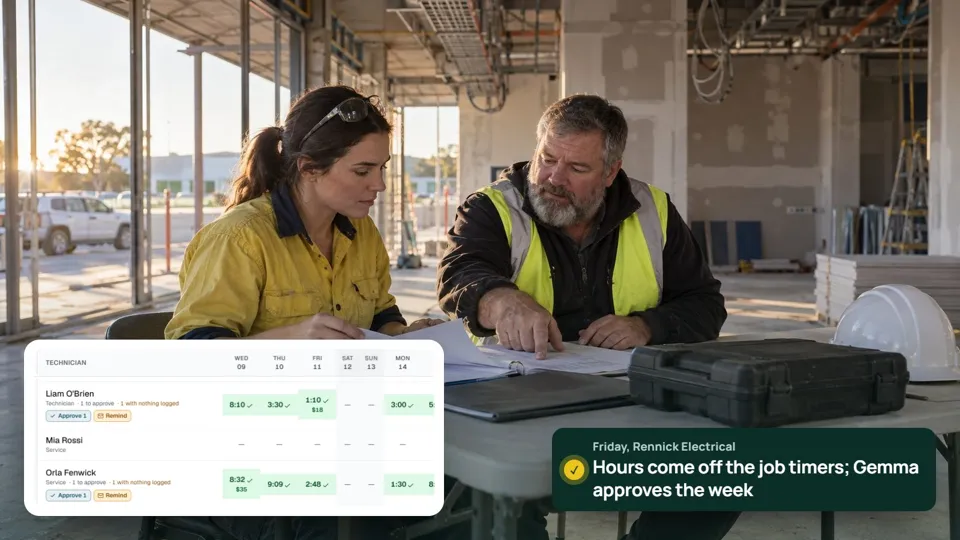
Then today's job invoices straight from the finished record, described the way Charlie recorded it, and the overdue reminder goes out by itself if the owner sits on it.6 For commercial maintenance visits, the site report can be drafted from the tech's notes too, ready for a quick read before it goes to the client.6
Our one honest limit: the Assistant works from what's on the job. If Charlie's note never mentions the laundry tap, no AI on earth is quoting it. Good notes still matter. They just stop being the end of the story.
Five note habits worth stealing
From businesses that get this right:
- Write the next step as a verb. "Quote laundry mixer to owner", not "laundry mixer?". A verb tells the office what to do.
- Name who's waiting. "Waiting on owner approval" or "waiting on part", so nobody chases the wrong person.
- One photo per point. The leaking valve, the lifting flashing, the access hatch. Not fifteen near-identical close-ups.
- Say what you didn't check. "Roof checked from ladder only, didn't walk it" saves an argument later.
- Voice is fine. A thirty-second voice note in the van beats a typed paragraph nobody writes. The AI can split it into found, done and next.
What do owners ask about AI and job notes?
Should AI write the technical diagnosis?
No. The plumber's findings are the plumber's findings. AI can tidy them, split them up and turn them into actions. It shouldn't add a diagnosis, a test or a "no other issues" that the tech never wrote.
Can a note count as the customer's approval?
A note can record that the customer agreed, and who and when. For anything that changes the price or the scope, get the approval in the form your agreement needs, and keep it on the job.
How long should a note be?
Long enough that the next person can act without ringing anyone. Three precise lines is often plenty.
The before and after, for a whole week
Before: Charlie writes a note, the office reads it at 4.30, rings him to decode it, types up a quote that night, forgets the flashing, remembers it a fortnight later when the tenant rings about a leak.
After: Charlie writes the same scrappy note. Kristy turns it into a quote, a booking and a to-do in one go before she's finished her coffee. The owner has the quote by five. The flashing's booked. The tenant never rings.
Same tech, same note. Very different Friday.
Where do you start?
Pull five job notes from last week and split each one into found, done and next. Count how many "next" items never became anything. That number is the money you're leaving on the bench.
Then see EasyDone's Assistant with one of those real notes. We'll turn it into the actions, in front of you, and you check every one before it goes.