Written by the EasyDone team. Last checked 10 October 2026.
You can ask a business Assistant by voice for anything you'd do on a screen: look up a job, book a visit, quote, invoice and chase who owes you. In EasyDone, voice works under exactly the same rules and permissions as typing. Do it parked, ask for one clear thing at a time, and read the confirmation card before you say yes to anything that touches money or a customer.
What's really going on?
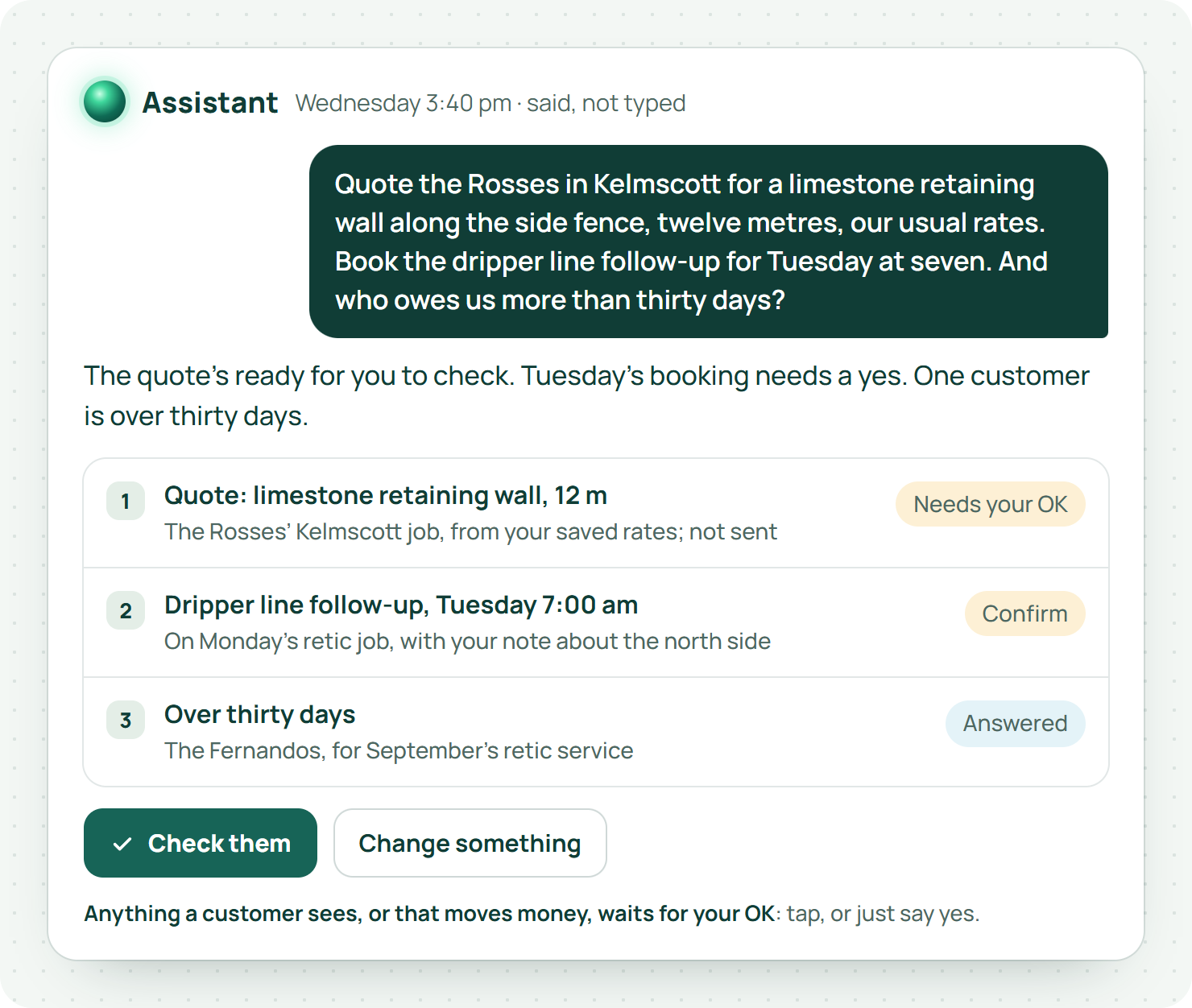
Take a made up example. Abbott Landscaping in Kelmscott has six people: two crews, the owner Steve Abbott, and his partner Helen, who does the books two days a week from home. Parked between jobs with dirt to the elbows, Steve has three things to sort: a quote for a limestone retaining wall, a follow-up for a split dripper line, and a nagging feeling somebody from last month hasn't paid. Steve's office is the ute. His admin happens in the gaps: parked outside a job, waiting at the landscape supplies yard, ten minutes at the kitchen bench before tea.
Voice is made for that kind of business. No tiny keyboard, no squinting at a screen in the sun, no dirt on the glass. But talking to your business is only useful if what comes out the other end is right. A quote to the wrong customer, sent fast, isn't a time saver.
Here's how to do it properly.
What kinds of requests suit voice?
The ones with a clear job and a clear finish line. "Book the dripper line follow-up at the Kelmscott job for next Tuesday morning" has both. "Sort out everything from this morning" has neither.
Start with questions you can check. "What's on for tomorrow?" "When did we last do the Fernandos' retic?" "Who owes us more than thirty days?" Once you trust the answers, move on to asking it to do things.
In EasyDone, the Assistant can do anything a screen can, and voice uses exactly the same rules as typing. It works inside each person's permissions, so a crew member talking to it doesn't suddenly get the owner's access.1
Business.gov.au recommends setting clear rules about how your business uses AI and who's responsible.2 For a six-person outfit, that's a five-minute chat: which jobs we'll do by voice first, and who checks they're working.
Where should you use it?
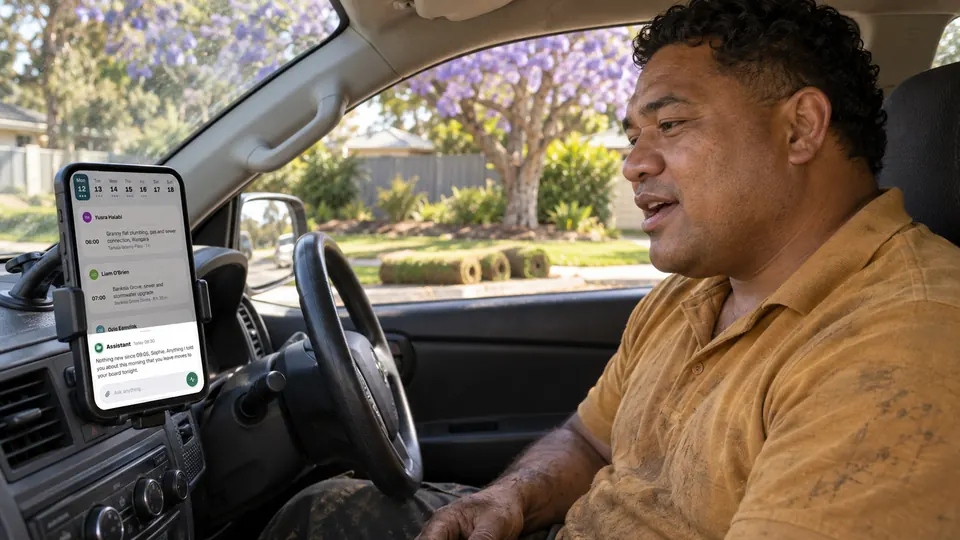
Parked. Every time.
The WA Road Safety Commission points out that even hands-free phone use can distract drivers.3 Voice makes the admin quicker. It doesn't make the Tonkin Highway the place to do it. Steve's rule is simple: pull up, handbrake on, then talk.
Think about who's listening, too. Reading out a customer's unpaid balance on their front lawn, with the neighbour leaning on the fence, isn't a great look. Step back to the ute, or type that one.
And if there's a mower going, or a plate compactor next door, wait. If you can't hear the reply clearly enough to check it, you can't check it.
How much do you need to say?
Enough to find the job, say what you want and set the limits that matter. You don't need to recite what's already saved. You do need to clear up anything that could be read two ways.
A good rhythm has four steps:
- Find the job. "Open the Kelmscott turf job for the Rosses."
- Check where it's at. "What's still open on it?"
- Ask for one thing. "Quote them for a limestone retaining wall along the side fence, twelve metres, our usual rates."
- Check what comes back. Every time.
If you change your mind halfway, say so plainly. "Leave the booking where it is and just add a note about the side gate" is very different from "move the booking".
The Assistant looks up the customer and their contacts, uses your saved rates and defaults, and asks you for anything it can't find. It won't guess a price or invent a quantity.1 If the saved details are wrong, fix them once at the source, rather than correcting them out loud every time.
The OAIC's guidance on AI stresses accuracy and keeping a human in the loop.4 Treat the spoken reply as something to check against the job, especially when you've got two customers with the same surname in the same suburb. Every Perth landscaper has at least one pair of Smiths.
What should you check before you say yes?
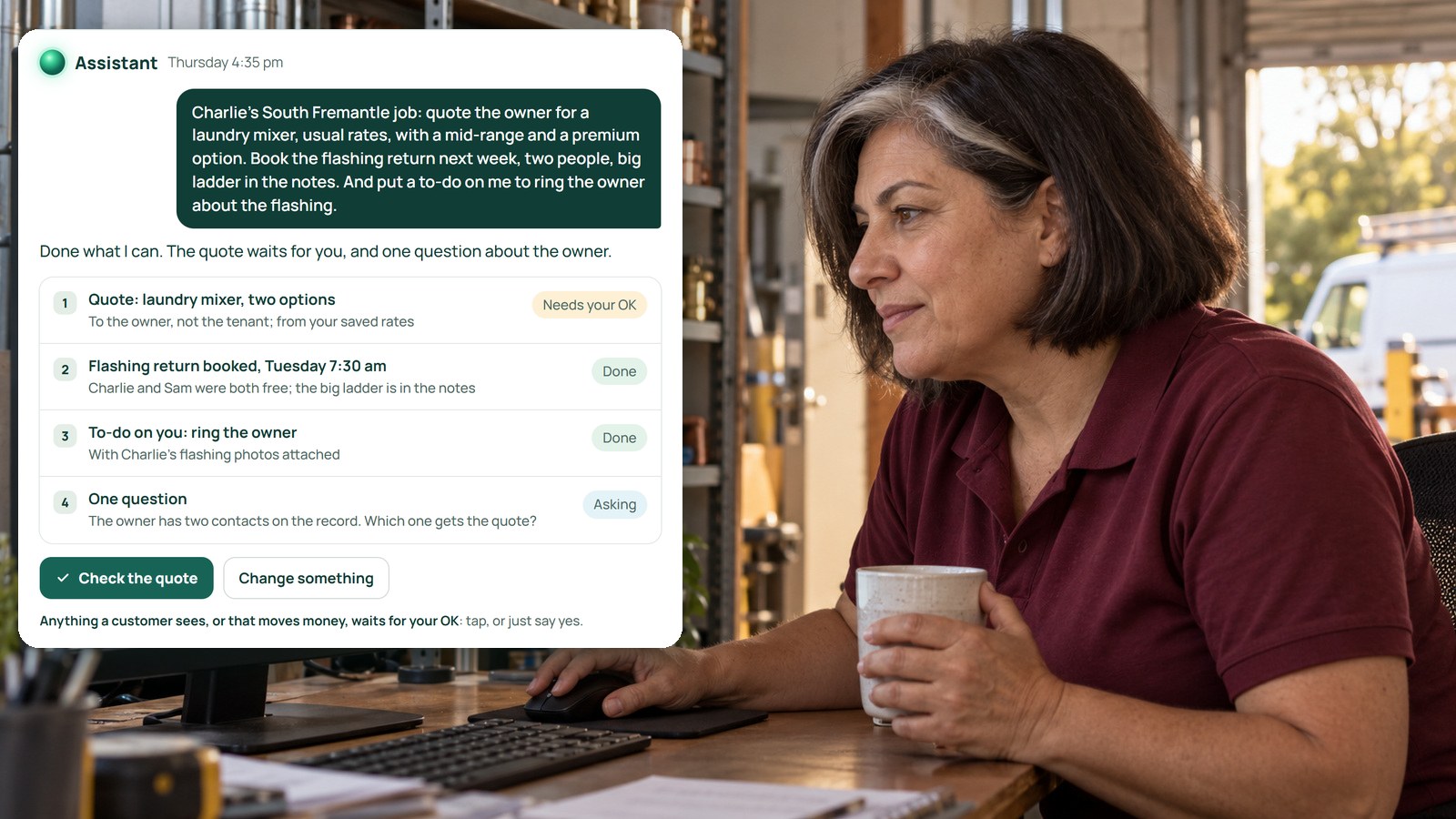
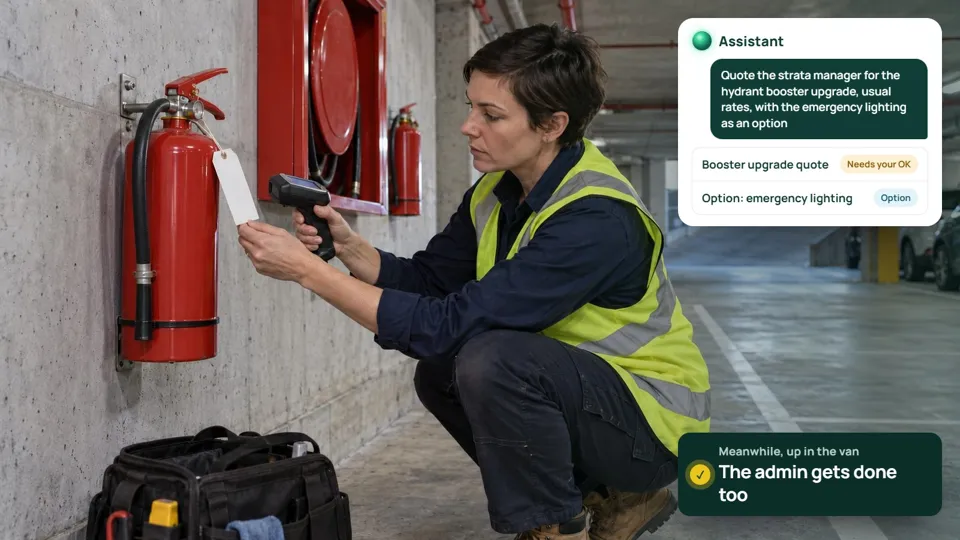
Anything that touches money or goes to a customer waits for your OK. In EasyDone that shows up as a confirmation card with the details on it, and a clear "yes" straight after the card uses that same approval. Moving bookings and logging hours ask you to confirm, too.1
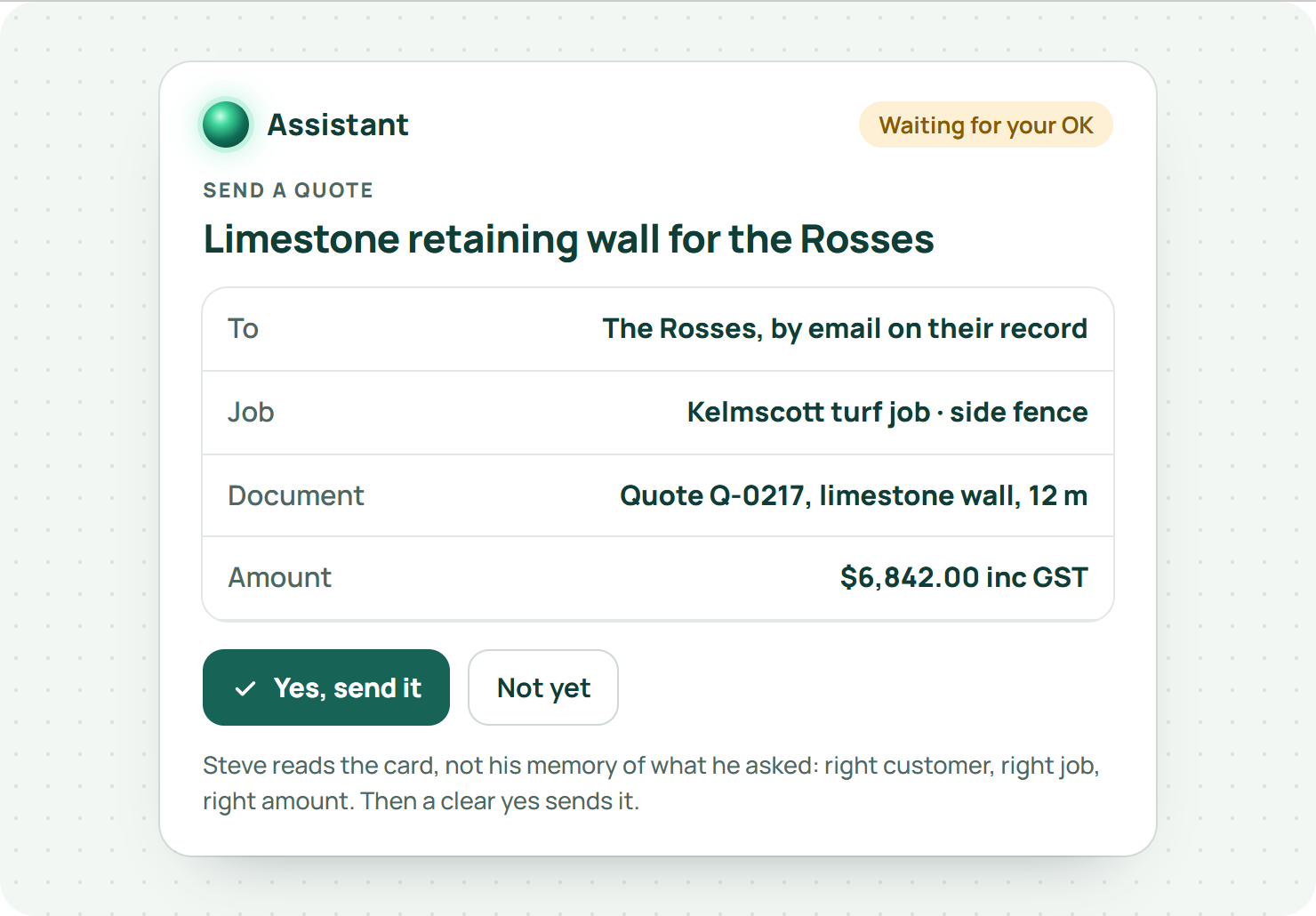
Read the card, don't just remember what you asked for. Four quick questions:
- Right customer, right job, right site?
- Right date and time?
- Does the message say only what you've agreed?
- Right amount, right document, right person receiving it?
Business.gov.au's invoicing guidance says a proper invoice clearly describes the work and the payment details.5 If you're asking for an invoice, look at those actual fields. "Looks fine" only counts after you've looked.
Can voice turn a quick rant into proper paperwork?
It can turn what you say into a note, a quote or a booking. It can't turn a guess into a fact.
Keep three things separate when you talk: what you found, what you did, and what's next. "Dripper line's split under the new turf on the north side, capped it off for now, needs a proper repair and a new section" is perfect. The Assistant files it the way you said it.
Be specific about what you want. "Add a note" and "send the customer a message" are different jobs. Filling in a quote isn't sending it. If you want it to go, say so, and check it before it does.
And if a chat with the customer on their lawn changes the job, get it in writing. Business.gov.au recommends recording contract changes in writing.6 A tidy summary of a conversation isn't the customer's approval. A quote they've accepted is.
How is this different from "voice" in other job apps?
Plenty of job software has added voice lately. Read what it actually does.
| What voice does there | |
|---|---|
| ServiceM8 | The voice version of Office Agent adds notes, checks availability and drafts an SMS inside a job. (ServiceM8, AI quoting, invoicing and CRM for tradies, read 10 October 2026) |
| Fergus | Crews can type or speak updates in the mobile assistant, which flow into quotes or invoices. (Fergus press release, Fergus launches AI-first job management for tradespeople, read 10 October 2026) |
| AroFlo | JobScribe listens and transcribes the job documentation. (AroFlo, Lightning, read 10 October 2026) |
| EasyDone | The Assistant does anything a screen can: quotes, bookings, invoices, chasing, moving jobs, even settings, by voice or text, with your OK on money and sends.1 |
Most of them take the notes for you. EasyDone's does the job itself, and that's the bit that gets you home before dark.
How do you get the team using it?
Test it on real phones, with normal staff access, using jobs that are a bit awkward on purpose: two similar customer names, a correction halfway through, and a request that should be refused because that person isn't allowed to do it.
Have one person talk while another checks the saved result. Note where it needed to ask a question, and whether that question made the result more accurate.
Show everyone how to stop. In EasyDone, stopping the spoken answer and ending the voice session are two different things, so make sure everyone knows how to finish properly.1
And try the same jobs typed. Long addresses or a detailed scope are often easier to check in writing. Use whichever leaves the clearest record.
What does two minutes of talking get done?
More than you'd think. Here are Steve's three jobs, sorted from the parked ute. The limestone wall quote came back on the card: right customer, twelve metres, his rates, the side fence. He read it, said yes. The dripper follow-up was booked for Tuesday at seven with his note on it. And the nagging feeling was right: the Fernandos owed for September. He asked the Assistant to send the reminder, checked who it was going to, and said yes again.
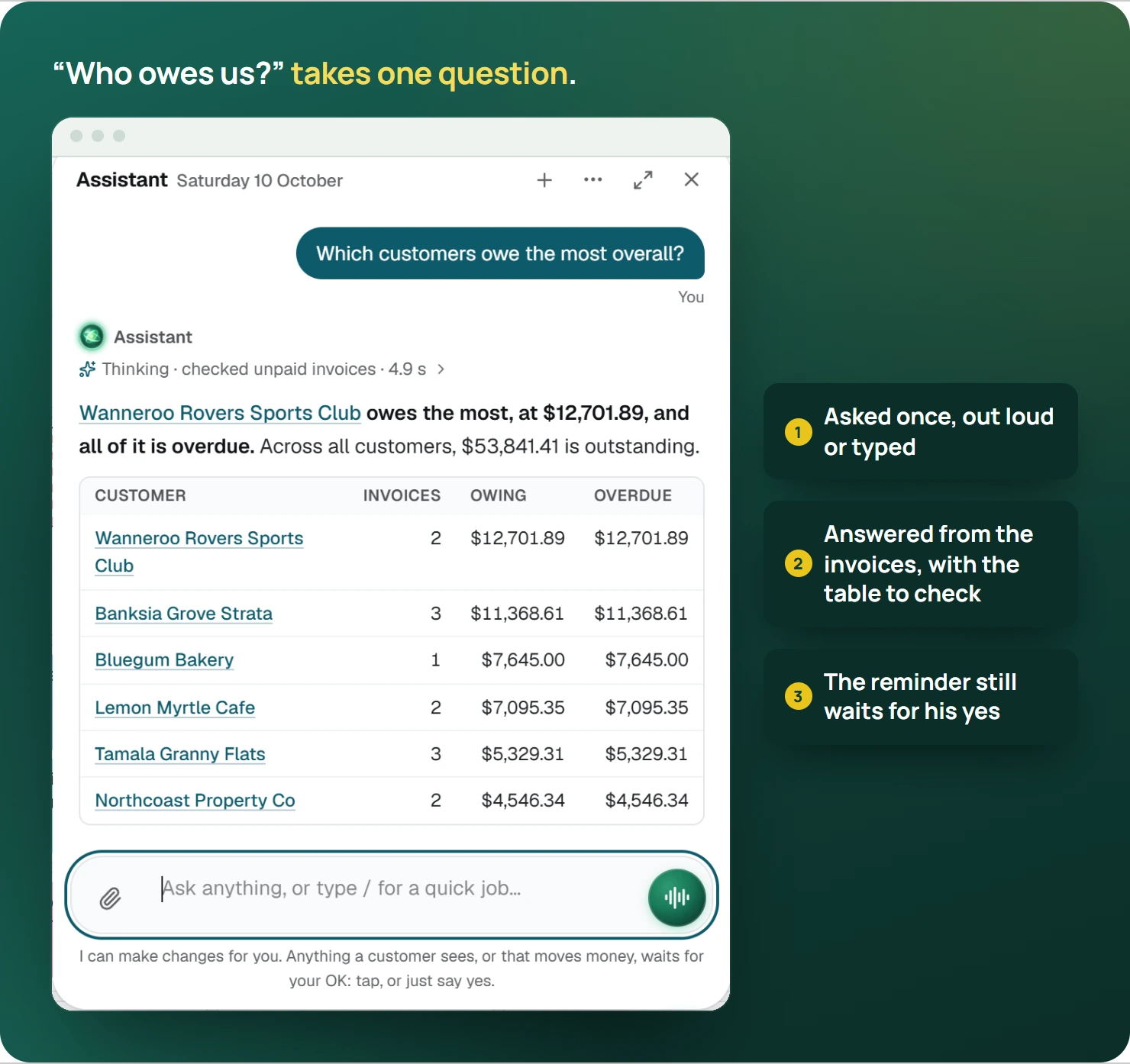
That's the admin done before the next job, with every send checked on the card first.
So where do you start?
Pick three things you do every day that start with you saying "can you just" to someone. Those are your first voice requests. Try them parked, check every card, and give it a fortnight.
Then see the EasyDone Assistant with a job your team knows, and ask us to include one correction and one request that should be refused. That's how you'll know you can trust it.